In Windows 11, log in to Linux based on the .pem file
1. Use puttygen to convert the .pem file to .ppk format: open puttygen. Click Load and select the .pem file. Click Save Private Key to save as a .ppk file. as shown in Figure 1
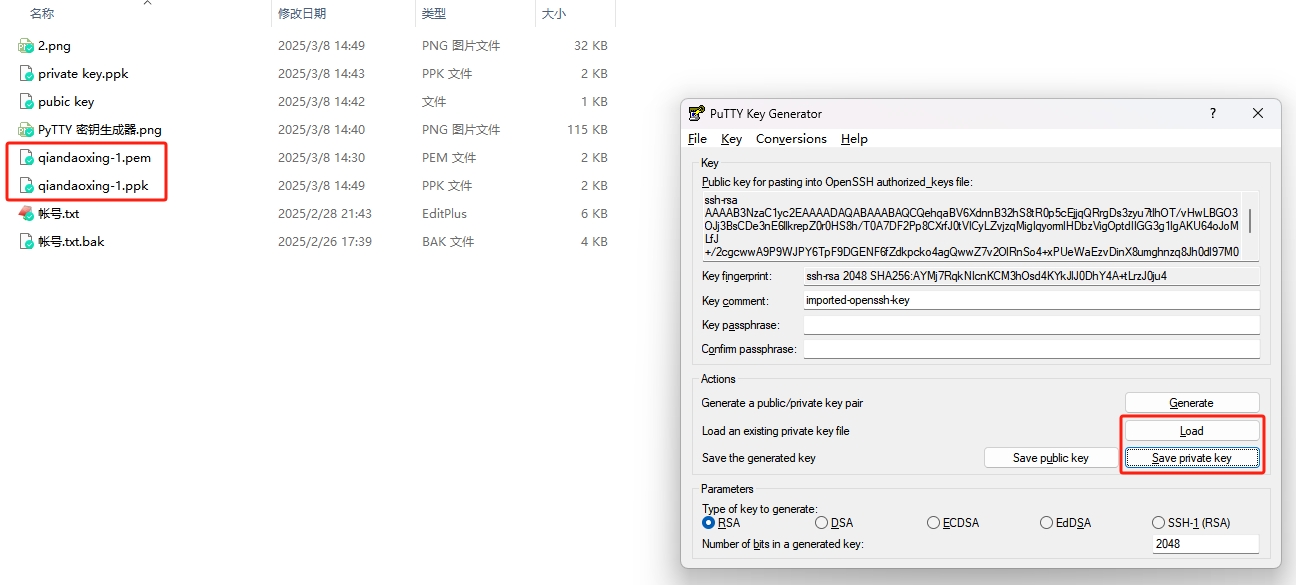
Figure 1
2. Use putty to log in: open putty. In the Connection > ssh > auth, select the .ppk file. as shown in Figure 2
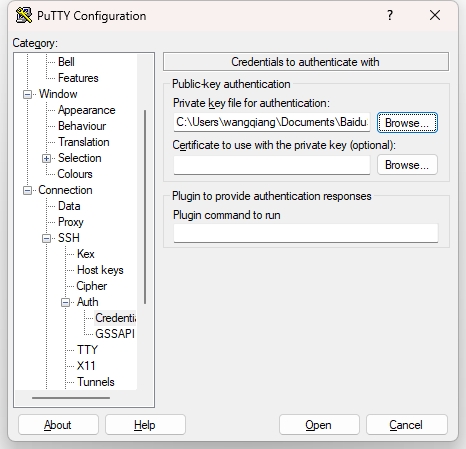
Figure 2
3. In the session, enter the server IP address and click Open. Login was successful. as shown in Figure 3
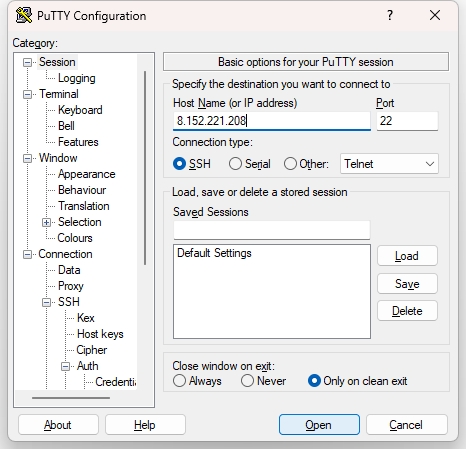
Figure 3