This article is based on the real installation and configuration process of Ubuntu 26.04 on the ThinkPad T570. All commands are actual operating records with some failed attempts and explanations, designed to provide a complete, reproducible initialization guide.
1. Replace the software source (including failed attempts)
Just after installing the system, in order to improve the download speed, first try to replace the official source with the Alibaba Cloud image. The following commands were executed:
sudo sed -i 's/archive.ubuntu.com/mirrors.aliyun.com/g' /etc/apt/sources.list
After entering the password, the command is completed (no errors are reported). However, then run sudo apt update when the output shows:
This means The actual software source used is already the TUNA image of Tsinghua University, not the official source or Alibaba Yunyuan. Why sed The command doesn’t take effect? Examine /etc/apt/sources.list content:
cat /etc/apt/sources.list
The output is:
# Ubuntu sources have moved to /etc/apt/sources.list.d/ubuntu.sources
Turns out, starting with Ubuntu 24.04, the APT source configuration was migrated to Deb822 format, tradition sources.list The file is discarded, the actual configuration is located /etc/apt/sources.list.d/ubuntu.sources. View the file:
cat /etc/apt/sources.list.d/ubuntu.sources
The output is:
Types: deb
URIs: http://cn.archive.ubuntu.com/ubuntu/
Suites: resolute resolute-updates resolute-backports
Components: main restricted universe multiverse
Signed-By: /usr/share/keyrings/ubuntu-archive-keyring.gpg

Types: deb
URIs: http://security.ubuntu.com/ubuntu/
Suites: resolute-security
Components: main restricted universe multiverse
Signed-By: /usr/share/keyrings/ubuntu-archive-keyring.gpg
It can be seen that the official source address is cn.archive.ubuntu.com(CDN image in China), and apt update show from Mirrors.Tuna.tsinghua.edu.cn Get data. This is because ubuntu cn.archive.ubuntu.com Domain names will be automatically redirected to the fastest image station in China via DNS or HTTP(In this case is Tsinghuayuan). Therefore, the newly installed Ubuntu 26.04 has actually automatically obtained the domestic high-speed image,No need to manually replace the source.
above-mentioned sed There are two reasons why the command does not take effect: one is to correct the wrong file (sources.list Discarded), the second is that even if the correct deb822 file is modified, the original string Archive.ubuntu.com also does not exist in the current configuration. If you still want to force a specific image (such as Alibaba Cloud), you can edit /etc/apt/sources.list.d/ubuntu.sources, will Uris:http://cn.archive.ubuntu.com/ubuntu/ be replaced Uris:http://mirrors.aliyun.com/ubuntu/and then execute sudo apt update. Considering that the existing automatic redirect mechanism is already very fast, this article keeps the default configuration and continues the next steps.
2. System update and software package upgrade
Execute the update and upgrade all installed packages:
sudo apt update && sudo apt upgrade -y
The output shows:
Hit Tsinghuayuan, safety source, etc.
Have 12 packagesCan be upgraded (including base-files,gnome-control-center,snapd etc.)
Download size 45.3 MB, automatic installation is complete
At the same time, the system prompts that there are old kernel packages that are no longer needed (Linux-Headers-7.0.0-14 , etc., clean up later.
Description new version ubuntu-drivers Deprecated autoinstall, should use install.
3.3 Use the correct installation commands
sudo ubuntu-drivers install
After execution, the system prompts:
All the available drivers are already installed.
This means that the NVIDIA driver is already pre-existing in the system and does not need to be installed again. Why does the newly installed Ubuntu have NVIDIA proprietary drivers?
This is closely related to the options during system installation. During the Ubuntu 26.04 installation, there is a ‘Install the recommended proprietary software?’ the interface, which contains two key options:
‘Install third-party software for graphics and Wi-Fi hardware’ – This option clearly states: ‘Include but not limited to NVIDIA drivers and similar software’. After checking this option, the installer will automatically detect the hardware (such as NVIDIA graphics card, Broadcom wireless network card, etc.), and download and install the corresponding dedicated driver from the software source.
‘Download and install support for other media formats’ – This option installs multimedia decoder (such as MP3, H.264, etc.), which is not related to the graphics card driver, but is usually checked by the user with the previous item.
Since ‘Install third-party software for graphics and Wi-Fi hardware’ was checked during this installation, the system has automatically completed the deployment of the NVIDIA GeForce 940MX driver during the installation process. Therefore, after the installation is completed ubuntu-drivers install The command will prompt ‘All available drivers are installed’.
💡 Supplement: Even if this option is not checked during installation, it can be run manually after the system installation sudo ubuntu-drivers install Or sudo apt install nvidia-driver-580 to install the driver. Both methods can achieve the same effect.
4. Enable the firewall
sudo ufw enable
output:
在系统启动时启用和激活防火墙
Basic safety protection has been turned on.
5. Install common software and multimedia support
Installation git,curl,vim,htop,unzip And ubuntu-restricted-extras(Multimedia decoder + Microsoft font):
sudo apt install git curl vim htop unzip ubuntu-restricted-extras
5.1 Automatic installation of dependency packages
The system will be installed automatically cabextract,git-man,liberror-perl,libmspack0t64,TTF-MScoreFonts-Installer,unrar,vim-runtime and other dependencies.
5.2 Accept Microsoft Font EULA Agreement
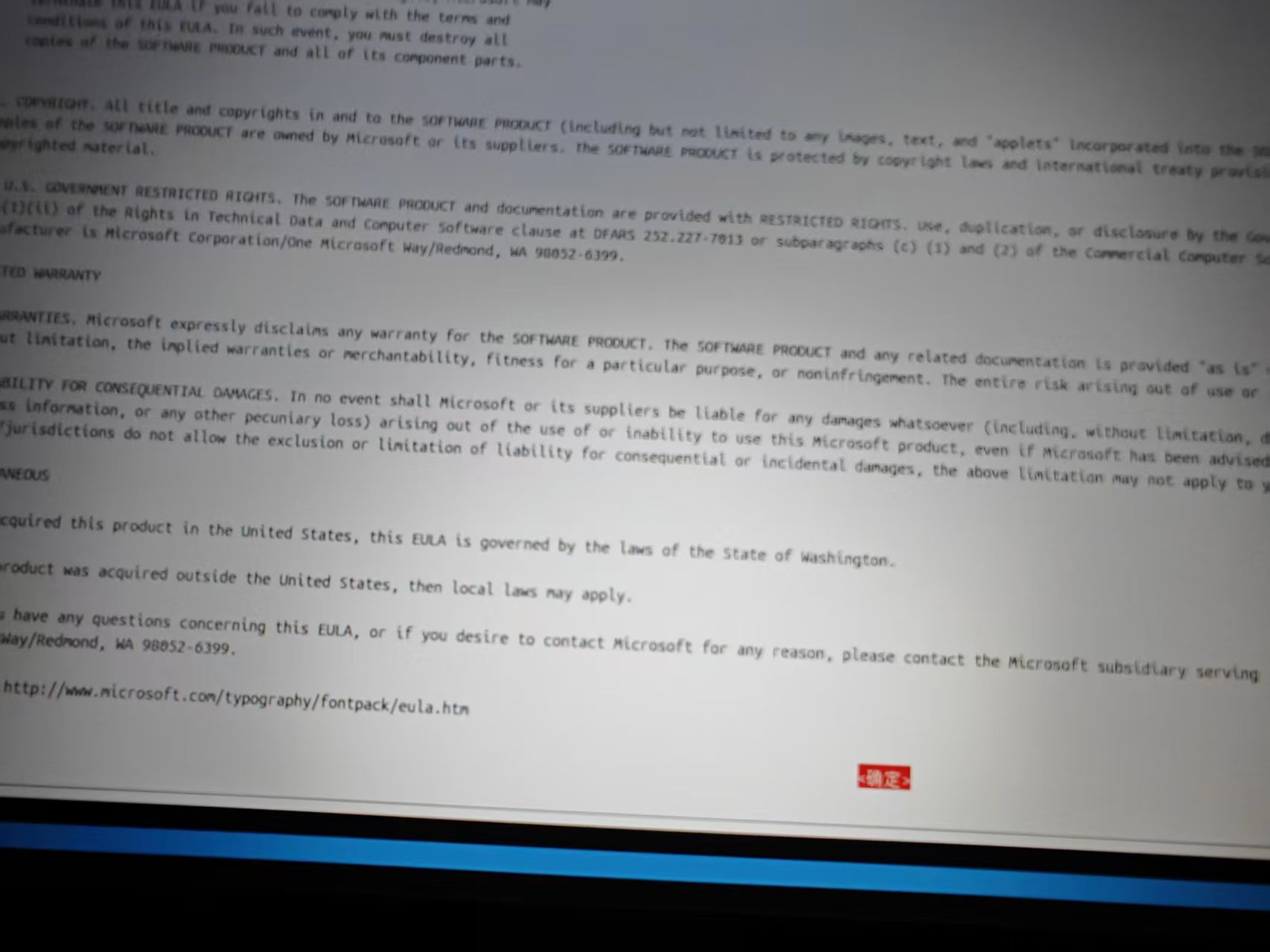
Installation TTF-MScoreFonts-Installer The license agreement window will pop up. As shown in the figure below, first display the complete EULA text:
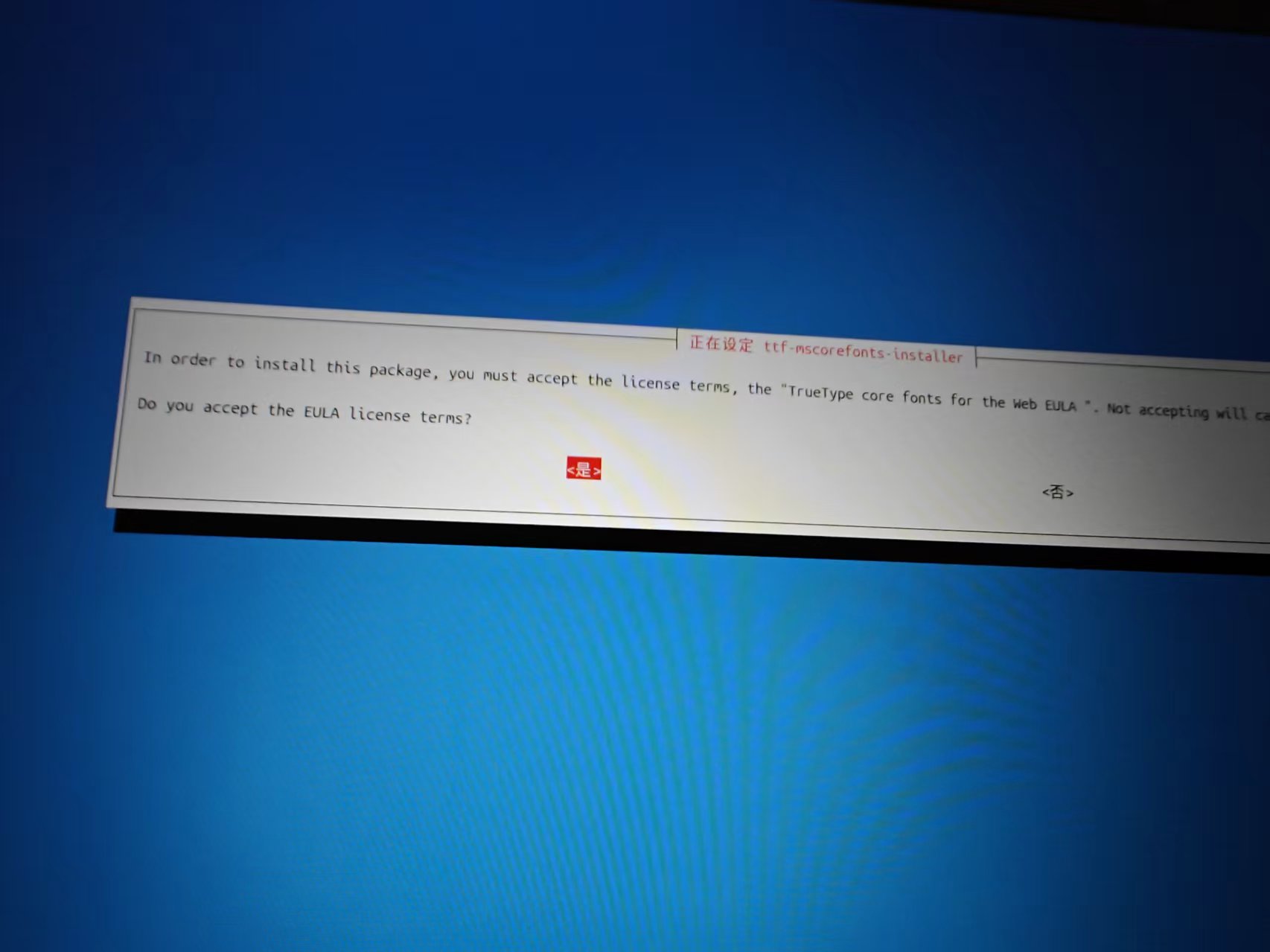
Then the acceptance dialog box appears, and the default ‘No’ is highlighted:
Operation method: use Tab key to move the highlight to ‘OK’ or ‘Yes’, then press Enter confirm. Afterwards, download and decompress all fonts automatically (Andale, Arial, Times New Roman, etc.).
5.3 Font download and installation process
Terminal output shows 11 downloads from SourceForge .exe file, and use cabextract Extract the TrueType font. Final prompt:
All fonts downloaded and installed.
6. Clean up old cores and dependencies
According to the system prompt, remove the old kernel package that is no longer needed:
sudo apt autoremove -y
package to be unloaded:
Linux-Headers-7.0.0-14
linux-image-unsigned-7.0.0-14-generic
linux-modules-7.0.0-14-generic
Wait for a total of 7 packs
Release about 319 MB space. At the same time, GRUB automatically updates, and detects Windows Boot Manager (dual system boot items are reserved).
7. Verify the final status of the graphics card driver
run again NVIDIA-SMI Confirm that the driver is working:
The system prompt is the latest version. After the installation is complete, you need to configure the input method framework.
8.1 Select the input method framework
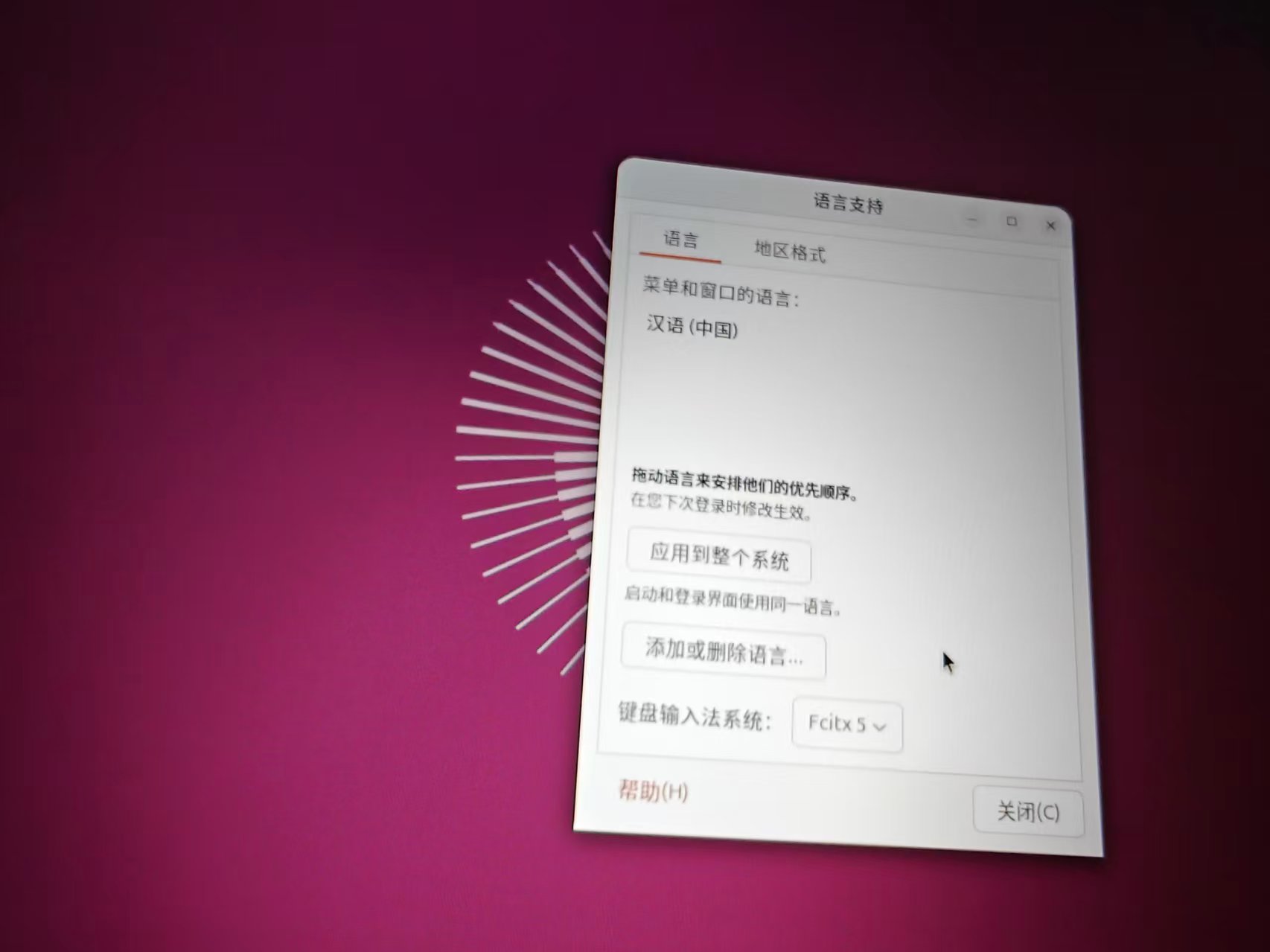
Open the ‘Language Support’ window, you can switch the keyboard input method system. The picture below shows fcitx5 Framework:
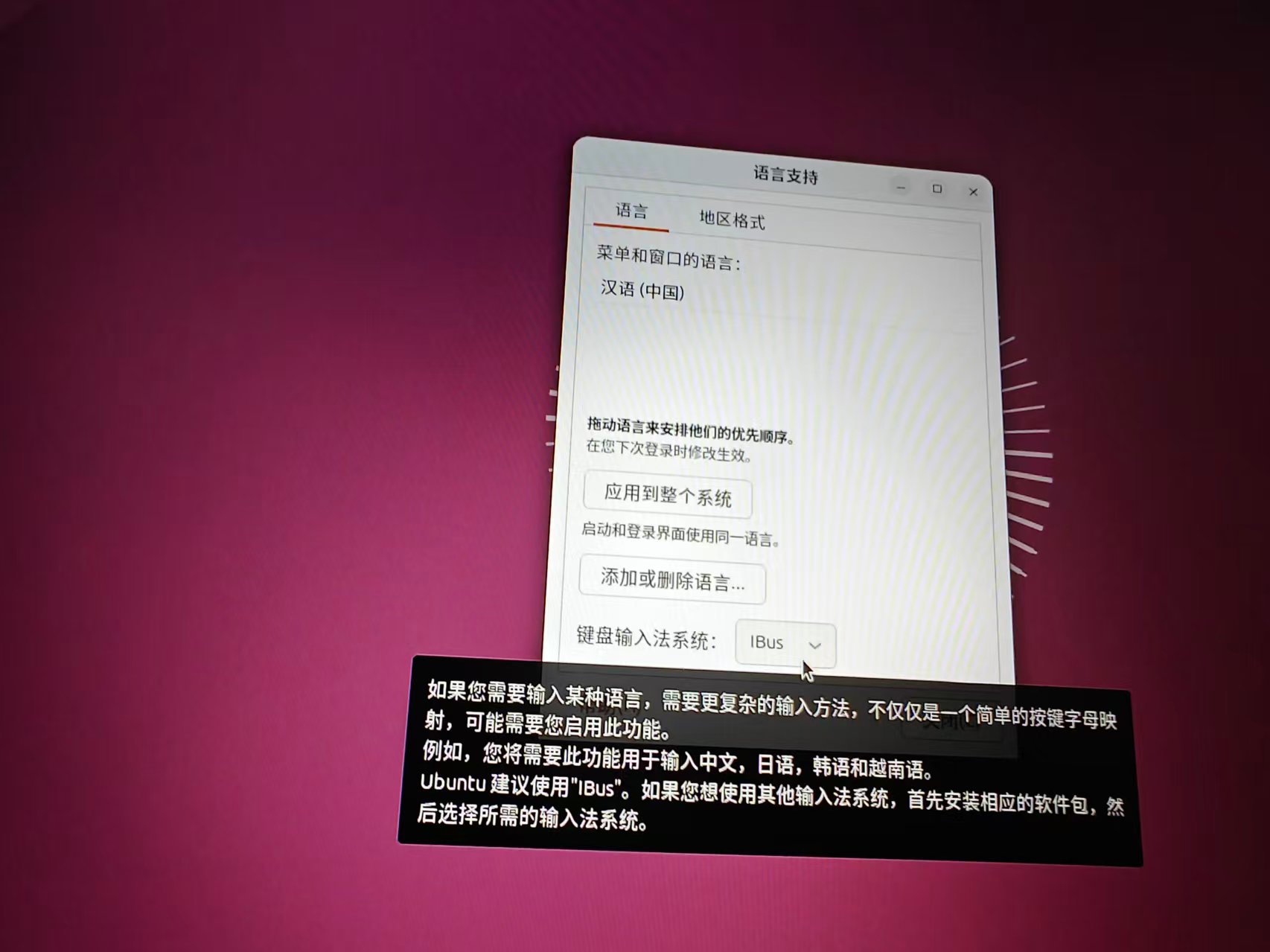
Ubuntu is officially recommended ibus, especially for complex input methods such as Chinese and Japanese:
Since we installed ibus-libpinyin, you should ensure that the ‘Keyboard Input Method System’ is set to ibus(as shown in the picture above). AfterLogoutThe current session and log in again, add ‘Chinese (Smart Pinyin)’ to ‘Settings → Keyboard → Input Source’. Press windows + spaces You can switch between Chinese and English inputs.
The author initially installed the ibus pinyin input method (ibus-libpinyin), use win + space Pinyin can be entered normally. However, the input efficiency of pinyin is not high, and I prefer Wubi Pinyin mixed input, so I decided to switch to fcitx5 frame. Execute the following command to install fcitx5 and its Chinese plugin:
sudo apt install fcitx5 fcitx5-chinese-addons
The typical output after execution is as follows (if installed, it will prompt that it is the latest version):
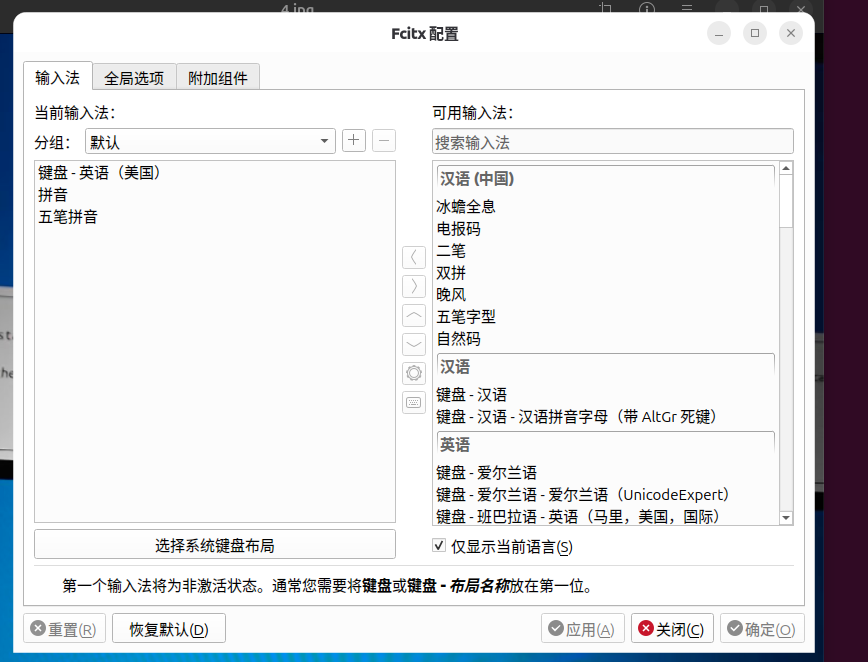
After the installation is complete, open the FcitX5 configuration tool (fcitx5-configtool), add in the ‘Input Method’ tab ‘Wu Bi Pinyin’ can be used normally.
The default Wayland shows that FcitX5 usually works well under the server (the author’s ThinkPad T570 is the case). If the candidate box does not follow compatibility and other compatibility problems, you can switch to the XORG session after logging out (click the gear icon to select ‘Ubuntu on Xorg’ in the login interface).
9. Configuration summary and follow-up suggestions
After executing all the above commands, the system status is as follows:
Project
Status
software source
Default image (domestic high speed)
system package
All the latest (12 packages have been upgraded)
old kernel
Cleared, released 319MB
nvidia driver
580.159.03, CUDA 13.0, normal work
Firewall
enabled
basic tool
git, curl, vim, htop, unzip installed
multimedia support
Decoder + Microsoft font installed
Chinese typing system
ibus-libpinyin available
Optional subsequent optimizations (I have not performed the following operations)
development environment: python (python3-pip, python3-venv), Node.js, Docker, etc.
Turn off Ubuntu Pro tips:sudo pro config set apt_news=false
Epilogue
This article records complete command line operations from post installation to system ready, including failed attempts with the correct solution. Hopefully this guide based on real-world operations helps you quickly configure your Ubuntu environment. If you encounter any problems during the configuration process, please check the steps and screenshots of this article.