Thoroughly clear WordPress empty tags: Eliminate soft 404, save grabbing budget
My blog has been running for more than 10 years, and as the content continues to change, the background has unknowingly accumulated a batch of empty tags with ‘number of articles is 0’. When I was doing site SEO optimization recently, I noticed that these empty tags are not only included by Google, but also hidden hidden content quality hazards.
This blog briefly sorts out the impact of empty tags on SEO, and how I deal with the deleted 404 problem.
1. The Invisible Killer of the Empty Label: More terrifying than the dead chain is ‘soft 404’
If the empty label page is not hanged, it is easy to cause ‘soft 404 (Soft 404)’ problem.
When the crawler accesses a tab without any articles, WordPress will return by default 200 ok Status code, indicating that the page is normal. But the page essentially does not have any valid content, only the prompt of ‘no articles’.
The misalignment of this status code and content will have two negative effects on SEO:
- Waste to grab the budget: Googlebot spends time crawling blank pages, which will cause new articles that are truly valuable in the website will not be crawled in time.
- Lower overall quality score: The existence of a large number of low-quality pages will dilute the overall content authority of the site.
2. Delete empty tags: Ning want real 404, not fake 200
The solution is very straightforward: in the background, the labels with the number of these articles are deleted in batches.
After deleting, these tag URLs will be returned logically 404 Not Found status code.
When it comes to 404, everyone is often worried that the Google Search Console (GSC) will report an error, and then consider making a 301 redirect to make up for it. In fact, for empty tabs, it is not a good choice to redirect 301 to the home page or other pages. Google usually regards this meaningless redirection as another ‘soft 404’, and if a large number of empty tags 301 to the home page, it may trigger an exception determination.
In contrast, returning the real 404 is a more standardized approach, which clearly tells the search engine that the page has expired and needs to be removed from the index.
3. Practical cleaning and follow-up processing
For empty labels with scales below 1000, the most efficient way is to operate directly in the background:
- Go to WordPress background -> Articles -> Tags.
- Click ‘Display Options’ in the upper right corner to increase the number displayed on each page (for example, to 100 or 999).
- Click the ‘Total’ of the header to sort, and the label with the number 0 will be concentrated on the previous pages.
- Select All -> Batch Delete.
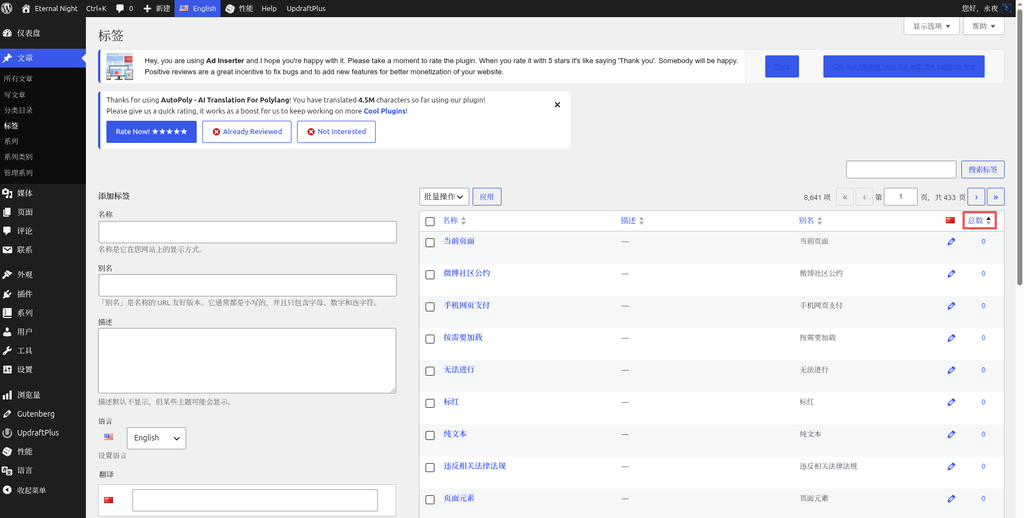
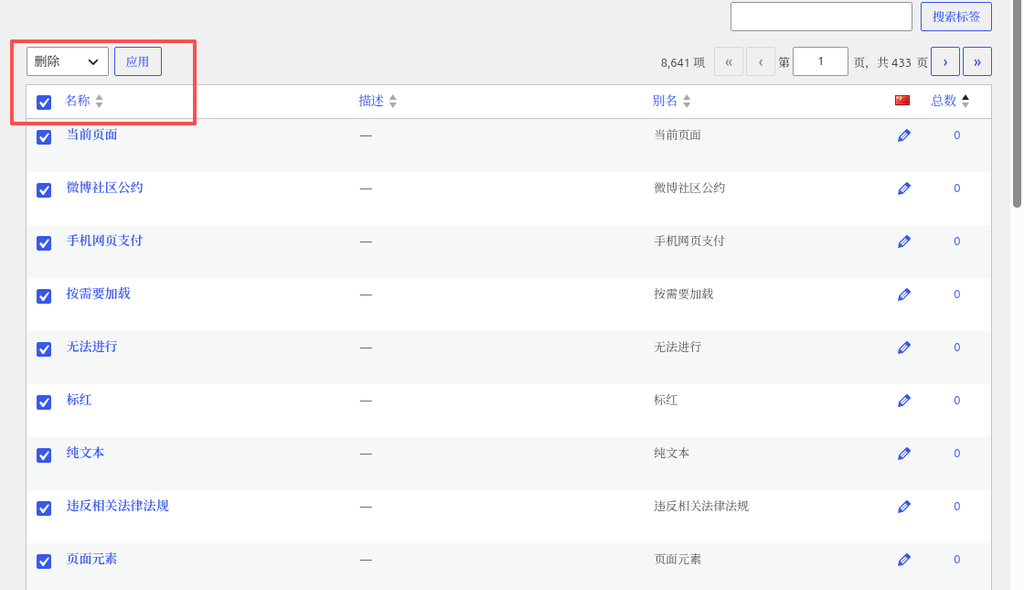
The whole process can be completed in one or two minutes. If the empty label reaches 10,000, the background operation may be stuck. At this time, it is a more reasonable choice to write a Go script to adjust the REST API batch cleaning.
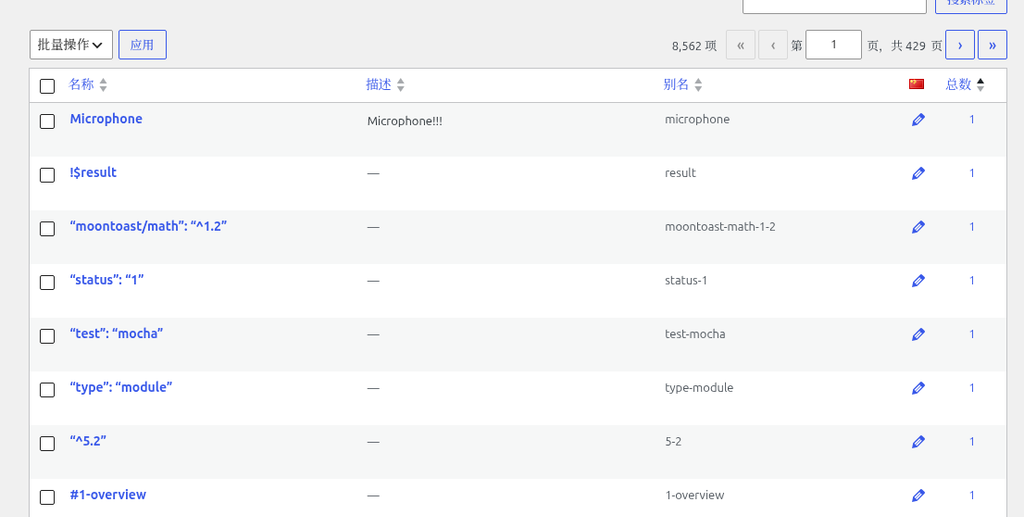
As for the 404 errors that appear in GSC, there is no need to be overly anxious, and there is no need to manually submit a request for removal. GoogleBot confirms the real 404 status on subsequent crawling, and will automatically clean them from the index library. For a site with a certain history, the 404 links generated by hundreds of natural changes are within the normal range and will not bring the risk of downward rights.
Epilogue
SEO optimization is often not about how many fancy labels are added, but on the continuous maintenance of site details. Clear the empty label, eliminate the hidden dangers of soft 404, and return the grabbing budget to the content that is really valuable.