
Recently, I decided to seriously operate my technical blog. The first step is to submit the site map to the mainstream search engine. I thought it was a simple job, but I didn’t expect to encounter a lot of pits – Bing is empty, Baidu requires the related subject, Sogou has to upload a composite picture of the front and back of the ID card… Fortunately, it was finally solved. This article records my complete operation process, I hope it helps you.
Background
My blog is a WordPress + Hueman theme, and I have never submitted a sitemap before. Recently, I plan to operate well, especially want to increase the source of traffic, so I decided to submit the website to the five search engines of Google, Bing, Baidu, 360, and Sogou.
The sitemap address is a standard WordPress index map:https://www.shuijingwanwq.com/wp-sitemap.xml
1. Google Search Console (the smoothest)
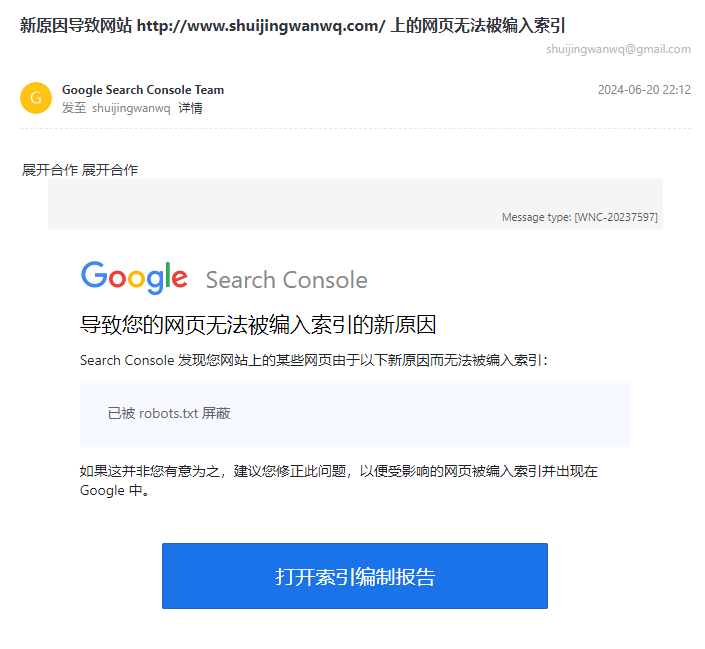
Google’s submission process is the easiest, direct access Google Search Console, add a website and verify ownership (recommended with domain name resolution).
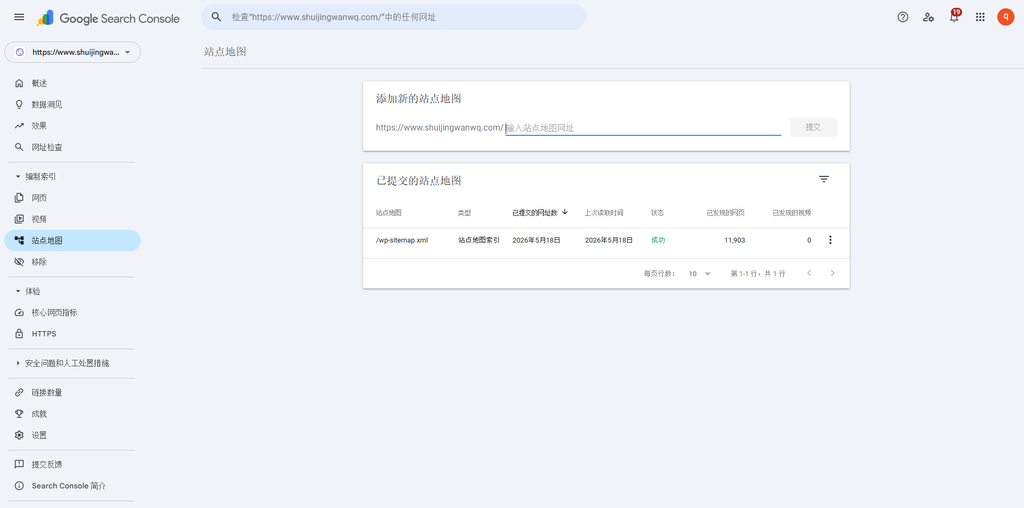
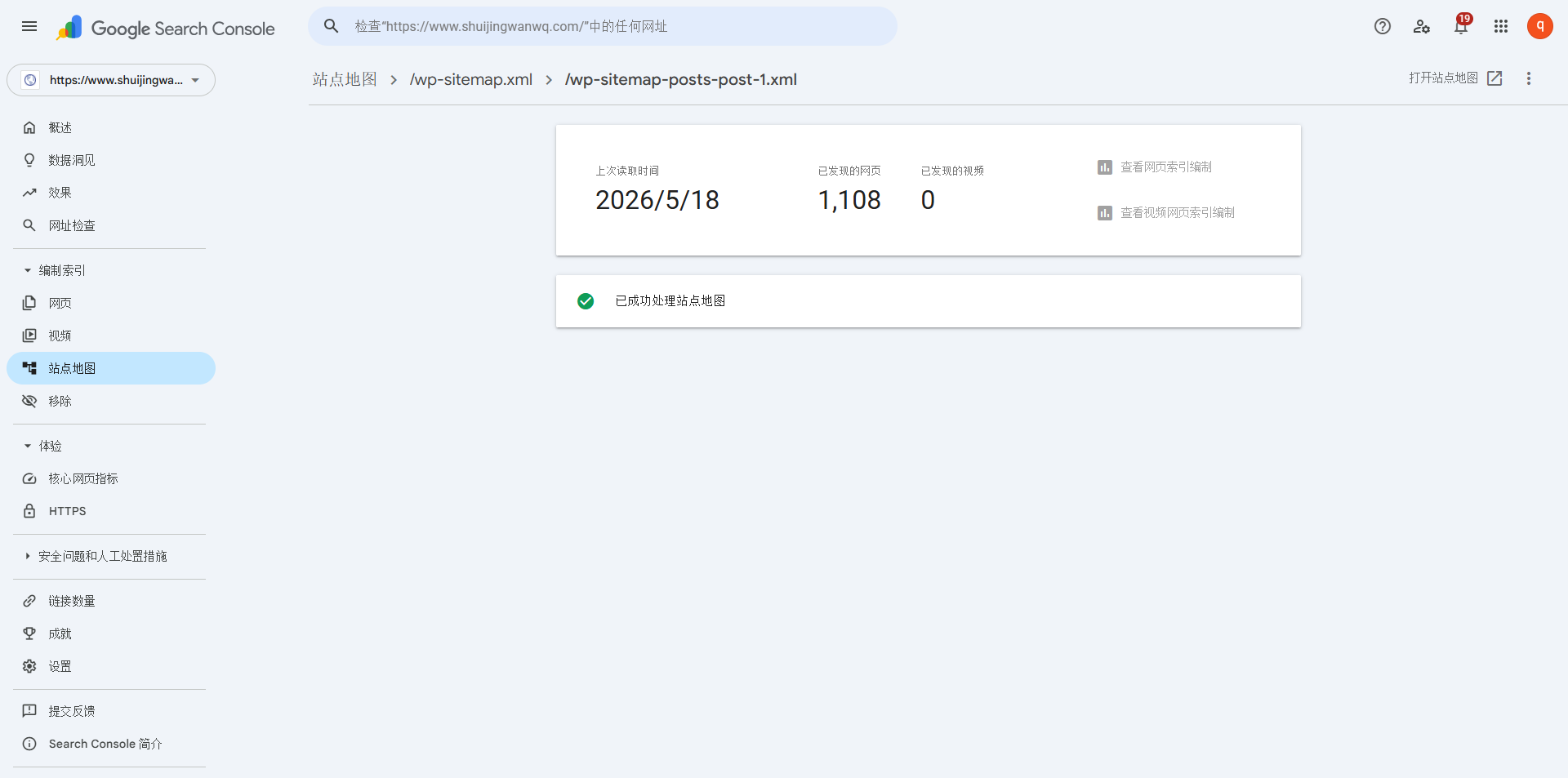
After the verification is passed, find ‘Site Map’ in the left menu, enter /wp-sitemap.xml, click Submit (as shown in Figure 1).
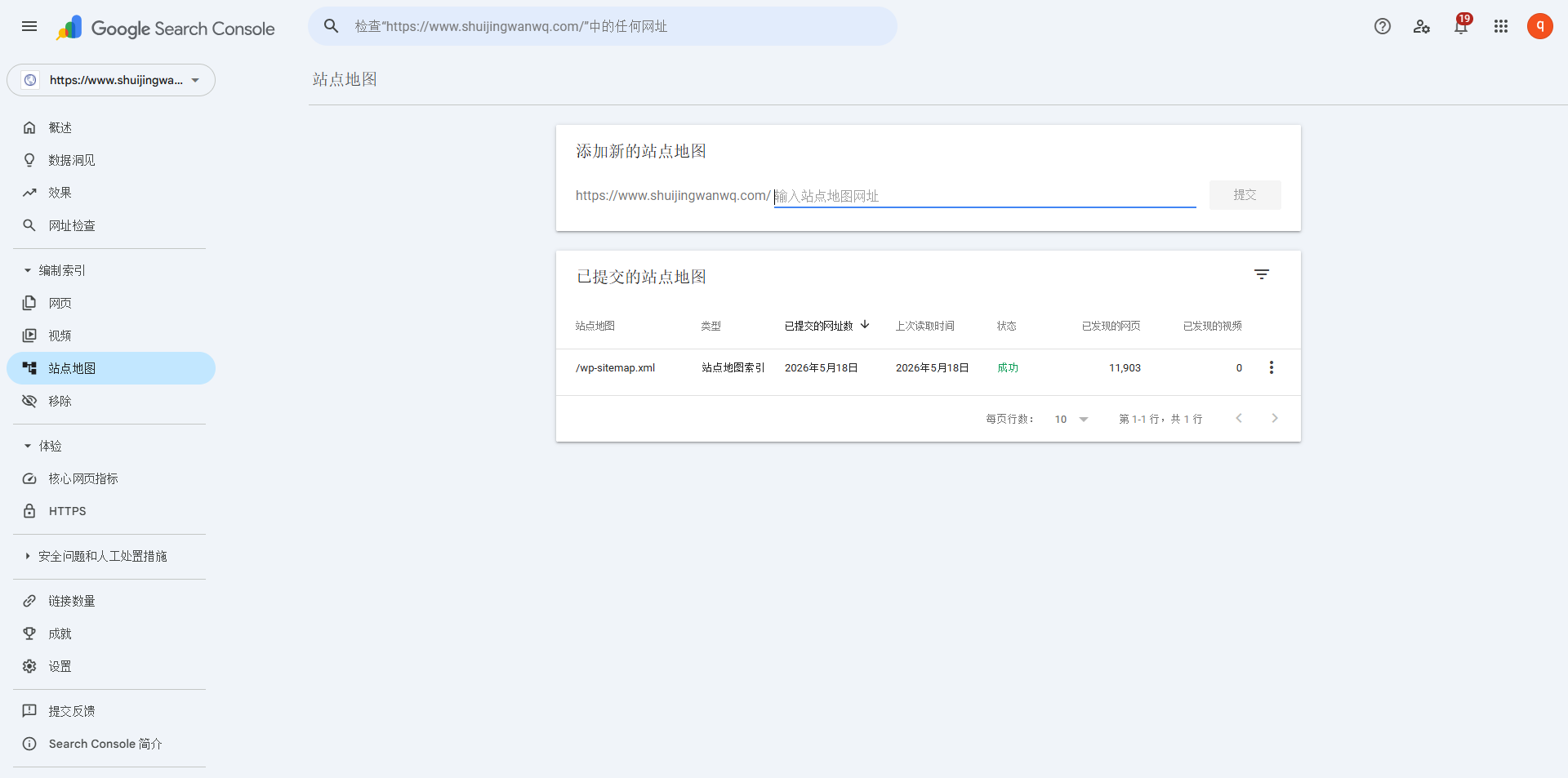
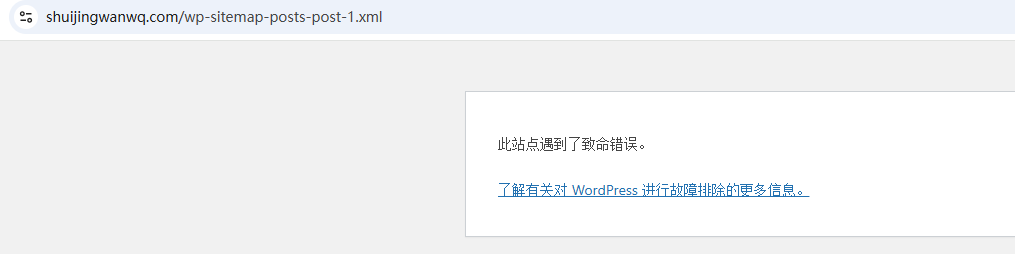
Google supports index maps, and it is done in one submission. I have encountered before 500 The error was fixed later, and the status was updated normally in about two days after resubmission. as shown in Figure 11
2. Bing Webmaster Tools (imported from Google, twists and turns)
Bing has a very convenient function: import the website directly from the Google Search Console, saving the trouble of repeated verification.
Log in Bing Webmaster Tools, click ‘Import’, select ‘Import from Google Search Console’, and follow the prompts to authorize.
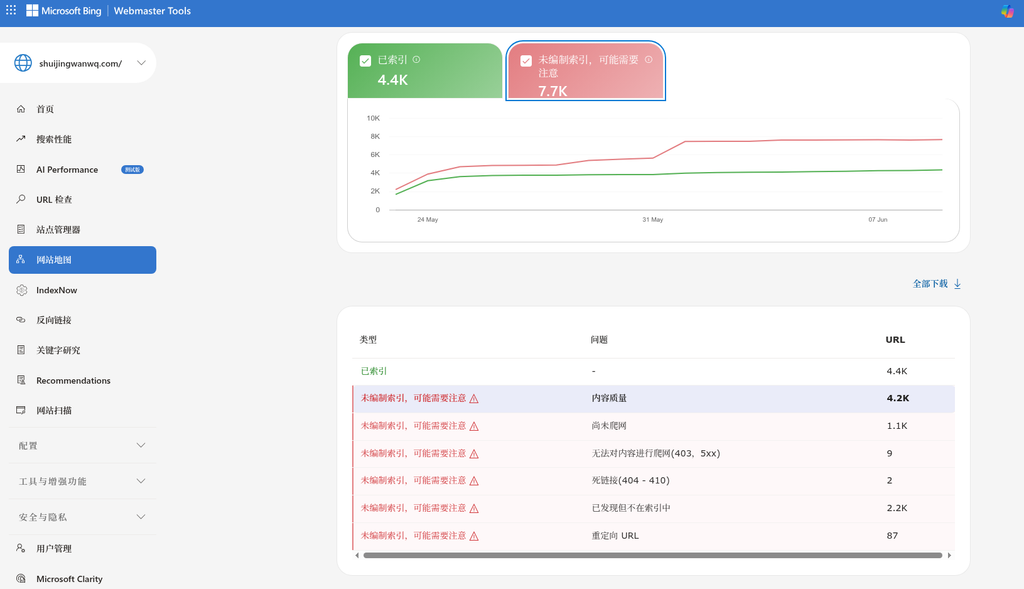
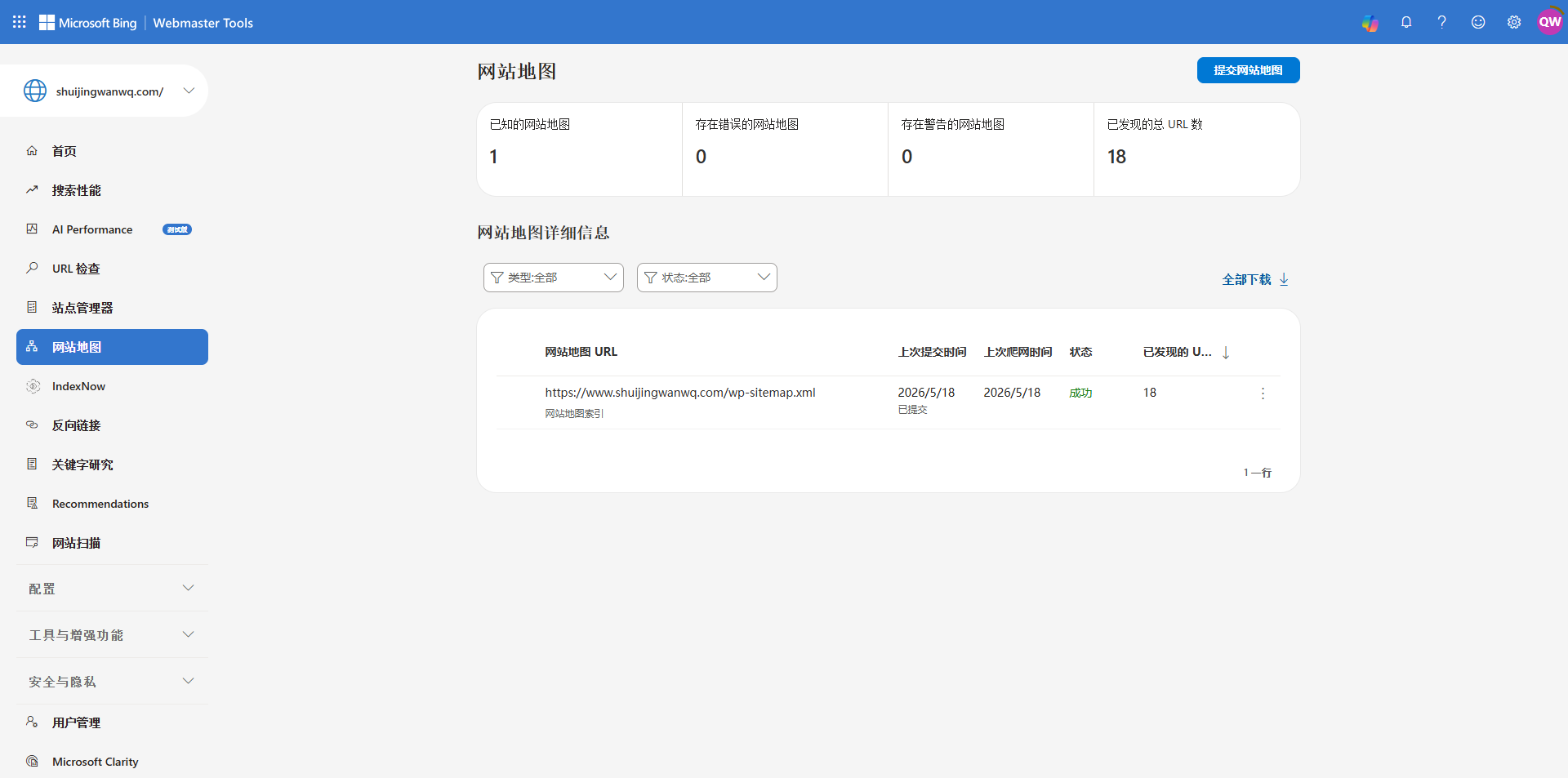
⚠️ Here I stepped on a pit: after the first import, the site map page is displayed as blank, without any data.
So decided to re-import manually – import from Google again. After the second import was successful, the site already existed, but the website map was blank, and finally decided to submit it manually. (As shown in Figure 2).
Suggestion: If the first import is empty, you don’t have to do it, etc., and it can be solved directly, and there is a high probability that it can be solved.
3. Baidu search resource platform (related subject + unable to submit index map)
Baidu is the most tossing, there are mainly two hurdles.
- Site type settings
My Hueman theme is an adaptive website, so select ‘Adaptation Station’ in the ‘Site Properties’ in the Baidu background.
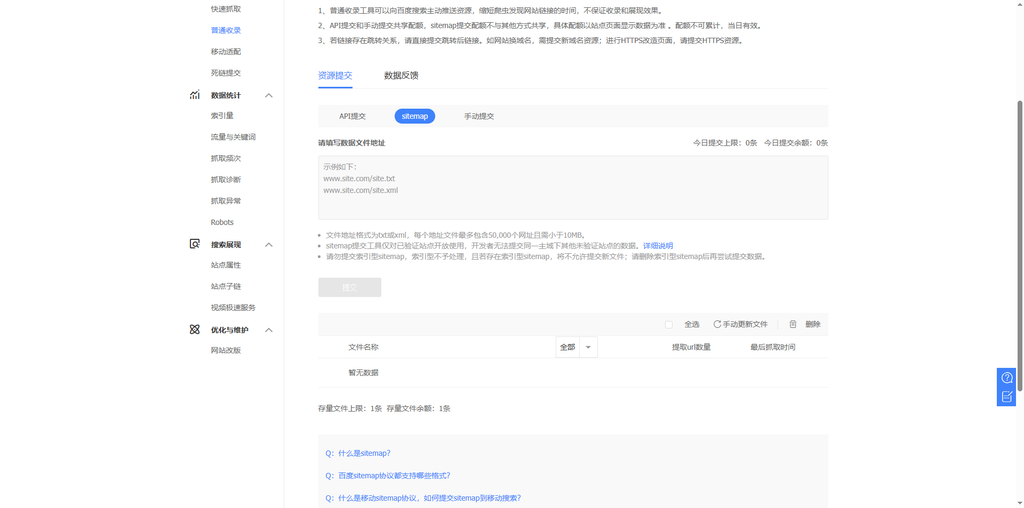
- Ordinary Inclusion – Sitemap, prompt: Today’s submission limit: 0 items submitted today balance: 0. as shown in Figure 3
- related body
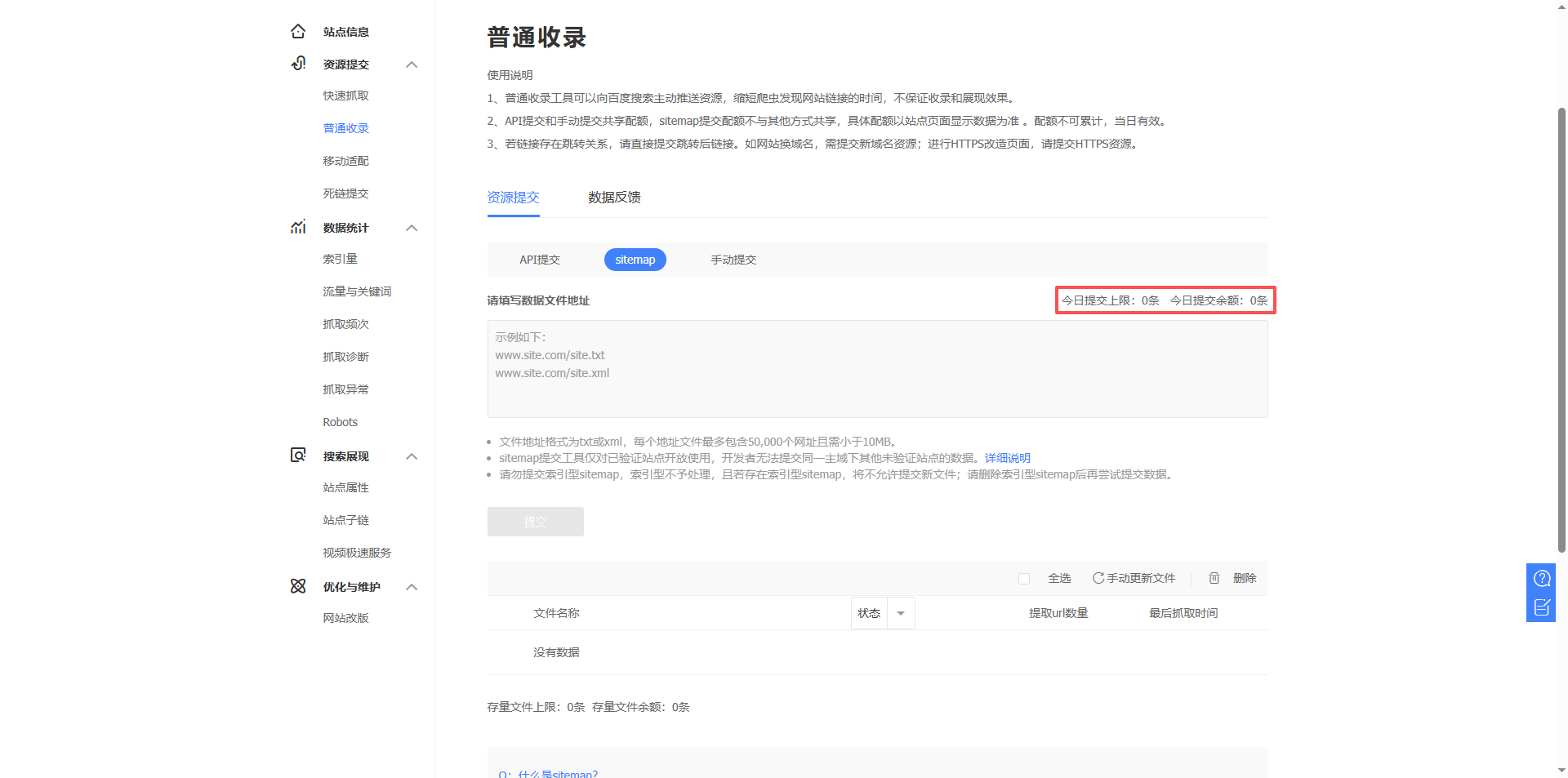
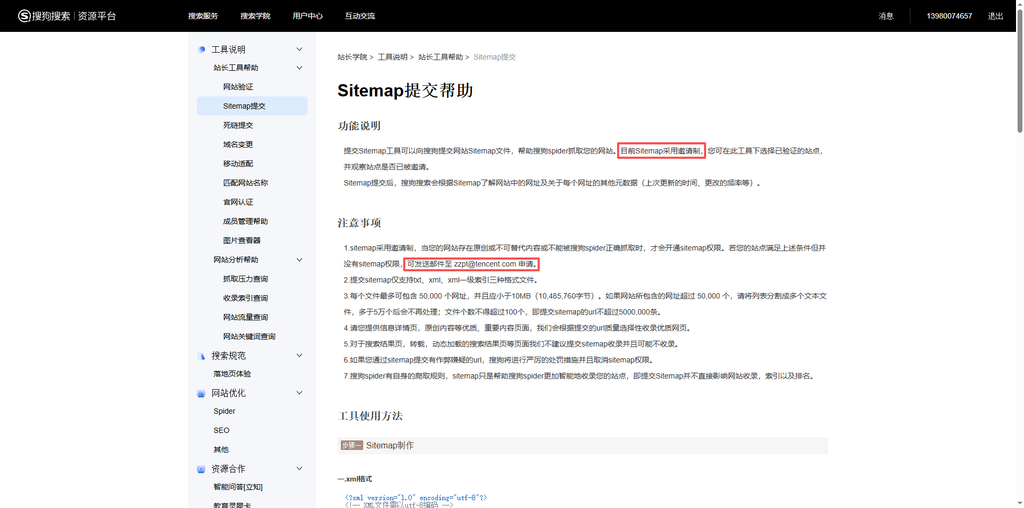
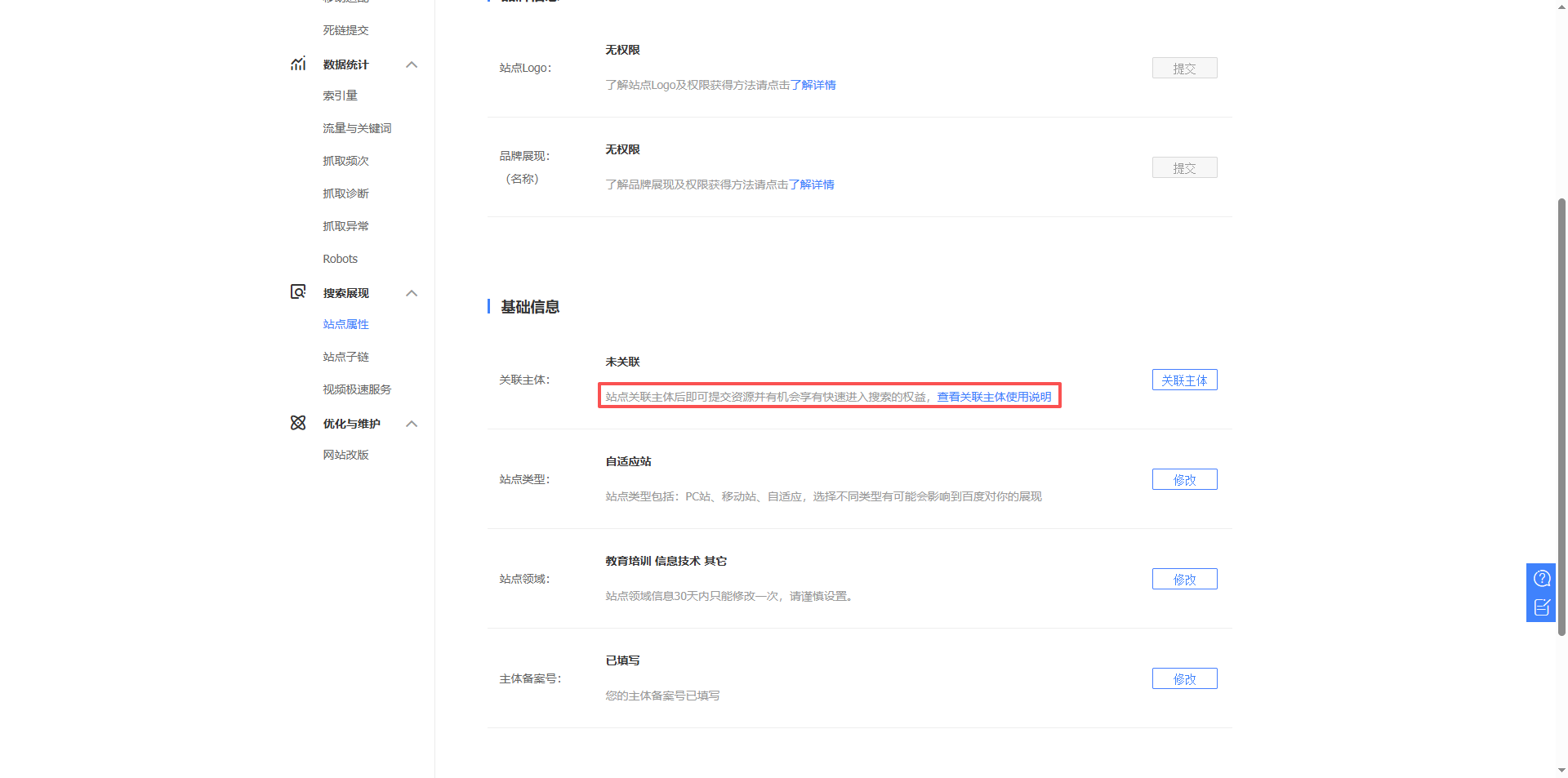
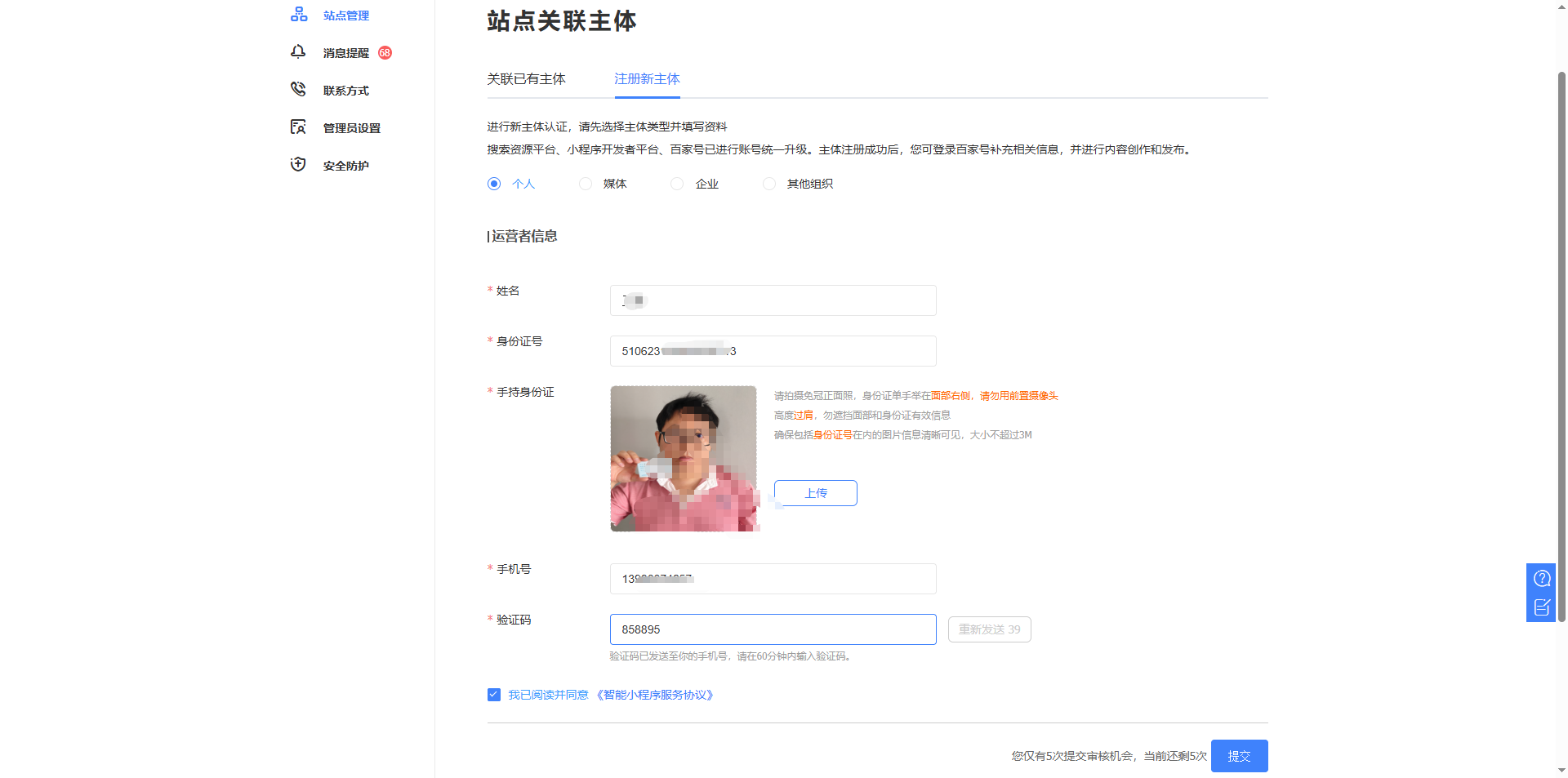
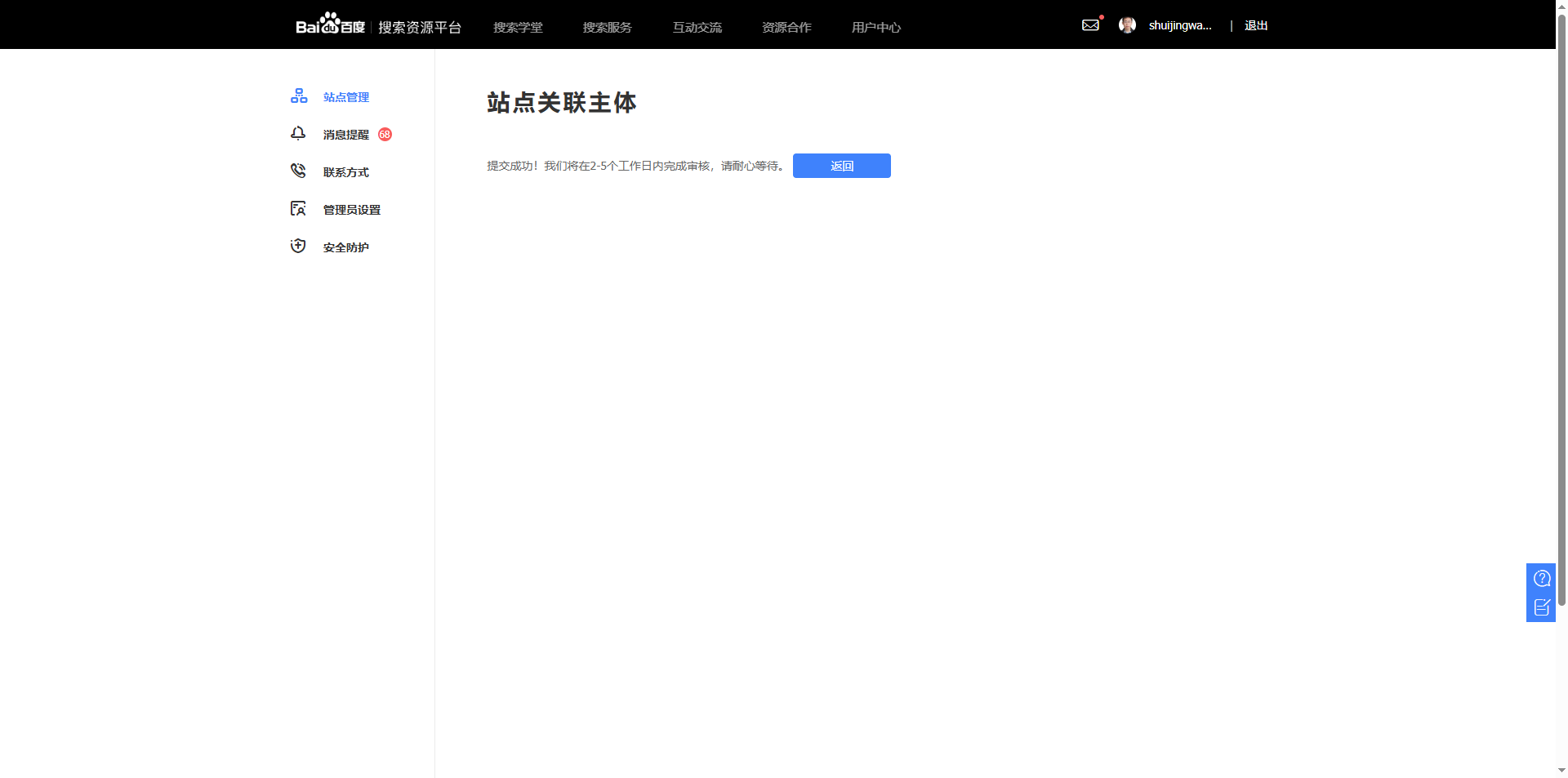
Baidu now requires the site to have an associated principal (individual or enterprise) in order to use the Sitemap submission function (speculation) (as shown in Figure 4). I entered ‘Site Management’ → ‘Association Subject’, registered a new subject, filled in personal information and submitted it for review (as shown in Figure 5). The review takes 2-5 working days (Figure 6), and is still awaiting.
- Can’t submit index map
What’s more troublesome is that Baidu does not support indexed sitemaps (that is, /wp-sitemap.xml this). If you submit it directly, not only will it not be processed, but it will also cause the entire Sitemap function to be locked.
The correct way is to submit subsite maps, such as:
https://www.shuijingwanwq.com/wp-sitemap-posts-post-1.xml(article)https://www.shuijingwanwq.com/wp-sitemap-posts-page-1.xml(page)
After the subject is approved, I will submit these submaps.
4. 360 webmaster platform (the most worry-free)
The submission process of 360 is very smooth and has no extra restrictions.
Log in 360 webmaster platform, add the website and complete the verification (recommended file verification). Then enter ‘Site Management’ → ‘Sitemap’ and submit the index map directly https://www.shuijingwanwq.com/wp-sitemap.xml. as shown in Figure 7
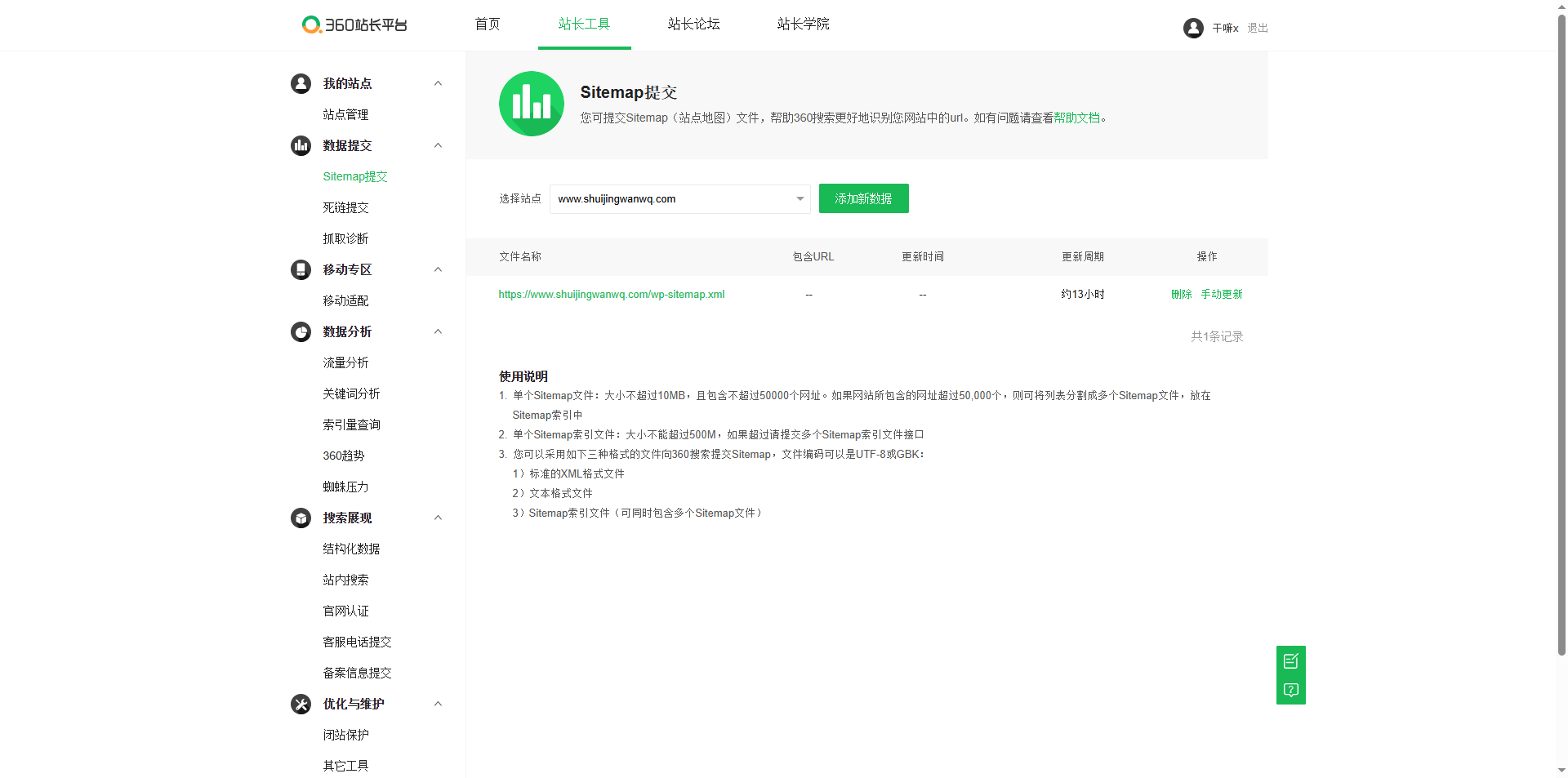
360 clearly supports indexed sitemap, which is clearly written in the official document. It will take effect immediately after submission, and there is no need to wait for review.
5. Sogou webmaster platform (the most strict review, and the processed ID card photo)
Sogou is the most troublesome one, not only has limited functions, but also requires real-name authentication.
- Sitemap is an invitation system
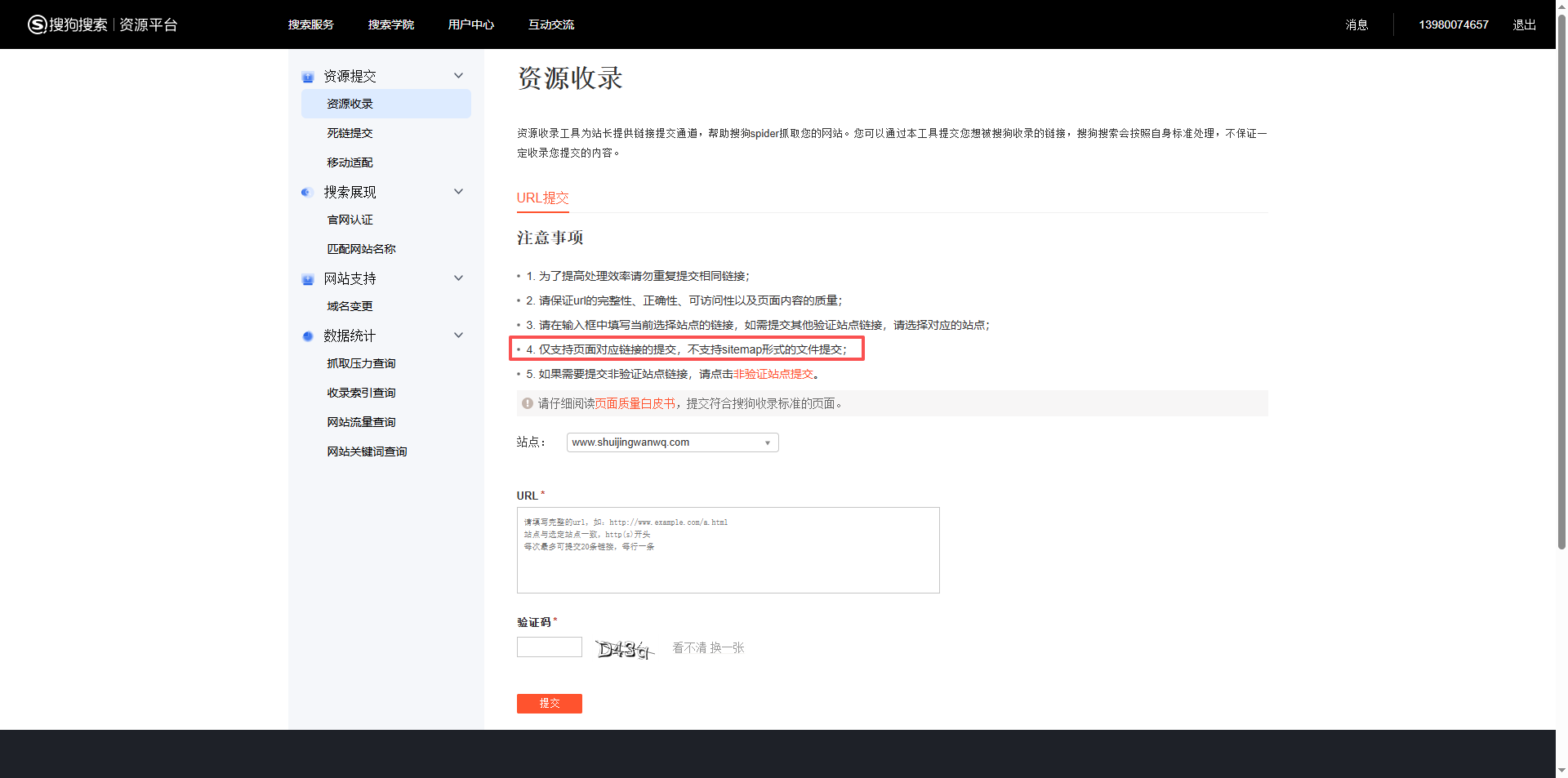
Sogou’s Sitemap submission function is not open to everyone by default, and needs to be invited or applied. I tried the regular entrance and found that it was impossible to submit directly. as shown in Figure 8
- Must be ‘Website Owner’
To qualify for submission, you need to complete the qualification review first. Enter the Sogou webmaster platform, find ‘Qualification Submission’ in ‘Website Management’, and upload as required:
- The front and back of the ID card are synthesized on a picture (only JPG/PNG is supported, the size is not more than 5MB)
- Other website certification information
- ID card synthesis operation
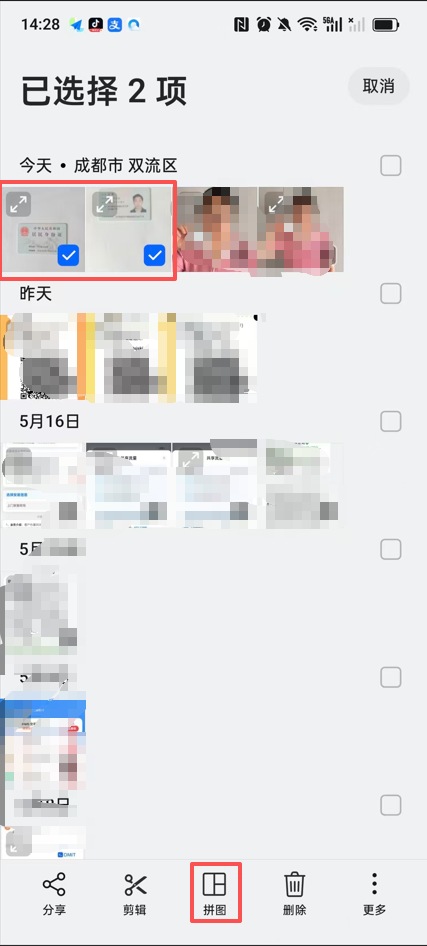
I have two photos in my hand: one is front and one is reversed. You need to combine them into a picture (the front is above, the back is on the bottom).
I use the ‘puzzle’ function that comes with my mobile phone album, select ‘stitching up and down’ layout, and it’s done in one second (as shown in Figure 9). If the mobile phone does not have this function, you can also use the ID card synthesis function in the WeChat applet ‘Smart Widget’.
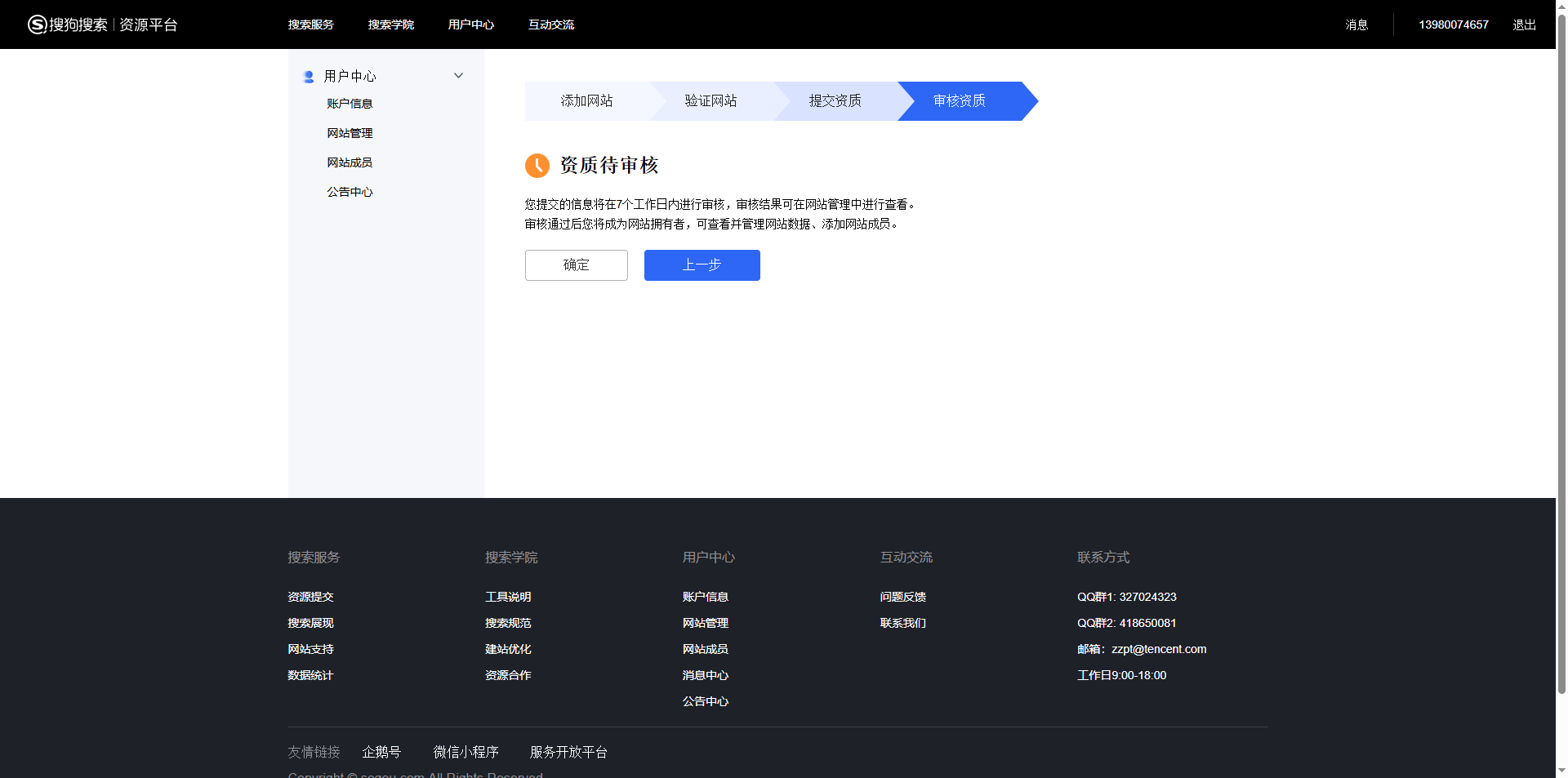
After submitting, the system prompts ‘Quality to be reviewed, completed within 7 working days’ (Figure 10). After passing through, I can become a website owner and use the Sitemap submission function.
6. Summary and suggestions
| Search engine | Whether to support index maps | Whether it is required to review | Difficulty |
|---|---|---|---|
| ✅ Support | Deny | ⭐ Simple | |
| binging | ✅ Support (import from Google) | Deny | ⭐ Notice the import is empty |
| Baidu | ❌ Not supported | Yes (associated subject) | ⭐⭐⭐ complex |
| 360 | ✅ Support | Deny | ⭐ Simple |
| Sogou | Invitation system (qualification review required) | Yes (ID card) | ⭐⭐⭐⭐ The most troublesome |
A few practical experiences
- Don’t panic when importing Bing as empty: re-import once, and the probability is successful.
- Baidu must submit a submap: don’t touch
/wp-sitemap.xml, otherwise the quota will be locked. - 360 is the most worry-free: just submit the index map directly.
- Sogou prepares the ID card synthesis drawing in advance: you can do it with the mobile phone puzzle function without additional tools.
- Patience is a compulsory course: Baidu’s review will take about 2-5 working days, and Sogou’s review will take about 7 working days. This time is just to concentrate on updating the content.
I hope my experience of stepping on the pit can help you avoid detours. If you are also submitting the site map, please leave a message to exchange~
WordPress Maintenance, Performance Optimization & Blog Growth Consulting
I have been running my personal technology blog for more than 10 years and have published over 1,000 original articles. My long-term practice covers WordPress website maintenance, CDN / Cloudflare configuration, caching optimization, Google SEO, ad monetization, and multilingual website operations.
If your WordPress website is slow, unstable, affected by plugin conflicts, showing caching issues, having AdSense display problems, or facing CDN / Cloudflare / DNS configuration uncertainty, feel free to contact me for remote troubleshooting.
Ideal For:
✅ Personal blog owners
✅ WordPress website operators
✅ Independent developers and content creators
✅ SaaS website owners
✅ Website owners who want better speed and stability
What I Offer:
✅ WordPress performance optimization
✅ Cloudflare / CDN / caching configuration checks
✅ Plugin conflict and layout issue troubleshooting
✅ AdSense display issue troubleshooting
✅ Basic SEO structure review
✅ Blog growth and monetization consulting
If you would like to discuss your website, please contact me and mention: WordPress Maintenance Consultation.
Contact Me:
Telegram: @shuijingwan
WeChat: 13980074657
Email: shuijingwanwq@gmail.com
Leave a Reply