

If you are in mainland China and do not have a Visa/MasterCard credit card that supports international payment, I hope this article can help you take many detours.
This is not a simple tutorial, but I have tried various schemes from scratch, kept stepping on the pit, and finally successfully subscribed to the complete record of ChatGPT Plus.
Why did you decide to buy ChatGPT Plus?
I have been using chatgpt almost every day for the past few months.
Mainly used for:
- WordPress Technology Blog Writing
- Chinese and English article translation
- SEO optimization
- Go / PHP development
- Linux operation and maintenance
- Google AdSense revenue optimization
- AI tool research
Although the free version is already very easy to use, as blog operations become more and more dependent on AI, it is often encountered:
Before your quota is reset, you will use a model with a less performance.
So, I decided to officially subscribe to ChatGPT Plus.
First stop: Wildcard
The first thing I thought of was the Wildcard recommended by many people in the past.
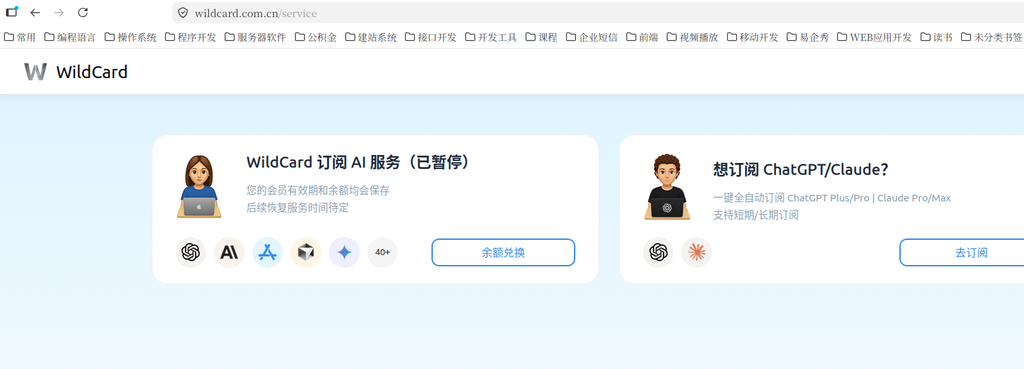
After opening, it is found that the page has changed.
The original AI subscription service has been suspended, leaving only two entrances:
- Wildcard Subscribe to AI services (suspended)
- Want to subscribe to ChatGPT/Claude?
In other words, Wildcard no longer directly provides the previous AI services.
Second stop: OneKey card
Now that Wildcard has been suspended, keep looking for other virtual cards.
The first thing that comes to mind is OneKey Card.
As a result, I just opened the official website and prepared to register, and I encountered the first problem.
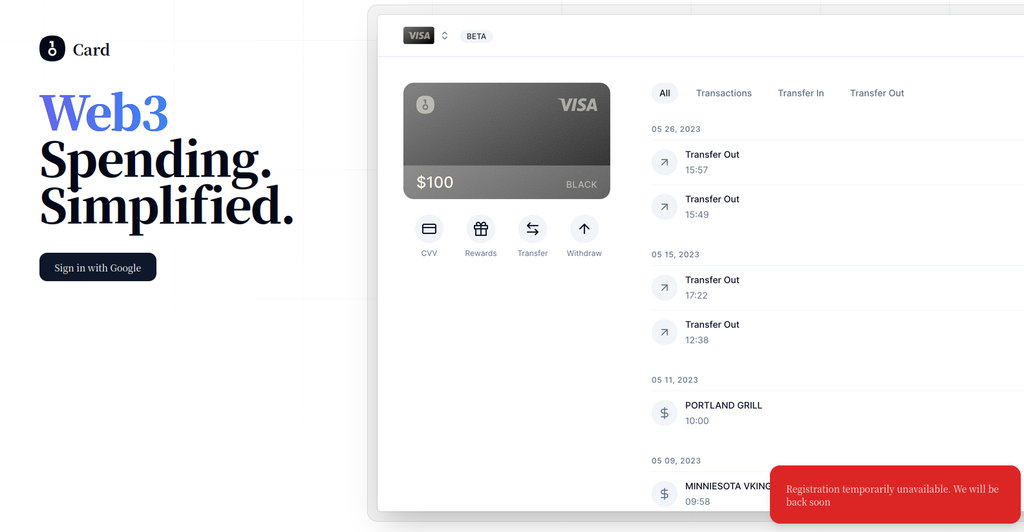
That is:
OneKey Card has been suspended for opening registration.
This road is directly unreasonable.
The third stop: dupay
Since OneKey doesn’t work, keep trying Dupay.
Unexpectedly, the result is more direct.
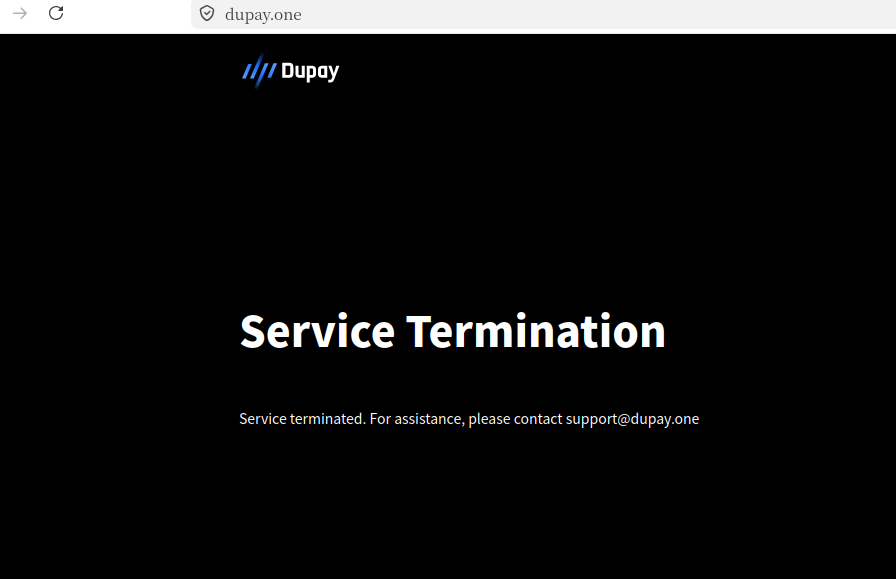
The entire DuPay service has been terminated.
A very popular solution, but also officially withdrawn from the stage of history.
Fourth stop: Wise
Many foreign tutorials will recommend WISE.
So, I registered and checked the related functions of Wise.
Finally found:
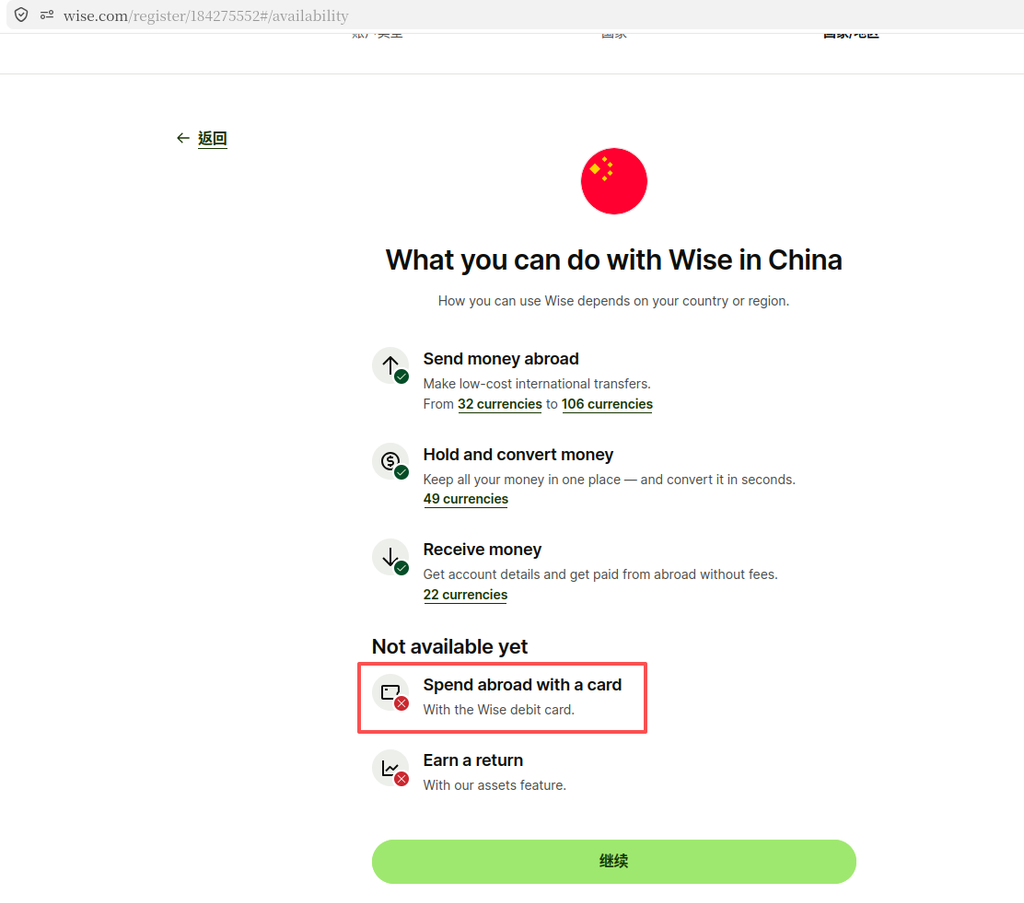
For users in mainland China:
It is no longer possible to apply for the WISE Debit Card.
That is:
Even if the account can be registered, the bank card used to pay for ChatGPT is not obtained.
Fifth stop: Payforchat
Later, I learned about another platform:
PayForChat.
So, I made a price comparison again.
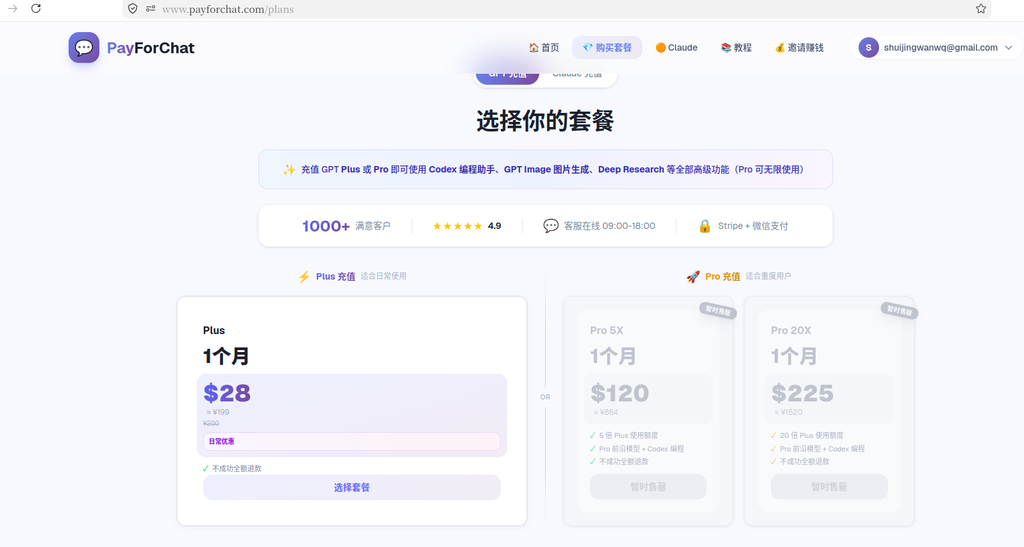
After a simple calculation, it is found that:
If just subscribe to ChatGPT Plus,
Payforchat is more expensive than Bewild every month 3 dollars.
Therefore, this plan was also given up by me.
Final choice: Bewild
After tossing around,
Finally back to the platform where Wildcard jumps past:
bewild.
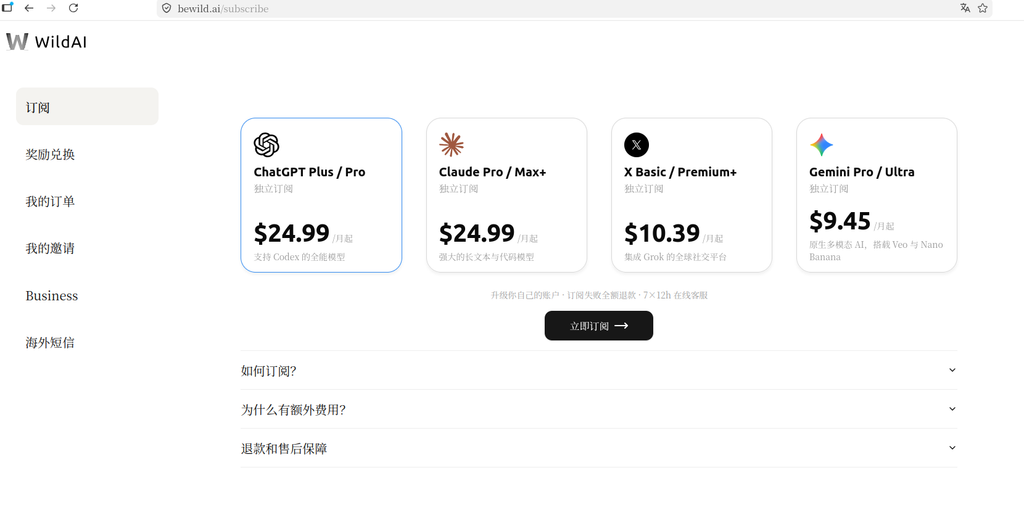
Currently supported:
- ChatGPT Plus
- chatgpt pro
- claude
- Gemini
- x Premium
Although the price is a little more expensive than the official:
Official:
$20/month
bewild:
$24.99/month
But at least:
Support WeChat payment,
It is much more convenient for domestic users.
How to choose a package?
After entering, you can see:
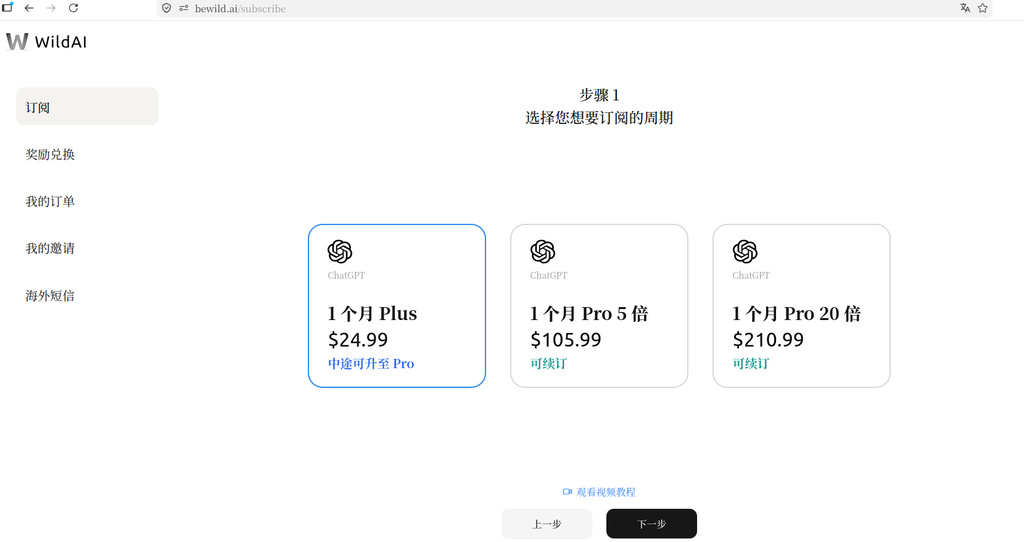
For me,
Plus is enough for daily use.
Therefore, there is no choice for a higher-priced Pro.
Then continue to select the subscription cycle.
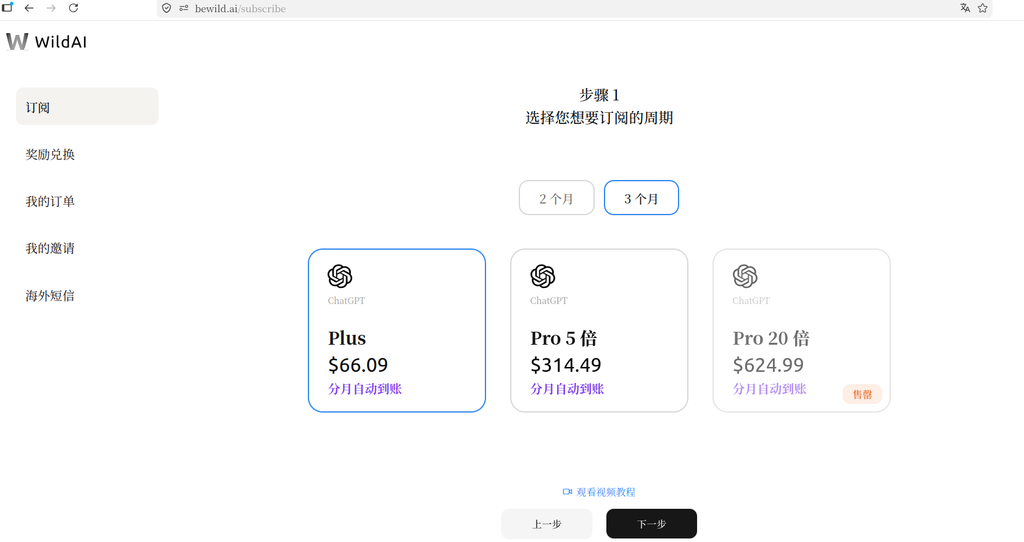
I also struggled here for a while.
If you buy directly:
1 month:
$24.99
Instead, choose:
After a 3-month package,
Convert down:
About every month Around $22.
equivalent to:
Save about every month 3 dollars.
So I decided to buy it directly for three months.
Then the platform popped up a description.
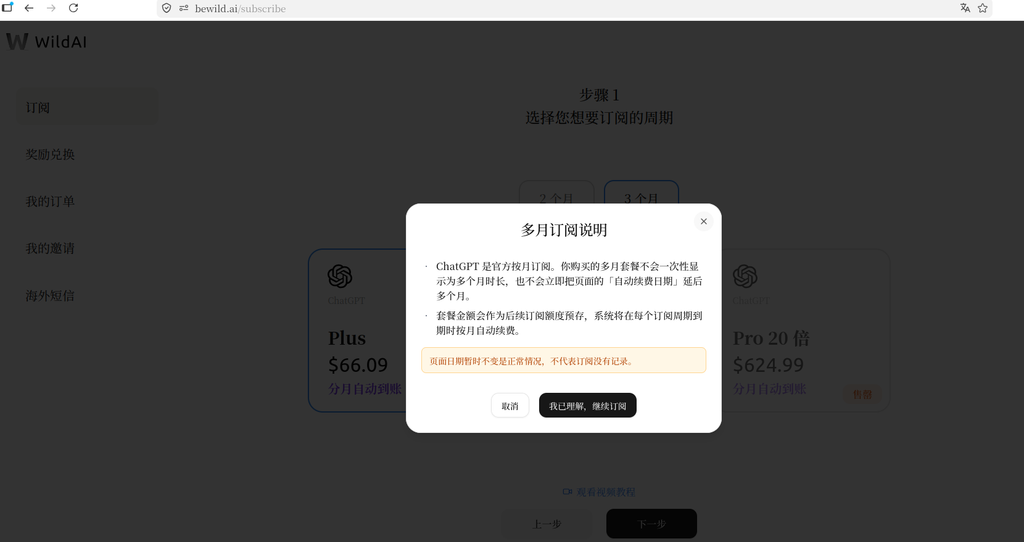
Here is a special point:
Although it has been purchased for several months at a time,
But the OpenAI backend will still be renewed monthly.
The platform just helps users to pre-store the fees for subsequent months in advance.
Don’t worry about this.
Login ChatGPT
Next, enter the account verification process.
First you need:
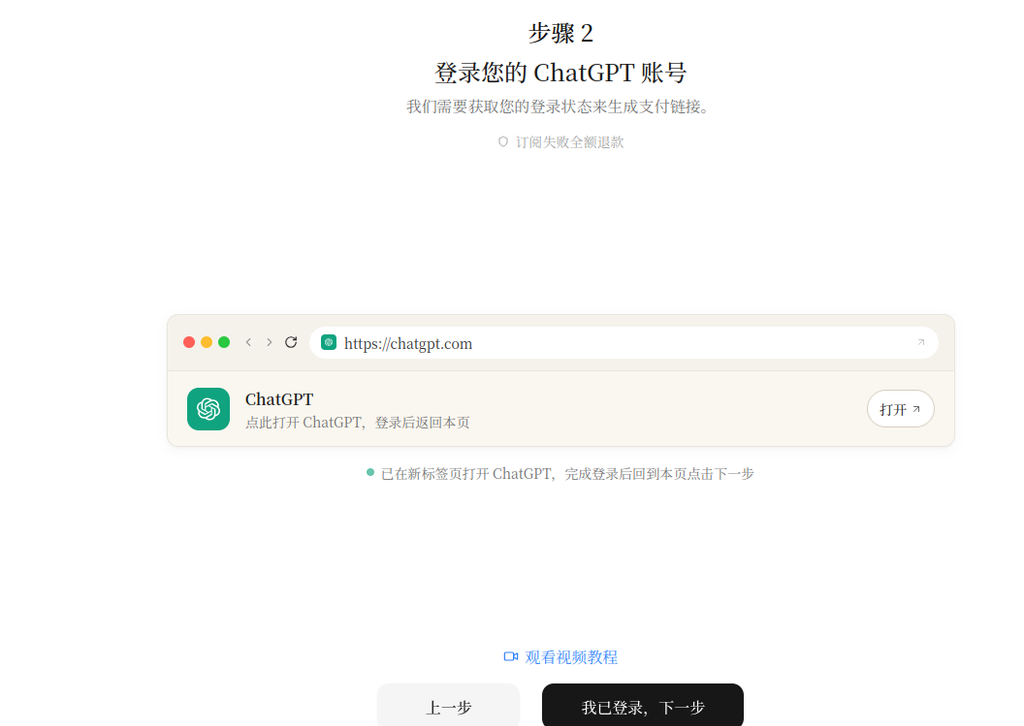
This is very important.
Otherwise, the subsequent steps cannot continue.
Then the platform asked to open:
https://chatgpt.com/api/auth/session
and copy the page content.
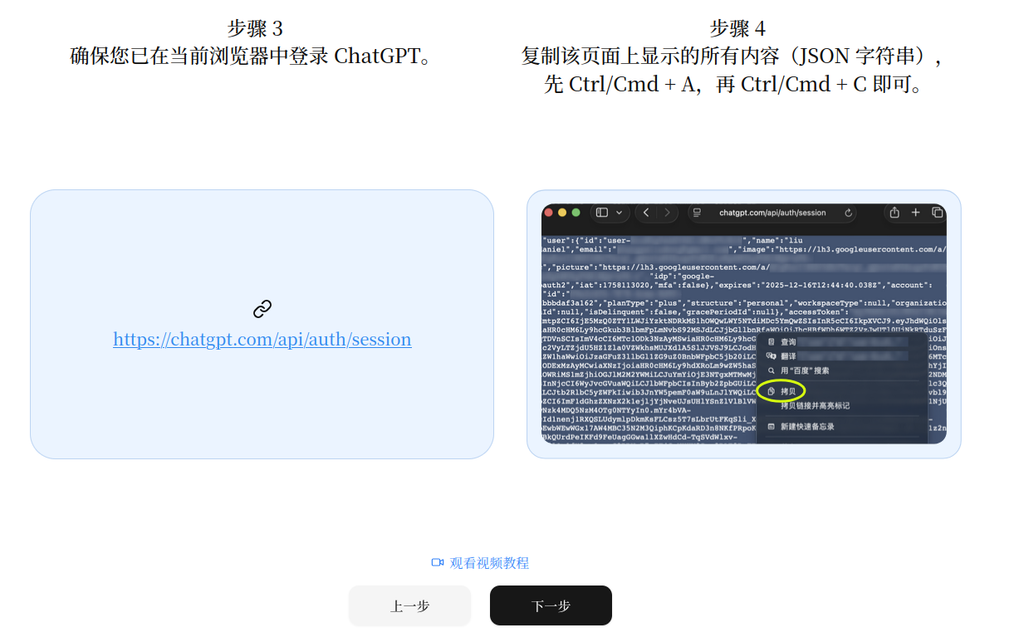
When I first saw this,
In fact, I am also a little worried.
After all, you have to copy a large string of JSON data.
However, after seeing the official statement,
It is found that it just uses the current login status to generate payment authorization,
There is no requirement to enter the account password.
After opening the page:
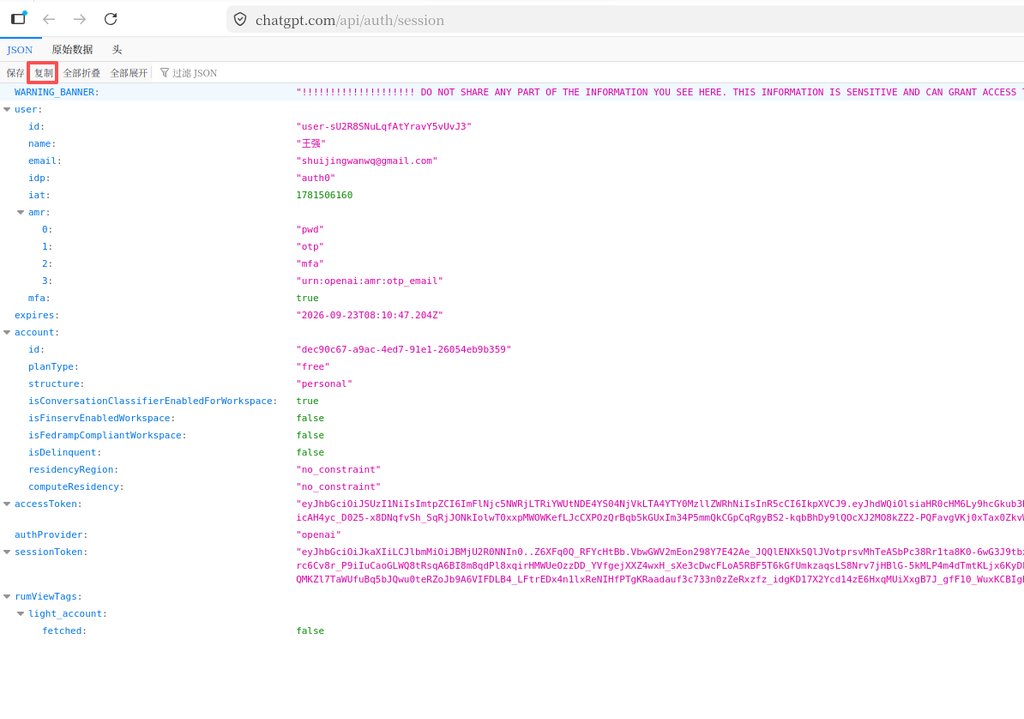
Copy all content.
Then:
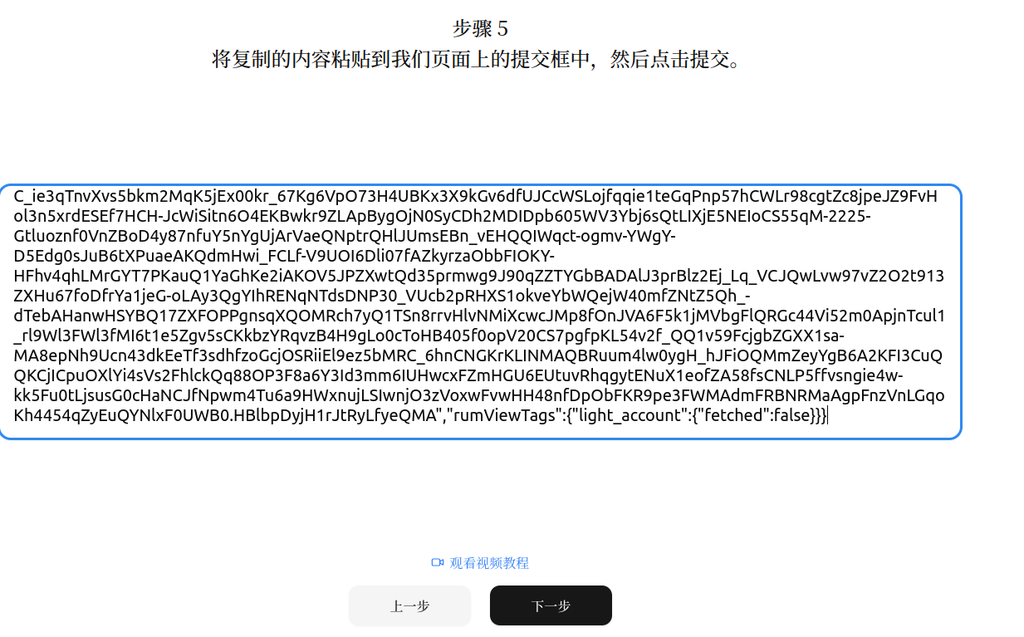
Finally:
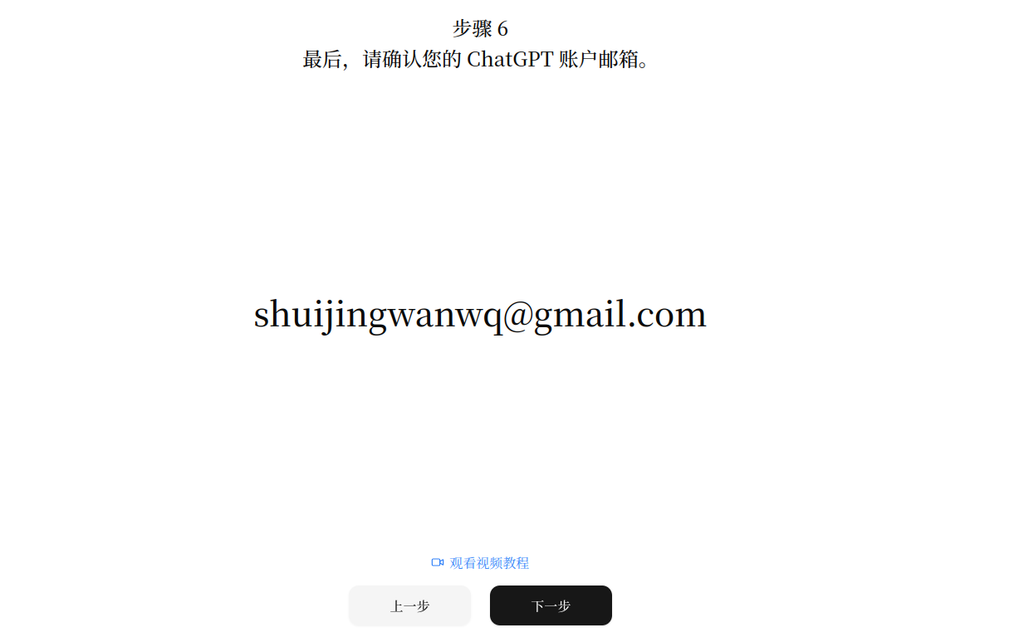
The whole process can be completed in a few minutes.
Defray
Then go to the payment page.
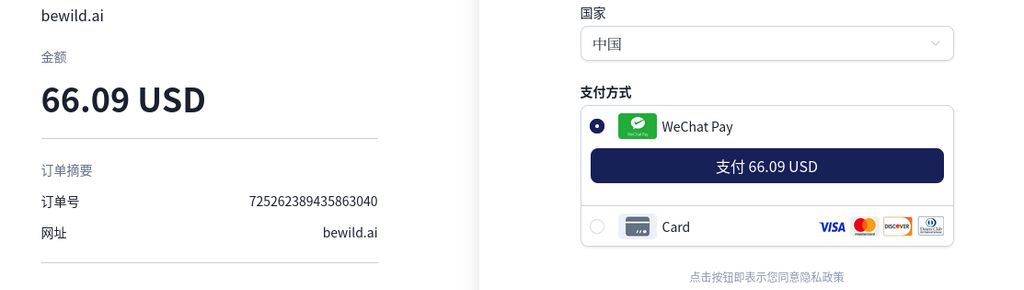
Since I don’t have a credit card that supports international payment,
Finally, the payment is made directly using WeChat.
The entire payment experience is still relatively smooth.
Waiting for opening
After payment,
will not be completed immediately.
Instead, it will enter:
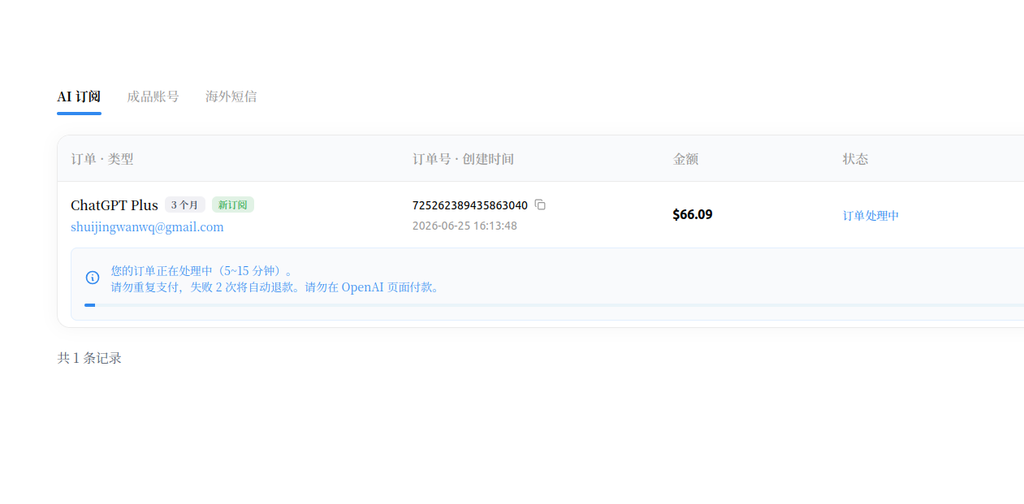
After a few minutes,
Refresh the page.
Finally saw:
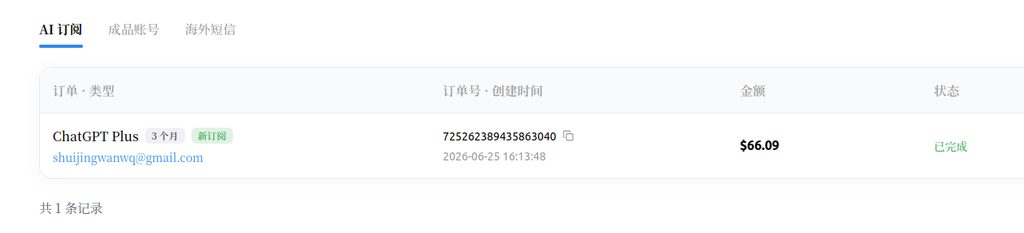
The entire subscription process is officially over.
ChatGPT Plus has been successfully opened
Reopen ChatGPT.
The left side has been displayed:
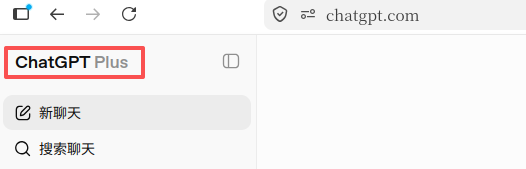
The billing page has also been able to see:
ChatGPT Plus
and:
Automatic renewal date.
Description:
The entire subscription has been successfully completed.
an episode
Just after the upgrade is completed,
I also mistakenly assumed that PLUS didn’t take effect.
There are two reasons:
- Always prompt:
Before your quota is reset, you will use a model with a less performance.
- The Add picture and file button once turned gray and cannot be clicked.
After testing, it was found that:
Just need:
Create a new chat, and then switch back to the original chat.
The button immediately returned to normal.
Therefore,
This is more like the status synchronization problem of the chatgpt web page just after the upgrade,
rather than a subscription failure.
final summary
The biggest difficulty in subscribing to ChatGPT Plus this time is actually not ChatGPT itself.
The real trouble is:
How to find a payment scheme that is still available.
Up June 2026, the results of my actual test are as follows:
| Program | Result |
|---|---|
| wildcard | The original AI service has been suspended, jump to Bewild |
| onekey card | Suspension of registration |
| Dupay | stopped operating |
| width | Mainland China cannot apply for debit card |
| payforchat | Can be used, but more expensive |
| bewild | Successfully opened, support WeChat payment |
For users in mainland China who do not currently have an international credit card,
Bewild should be the one with the highest success rate and the simplest process in my test.
If this article helps you
I finally chose Bewild to complete the subscription of ChatGPT Plus, and the whole purchase process was relatively smooth.
If you are also going to buy through Bewild and want to support me to continue to create technical content, you can register through the invitation link below.
👉 Bewild Invitation Link:
https://bewild.ai?code=SJNRXXIK
Buying through the invitation link will not increase your purchase cost, and I will get the invitation reward provided by the platform to support the continuous operation of the blog.
Thank you for your support ❤️
I am a PHP / Go backend engineer with 15+ years of experience. If you need any of the following services, feel free to contact me (more details: About Me & Collaboration):
- ✅ PHP / Go project development and maintenance
- ✅ System architecture design and technical consulting
- ✅ Performance optimization and troubleshooting
- ✅ Linux server deployment and operations
- ✅ Network environment optimization and remote support
- ✅ Long-term technical consulting
WeChat: 13980074657
Email: shuijingwanwq@gmail.com
Telegram: @shuijingwan
GitHub: https://github.com/shuijingwan
Leave a Reply