在 Windows 10 中安装 Wireshark 后对 Shopify CLI 3.x 的抓包流程
1、参考:在 Windows 10 中安装 Fiddler Classic 后对 Shopify CLI 3.x 的抓包流程 。参考:在 Windows 10 中安装 Fiddler Everywhere 后对 Shopify CLI 3.x 的抓包流程。皆以失败告终。
2、选择网络接口:从 Wireshark 主窗口中,选择 Shopify CLI 流量将通过的网络接口。 由于我的是笔记本电脑,通过 Wi-Fi 连接网络,因此选择 WLAN,点击按钮:开始捕获分组。如图1

图1
3、在终端中执行中 Shopify CLI 的命令,以请求获取主题列表。如图2
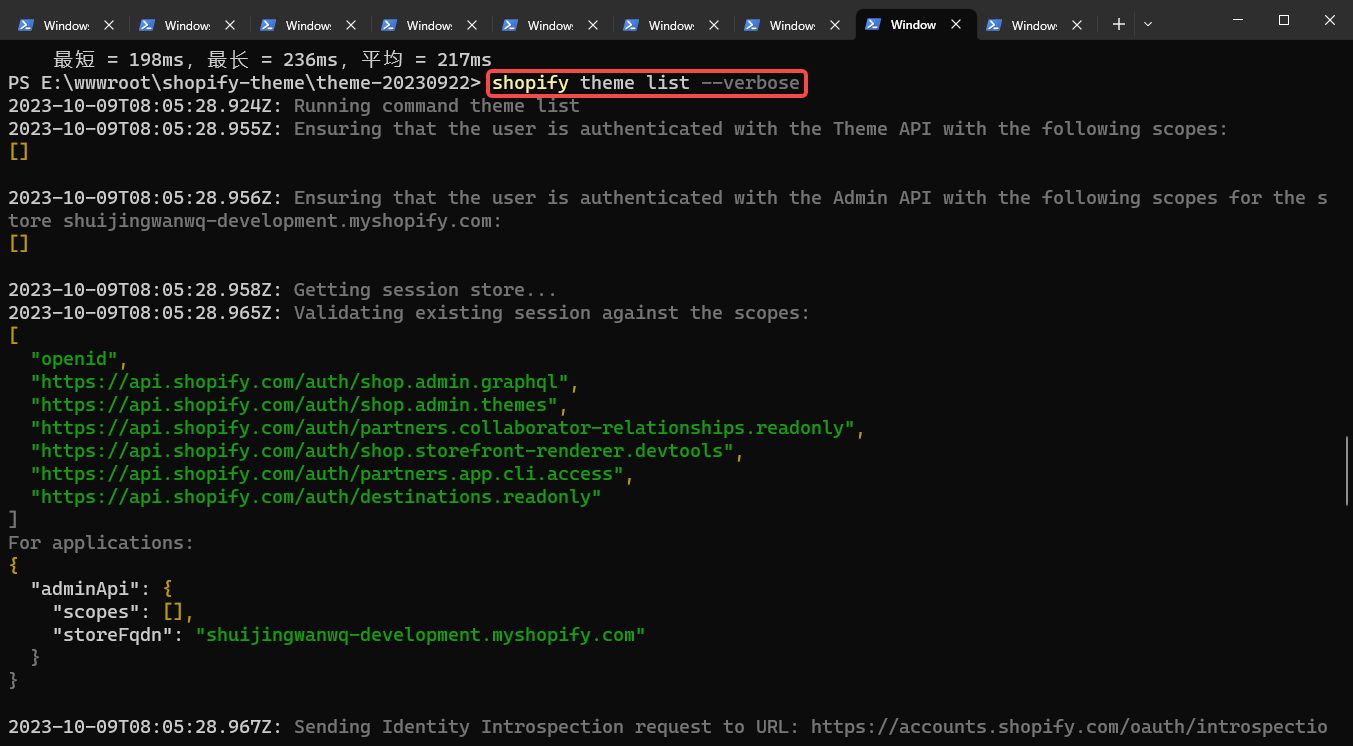
图2
PS E:\wwwroot\shopify-theme\theme-20230922> shopify theme list --verbose
2023-10-09T08:05:28.924Z: Running command theme list
2023-10-09T08:05:28.955Z: Ensuring that the user is authenticated with the Theme API with the following scopes:
[]

2023-10-09T08:05:28.956Z: Ensuring that the user is authenticated with the Admin API with the following scopes for the store shuijingwanwq-development.myshopify.com:
[]

2023-10-09T08:05:28.958Z: Getting session store...
2023-10-09T08:05:28.965Z: Validating existing session against the scopes:
[
  "openid",
  "https://api.shopify.com/auth/shop.admin.graphql",
  "https://api.shopify.com/auth/shop.admin.themes",
  "https://api.shopify.com/auth/partners.collaborator-relationships.readonly",
  "https://api.shopify.com/auth/shop.storefront-renderer.devtools",
  "https://api.shopify.com/auth/partners.app.cli.access",
  "https://api.shopify.com/auth/destinations.readonly"
]
For applications:
{
  "adminApi": {
    "scopes": [],
    "storeFqdn": "shuijingwanwq-development.myshopify.com"
  }
}

2023-10-09T08:05:28.967Z: Sending Identity Introspection request to URL: https://accounts.shopify.com/oauth/introspection
2023-10-09T08:05:28.969Z: Sending POST request to URL https://accounts.shopify.com/oauth/introspection
With request headers:
 - User-Agent: Shopify CLI; v=3.49.3
 - Keep-Alive: timeout=30
 - Sec-CH-UA-PLATFORM: win32
 - Content-Type: application/json

2023-10-09T08:05:30.037Z: Request to https://accounts.shopify.com/oauth/introspection completed in 1044 ms
With response headers:
 - cache-control: no-cache, no-store, private, must-revalidate, max-age=0
 - content-type: application/json; charset=utf-8
 - etag: W/"7d98625ff90e9b2d78e0e2a444b14481"
 - x-request-id: 72585f47-91c2-4944-81b7-8349d2ab8cbf

2023-10-09T08:05:30.057Z: The identity token is valid: true
2023-10-09T08:05:30.058Z:
The validation of the token for application/identity completed with the following results:
- It's expired: false
- It's invalid in identity: false

2023-10-09T08:05:31.155Z: Request to https://shuijingwanwq-development.myshopify.com/admin/api/unstable/themes.json?fields=id%2Cname%2Crole%2Cprocessing completed in 1089 ms
With response headers:
 - content-type: application/json; charset=utf-8
 - x-request-id: bb9a9fa0-d8e7-4374-ba47-4d9a6c0b10d0

2023-10-09T08:05:31.166Z: Getting development theme...
2023-10-09T08:05:31.170Z: Getting host theme...
name                                             role                   id
───────────────────────────────────────────────  ─────────────────────  ─────────────
Dawn 的更新版副本                                      [live]                 #133644189881
Dawn                                             [unpublished]          #130440429753
Sense                                            [unpublished]          #130698641593
Crave 重命名                                        [unpublished]          #130935947449
Refresh                                          [unpublished]          #131376218297
Colorblock                                       [unpublished]          #131376251065
Dawn Customize                                   [unpublished]          #130580054201
Taste 的更新版副本 的更新版副本 的更新版副本 的更新版副本 的更新版副本 的更新版副本 [unpublished]          #132350771385

shopify-theme-dawn-20221011/main                 [unpublished]          #133060722873
Dawn                                             [unpublished]          #133474844857
Copy of Studio                                   [unpublished]          #133474975929
Dawn (Shopify CLI) 9                             [unpublished]          #133492932793
Dawn 的副本 的副本 1                                   [unpublished]          #133635932345
Colorblock                                       [unpublished]          #130698510521
Taste                                            [unpublished]          #130698543289
Craft                                            [unpublished]          #130698576057
Development (639b5c-DESKTOP-QLPK8QM)             [development] [yours]  #134109462713
2023-10-09T08:05:31.442Z:
Running system process:
  · Command: ruby -v
  · Working directory: E:/wwwroot/shopify-theme/theme-20230922

2023-10-09T08:05:33.063Z: Request to https://monorail-edge.shopifysvc.com/v1/produce completed in 1582 ms
With response headers:
 - x-request-id: 73b18bad-4378-4711-b2de-05386d867fa3

2023-10-09T08:05:33.066Z: Analytics event sent: {
  "command": "theme list",
  "time_start": 1696838728927,
  "time_end": 1696838731391,
  "total_time": 2464,
  "success": true,
  "cli_version": "3.49.3",
  "ruby_version": "3.1.1",
  "node_version": "18.18.0",
  "is_employee": false,
  "uname": "windows amd64",
  "env_ci": false,
  "env_plugin_installed_any_custom": false,
  "env_plugin_installed_shopify": "[\"@shopify/cli\",\"@shopify/plugin-did-you-mean\",\"@shopify/theme\"]",
  "env_shell": "cmd.exe",
  "env_device_id": "eb479d42673daf065d783e808d3de3b4870a4c02",
  "env_cloud": "localhost",
  "env_package_manager": "unknown",
  "cmd_all_launcher": "unknown",
  "cmd_all_topic": "theme",
  "cmd_all_plugin": "@shopify/theme",
  "cmd_all_verbose": true,
  "cmd_all_path_override": false,
  "args": "--verbose",
  "env_plugin_installed_all": "[\"@shopify/cli\",\"@shopify/plugin-did-you-mean\",\"@shopify/theme\"]",
  "metadata": "{\"extraPublic\":{},\"extraSensitive\":{}}"
}
2023-10-09T08:05:33.071Z: Completed command theme list
PS E:\wwwroot\shopify-theme\theme-20230922>
4、点击按钮:停止捕获分组。如图3
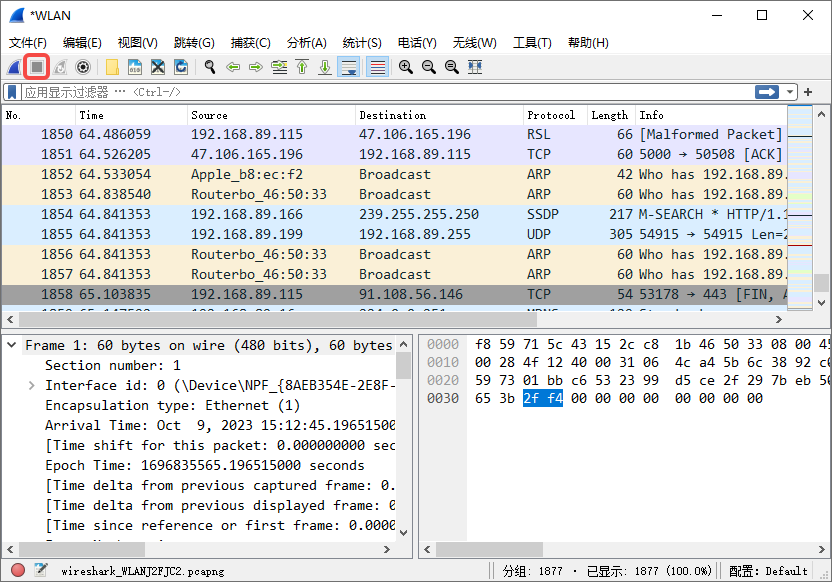
图3
5、通过 ping shuijingwanwq-development.myshopify.com 获取到对应的 IP 地址:23.227.38.74。如图4
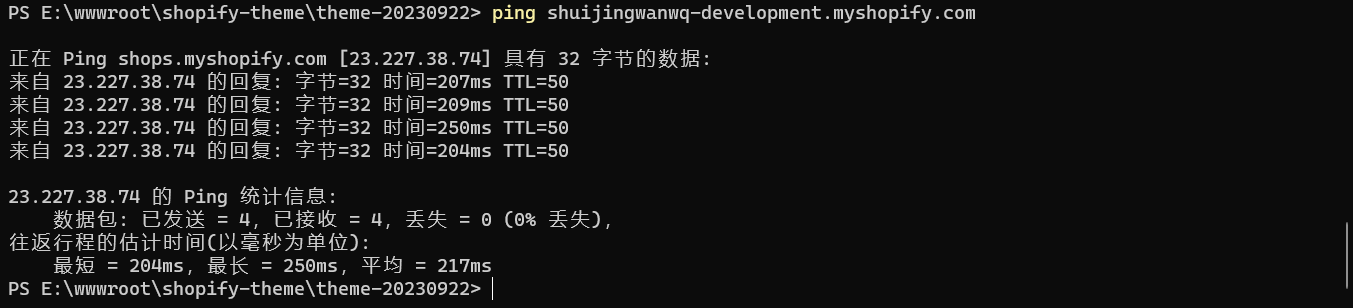
图4
PS E:\wwwroot\shopify-theme\theme-20230922> ping shuijingwanwq-development.myshopify.com

正在 Ping shops.myshopify.com [23.227.38.74] 具有 32 字节的数据:
来自 23.227.38.74 的回复: 字节=32 时间=207ms TTL=50
来自 23.227.38.74 的回复: 字节=32 时间=209ms TTL=50
来自 23.227.38.74 的回复: 字节=32 时间=250ms TTL=50
来自 23.227.38.74 的回复: 字节=32 时间=204ms TTL=50

23.227.38.74 的 Ping 统计信息:
    数据包: 已发送 = 4,已接收 = 4,丢失 = 0 (0% 丢失),
往返行程的估计时间(以毫秒为单位):
    最短 = 204ms,最长 = 250ms,平均 = 217ms
6、在 Source 中找到:23.227.38.74,右键 – 作为过滤器应用 – 选中。如图5
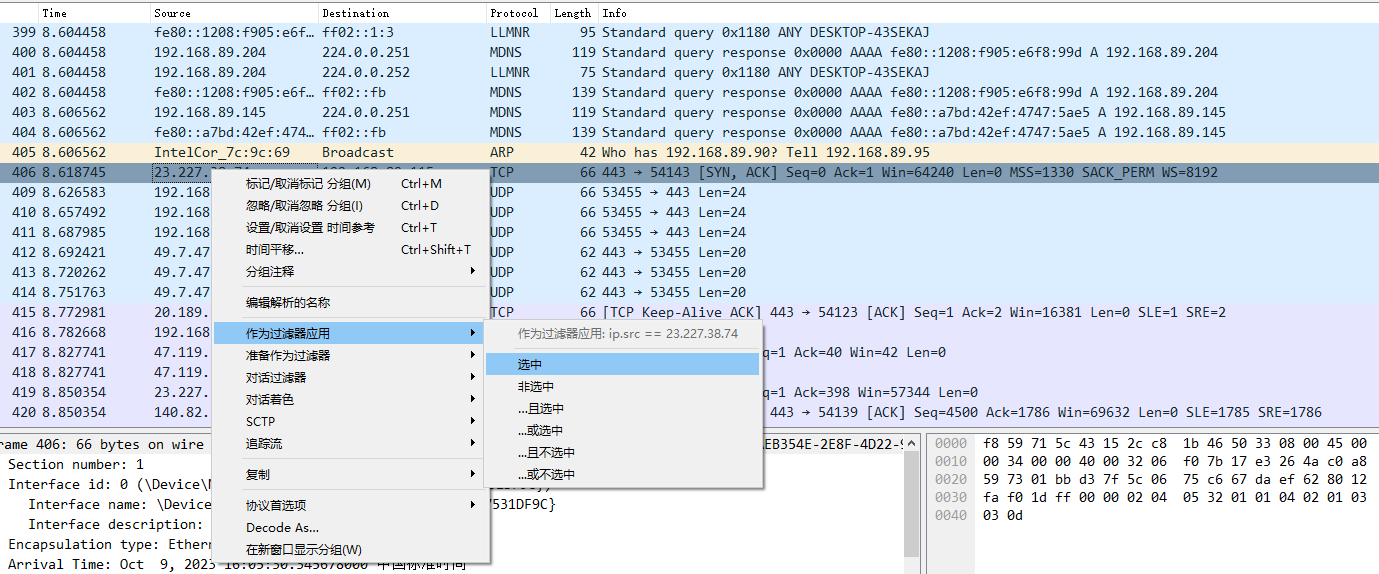
图5
7、仅剩下 Source 为 23.227.38.74 的请求记录。协议中竟然不存在 HTTP,是 TCP 与 TLSv1.3,并且响应是密文。如图6
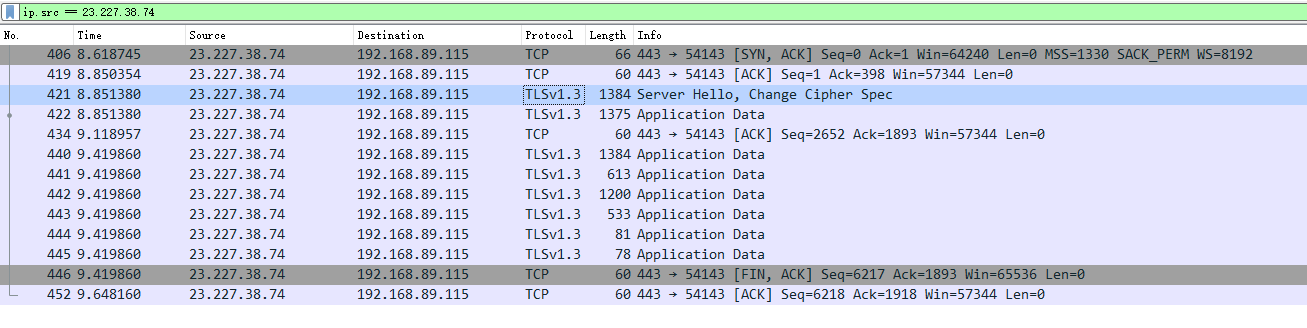
图6
8、参考:Transport Layer Security (TLS)。密钥日志文件是一种通用机制,即使正在使用 Diffie-Hellman (DH) 密钥交换,它也始终能够解密。
9、添加 SSLKEYLOGFILE 用户变量,可以指定浏览器在访问 SSL/TLS 网站时将对应的密钥保存到本地文件中,其值为:E:\Develop\SSLKEYLOGFILE\key.log。此机制目前(2019 年)不适用于 Safari、Microsoft Edge 和其他浏览器,因为它们的 TLS 库(Microsoft SChannel/Apple SecureTransport)不支持此机制。 此机制也适用于 Web 浏览器以外的应用程序,但它依赖于应用程序使用的 TLS 库。注意:基于 Chrom 的 Edge 版本(版本 79+)也应该可以工作。如图7
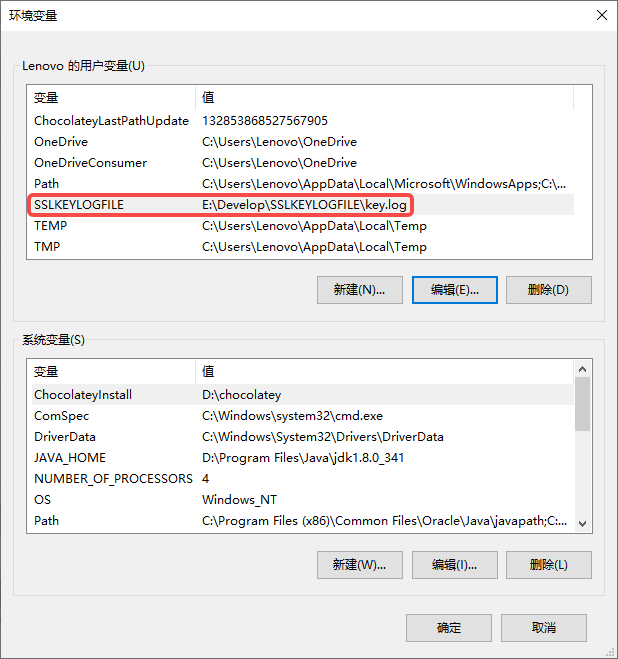
图7
10、配置 Wireshark,编辑 – 首选项 – Protocls – TLS。(Pre)-Master-Secret 日志文件名 (tls.keylog_file):读取 TLS 密钥日志文件以进行解密的路径。TLS 调试文件 (tls.debug_logfile):写入有关解密过程的内部详细信息的路径。 将包含解密结果以及此过程中使用的密钥。 这可以用来诊断解密失败的原因。如图8
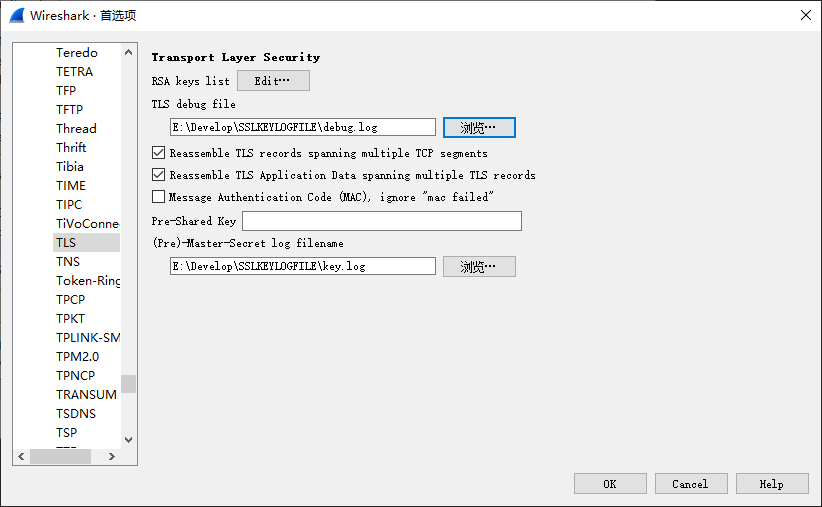
图8
11、启用 TLS 解密还需要以下 TCP 协议首选项:Allow subdissector to reassemble TCP streams(允许细分器重新组装 TCP 流)。 默认启用。Reassemble out-of-order segments(重新组装无序段)(从 Wireshark 3.0 开始,默认禁用)需要启用。如图9
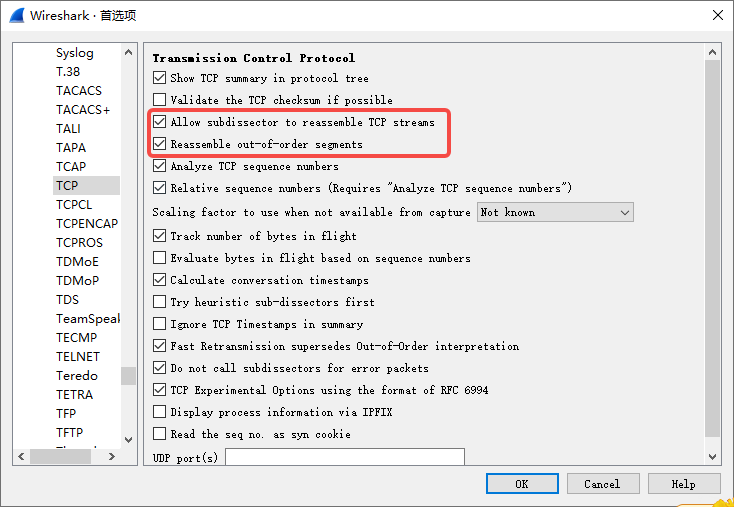
图9
12、确认浏览器已被完全关闭,可通过查看任务管理器再次确认。在终端中执行了相应命令后,查看捕获的流量,仍然与第 7 步骤类似,TLS 没有被解密。虽然两个日志的更新时间发生了变化。如图10
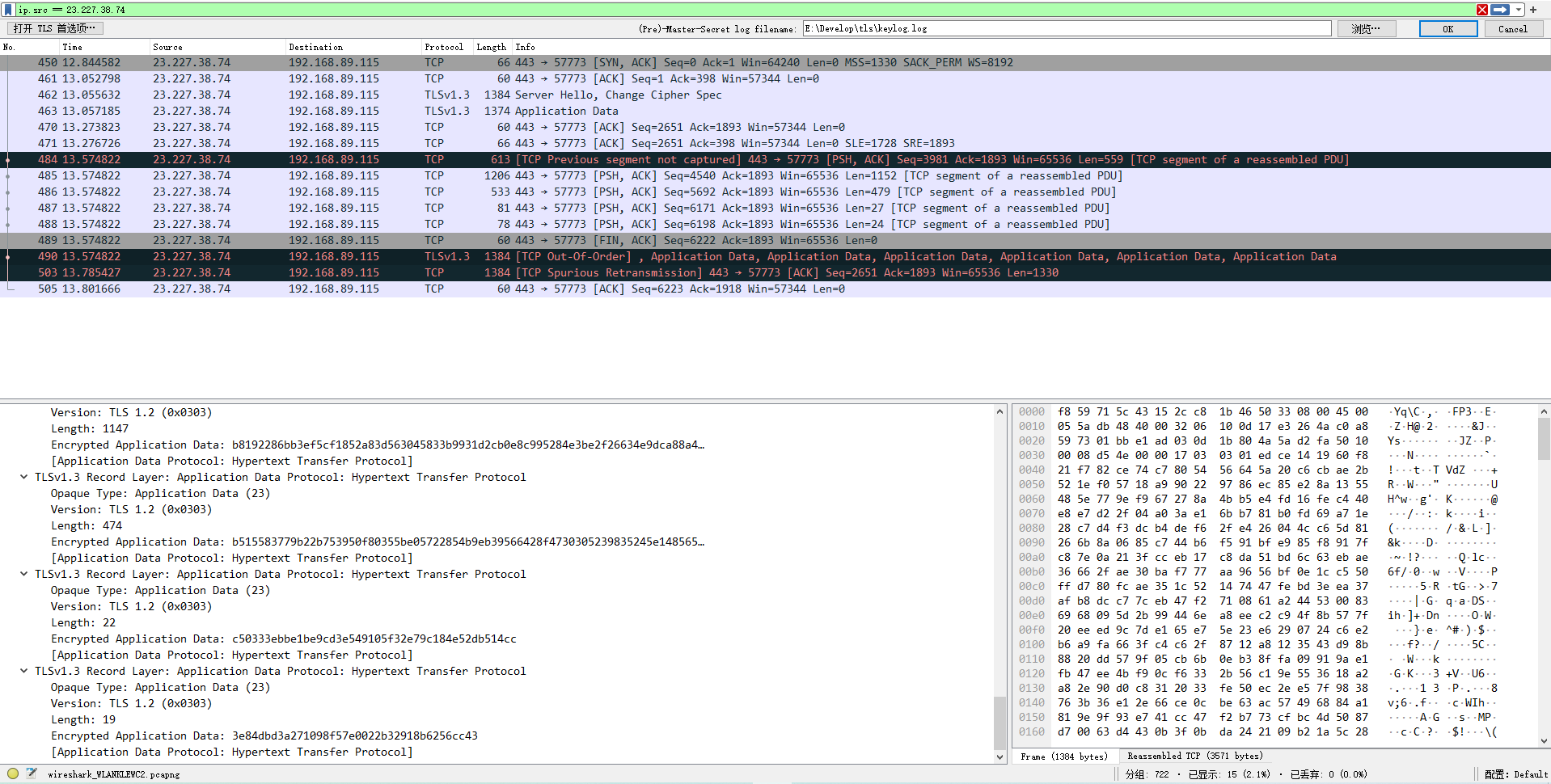
图10
13、不过在 Chrome 浏览器中访问:shuijingwanwq-development.myshopify.com 。查看捕获的流量,已经显示为 HTTP3,虽然仍然是密文。不符合预期。如图11
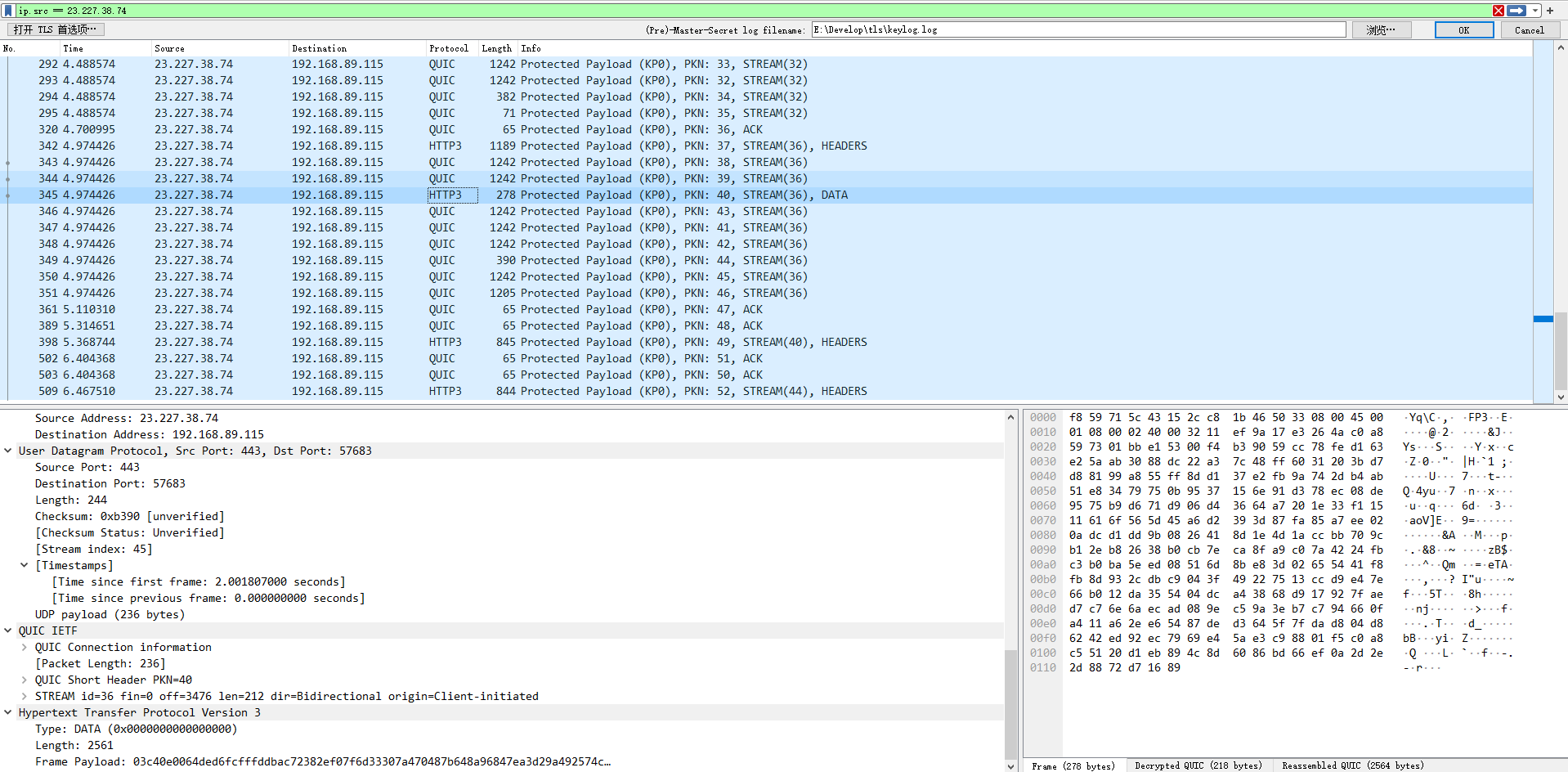
图11
14、现在需要解密 HTTP3,在浏览器中导出 证书。如图12
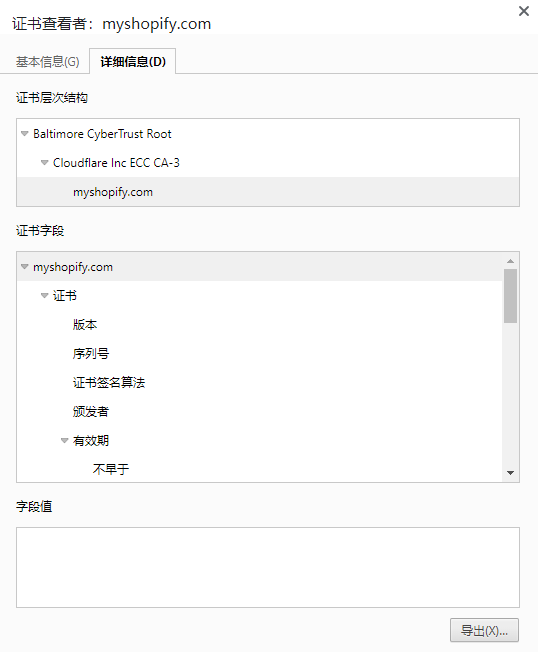
图12
15、配置 Wireshark,编辑 – 首选项 – Protocls – TLS。决定暂时搁置此方案,因为已经找到了更为合适的方案。参考:在 Windows 10 中安装 HTTP Toolkit 后对 Shopify CLI 3.x 的抓包流程
![配置 view 应用组件的 [[yii\base\View::theme|theme]] 属性](https://www.shuijingwanwq.com/wp-content/uploads/2017/11/9-520x245.png)
近期评论