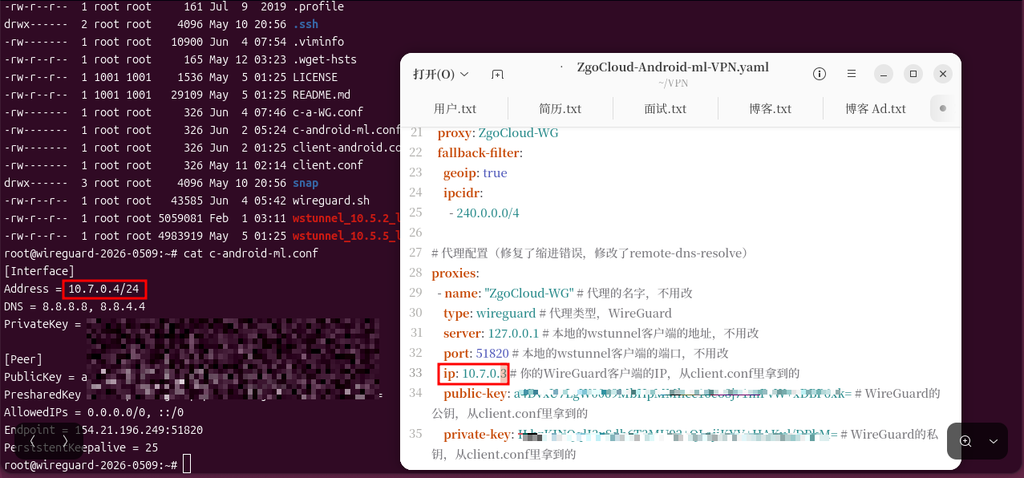
![[截图 5:Clash 规则片段,突出显示新增的两行 DST-PORT 规则]](https://www.shuijingwanwq.com/wp-content/uploads/2026/06/5-8.png)
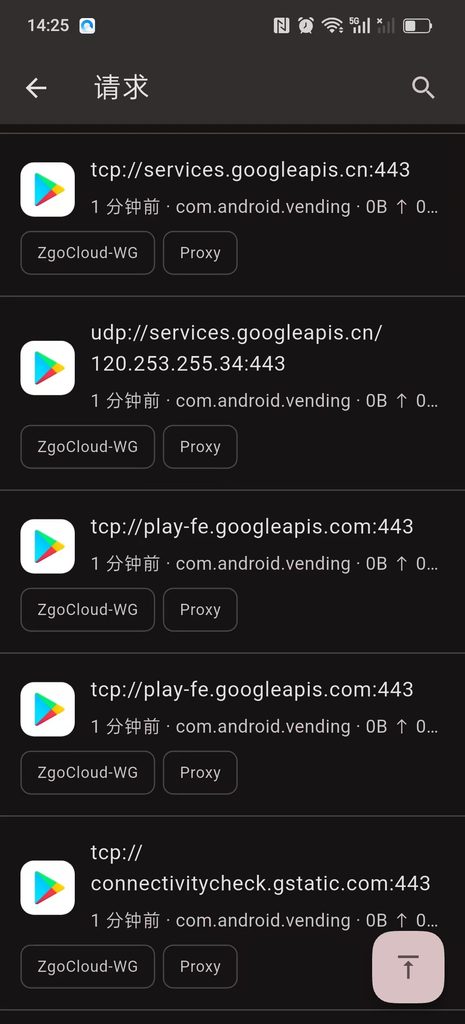
![[截图 2:Play 商店更新界面,显示两个应用正常下载]](https://www.shuijingwanwq.com/wp-content/uploads/2026/06/2-2-465x1024.jpg)

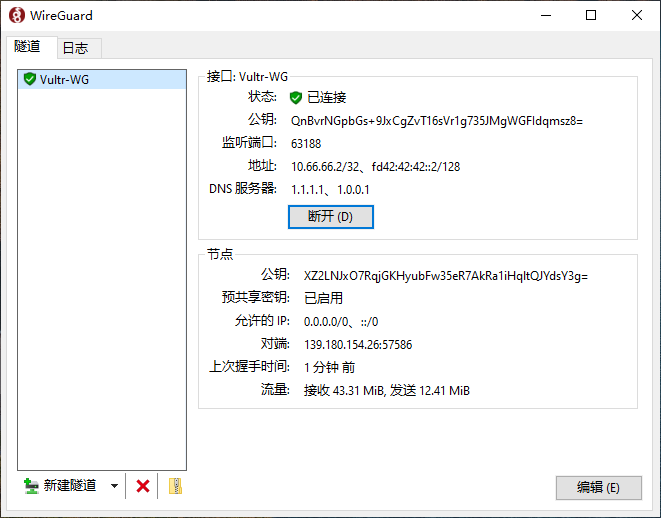
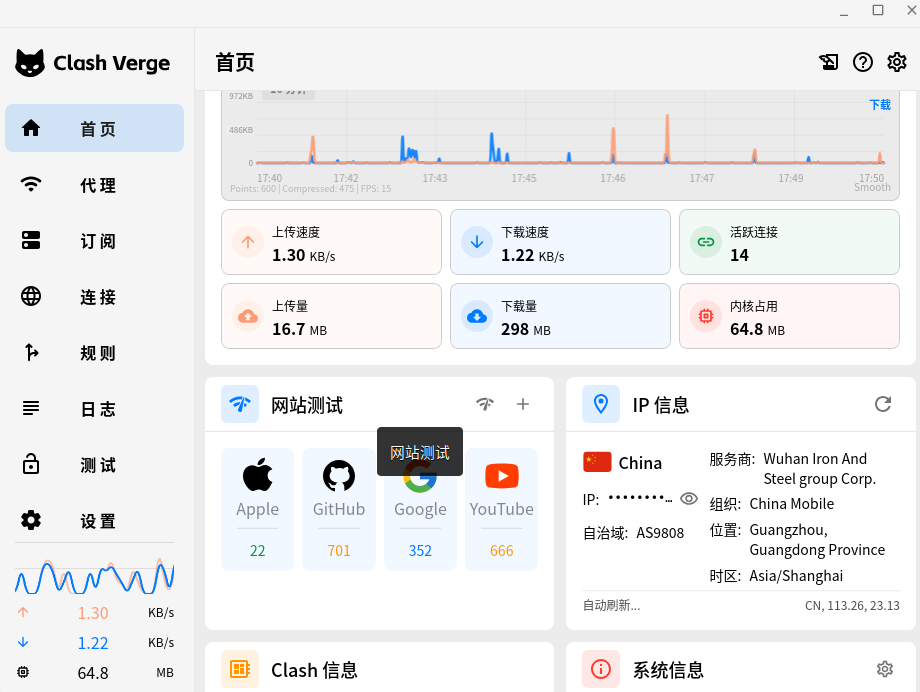
Since LetsVPN officially announced that the service was stopped, many friends who pursue privacy and self-use network have embarked on their own way to build Wireguard. Recently, a reader sent me an email consultation: I am like me, I have started a VULTR $5 per month Singapore entry model, and the Wireguard has been built. After visiting overseas platforms such as Binance, the network speed is very slow, and the loading is stuck. It is suspected that there is a problem with my configuration, and I want to know the specific reasons and solutions. as shown in Figure 1
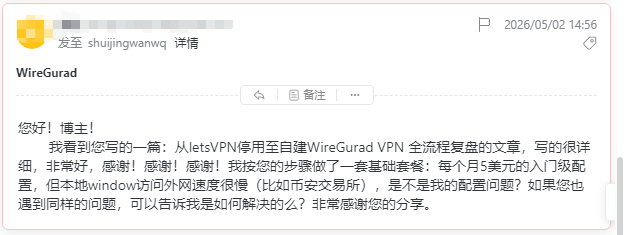
In fact, this reader’s question is also a pit that many beginners can easily encounter after building Wireguard – there is generally a consensus on the selection of novice: the priority is to choose the Singapore computer room, the reason is very intuitive—— The physical distance from China to Singapore is close, the theoretical delay is lower, and it is more comfortable to visit overseas websites.
I am also using the same Vultr Singapore node to fully deploy Wireguard according to the tutorial, and the configuration is optimized in place, but the actual use has also encountered the same problem as this reader: open Binance slow loading, the page is often rotated, k The line market is obviously lagging behind, obviously the bandwidth is full, but the body feels very smooth.
So I made a complete ping Delay, routing tracking, bandwidth speed measurement, and real-life access experience. Wireguard, readers who are choosing a VPS room and line, make a practical reference for pit avoiding.
1. Personal measured environmental baseline
- Local broadband: Chengdu, Sichuan, mobile home broadband (gigabit bandwidth)
- VPS service provider: vultr
- Computer room node: Singapore
- Machine configuration: 1 core / 1G memory / 25G SSD / monthly traffic 2.5TB
- Use scenarios: self-built WireGuard self-use, browsing overseas sites, market platform access
- Configuration status: WireGuard private key public key, shunt rule, DNS, MTU, and keep-alive parameters have been adjusted to the optimal, no configuration errors, no firewall conflicts
2. The original data of the whole network measured
- Powershell ping delay test
PS C:\Users\Thinkpad> ping www.binance.com -n 30
正在 Ping dobbmei4jnjlh.cloudfront.net [18.64.211.66] 具有 32 字节的数据:
来自 18.64.211.66 的回复: 字节=32 时间=410ms TTL=245
来自 18.64.211.66 的回复: 字节=32 时间=415ms TTL=245
来自 18.64.211.66 的回复: 字节=32 时间=418ms TTL=245
来自 18.64.211.66 的回复: 字节=32 时间=426ms TTL=245
来自 18.64.211.66 的回复: 字节=32 时间=408ms TTL=245
来自 18.64.211.66 的回复: 字节=32 时间=407ms TTL=245
来自 18.64.211.66 的回复: 字节=32 时间=419ms TTL=245
来自 18.64.211.66 的回复: 字节=32 时间=409ms TTL=245
来自 18.64.211.66 的回复: 字节=32 时间=423ms TTL=245
来自 18.64.211.66 的回复: 字节=32 时间=426ms TTL=245
来自 18.64.211.66 的回复: 字节=32 时间=415ms TTL=245
来自 18.64.211.66 的回复: 字节=32 时间=418ms TTL=245
来自 18.64.211.66 的回复: 字节=32 时间=407ms TTL=245
来自 18.64.211.66 的回复: 字节=32 时间=410ms TTL=245
来自 18.64.211.66 的回复: 字节=32 时间=412ms TTL=245
来自 18.64.211.66 的回复: 字节=32 时间=409ms TTL=245
来自 18.64.211.66 的回复: 字节=32 时间=406ms TTL=245
来自 18.64.211.66 的回复: 字节=32 时间=408ms TTL=245

18.64.211.66 的 Ping 统计信息:
    数据包: 已发送 = 18,已接收 = 18,丢失 = 0 (0% 丢失),
往返行程的估计时间(以毫秒为单位):
Control-C
PS C:\Users\Thinkpad> ping api.binance.com -n 30

正在 Ping d3h36i1mno13q3.cloudfront.net [18.155.69.202] 具有 32 字节的数据:
来自 18.155.69.202 的回复: 字节=32 时间=263ms TTL=248
来自 18.155.69.202 的回复: 字节=32 时间=255ms TTL=248
来自 18.155.69.202 的回复: 字节=32 时间=265ms TTL=248
来自 18.155.69.202 的回复: 字节=32 时间=257ms TTL=248
来自 18.155.69.202 的回复: 字节=32 时间=256ms TTL=248
来自 18.155.69.202 的回复: 字节=32 时间=253ms TTL=248
来自 18.155.69.202 的回复: 字节=32 时间=253ms TTL=248
来自 18.155.69.202 的回复: 字节=32 时间=257ms TTL=248
来自 18.155.69.202 的回复: 字节=32 时间=256ms TTL=248
来自 18.155.69.202 的回复: 字节=32 时间=254ms TTL=248
来自 18.155.69.202 的回复: 字节=32 时间=273ms TTL=248
来自 18.155.69.202 的回复: 字节=32 时间=297ms TTL=248
来自 18.155.69.202 的回复: 字节=32 时间=310ms TTL=248
来自 18.155.69.202 的回复: 字节=32 时间=311ms TTL=248
来自 18.155.69.202 的回复: 字节=32 时间=253ms TTL=248
来自 18.155.69.202 的回复: 字节=32 时间=253ms TTL=248

18.155.69.202 的 Ping 统计信息:
    数据包: 已发送 = 16,已接收 = 16,丢失 = 0 (0% 丢失),
往返行程的估计时间(以毫秒为单位):
    最短 = 253ms,最长 = 311ms,平均 = 266ms
Control-C
PS C:\Users\Thinkpad> ping 8.8.8.8 -n 30

正在 Ping 8.8.8.8 具有 32 字节的数据:
来自 8.8.8.8 的回复: 字节=32 时间=253ms TTL=117
来自 8.8.8.8 的回复: 字节=32 时间=256ms TTL=117
来自 8.8.8.8 的回复: 字节=32 时间=253ms TTL=117
来自 8.8.8.8 的回复: 字节=32 时间=257ms TTL=117
来自 8.8.8.8 的回复: 字节=32 时间=262ms TTL=117
来自 8.8.8.8 的回复: 字节=32 时间=253ms TTL=117
来自 8.8.8.8 的回复: 字节=32 时间=259ms TTL=117
来自 8.8.8.8 的回复: 字节=32 时间=254ms TTL=117
来自 8.8.8.8 的回复: 字节=32 时间=254ms TTL=117
来自 8.8.8.8 的回复: 字节=32 时间=254ms TTL=117
来自 8.8.8.8 的回复: 字节=32 时间=258ms TTL=117
来自 8.8.8.8 的回复: 字节=32 时间=253ms TTL=117
来自 8.8.8.8 的回复: 字节=32 时间=257ms TTL=117
来自 8.8.8.8 的回复: 字节=32 时间=254ms TTL=117
来自 8.8.8.8 的回复: 字节=32 时间=253ms TTL=117

8.8.8.8 的 Ping 统计信息:
    数据包: 已发送 = 15,已接收 = 15,丢失 = 0 (0% 丢失),
往返行程的估计时间(以毫秒为单位):
    最短 = 253ms,最长 = 262ms,平均 = 255ms
Control-C
Binance official website www.binance.com
The shortest is 406ms, the longest is 426ms, the average is 413ms, and the packet is lost.
Binance API API.Binance.com
The shortest is 253ms, the longest is 311ms, the average is 266ms, and the packet is lost.
Public DNS 8.8.8.8
The average delay is 255ms, and the link is smooth and has no packet loss.
Summary: The network path is completely normal, there is no packet loss, and the continuous line, but the transnational delay is seriously high, far below the experience standard of high-quality lines.
- Tracert Router Tracking Analysis
PS C:\Users\Thinkpad> tracert www.binance.com

通过最多 30 个跃点跟踪
到 dobbmei4jnjlh.cloudfront.net [13.33.88.84] 的路由:

  1   254 ms   255 ms   260 ms  10.66.66.1 [10.66.66.1]
  2   259 ms   254 ms   253 ms  169.254.169.254
  3   275 ms   285 ms   274 ms  vl199-ds1-j2-r0124.sgp1.constant.com [45.32.97.97]
  4   261 ms   262 ms   253 ms  10.79.0.97 [10.79.0.97]
  5   275 ms   258 ms   257 ms  10.79.1.162 [10.79.1.162]
  6   261 ms   255 ms   280 ms  16509.sgw.equinix.com [27.111.228.87]
  7     *        *        *     请求超时。
  8     *        *        *     请求超时。
  9     *        *        *     请求超时。
 10     *        *        *     请求超时。
 11   252 ms   259 ms   268 ms  server-13-33-88-84.sin2.r.cloudfront.net [13.33.88.84]

跟踪完成。
Through the routing tracking, you can visually see the packet forwarding path, exposing the core problem:
2.1. The first hop delay of the Wireguard gateway starts at 254ms, and the bottleneck is not on the local computer.
2.2. The whole process of ordinary international BGP backbone, there is no CN2 GIA/CMI boutique direct line;
2.3. The routing passes through a large number of intranet relay nodes, and some backbone nodes in the middle section are prohibited from pinging timeouts, and the forwarding path is redundant and deliberately detoured;
2.4. There is no direct connection optimization route, and the innate delay cannot be suppressed, and it is useless to adjust the local settings.
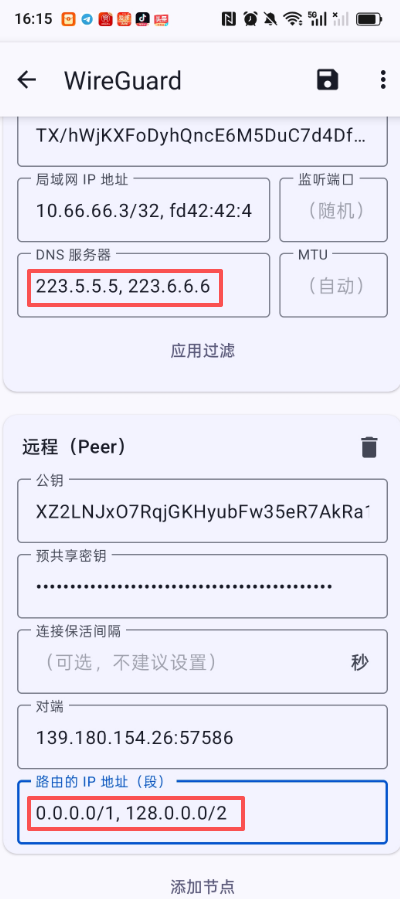
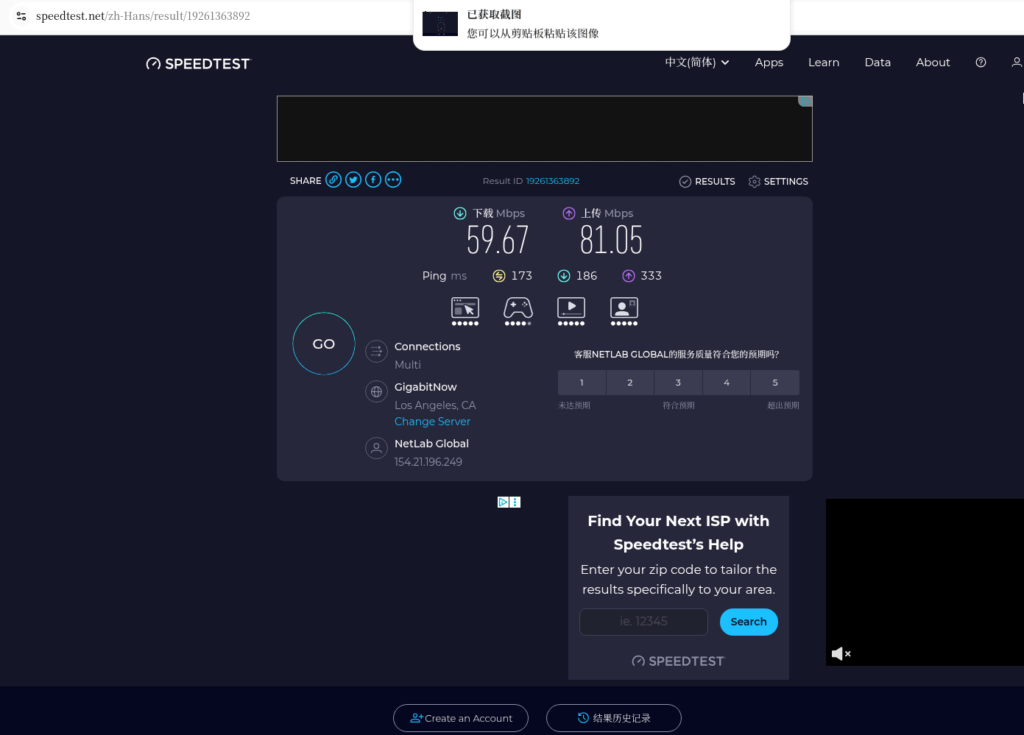
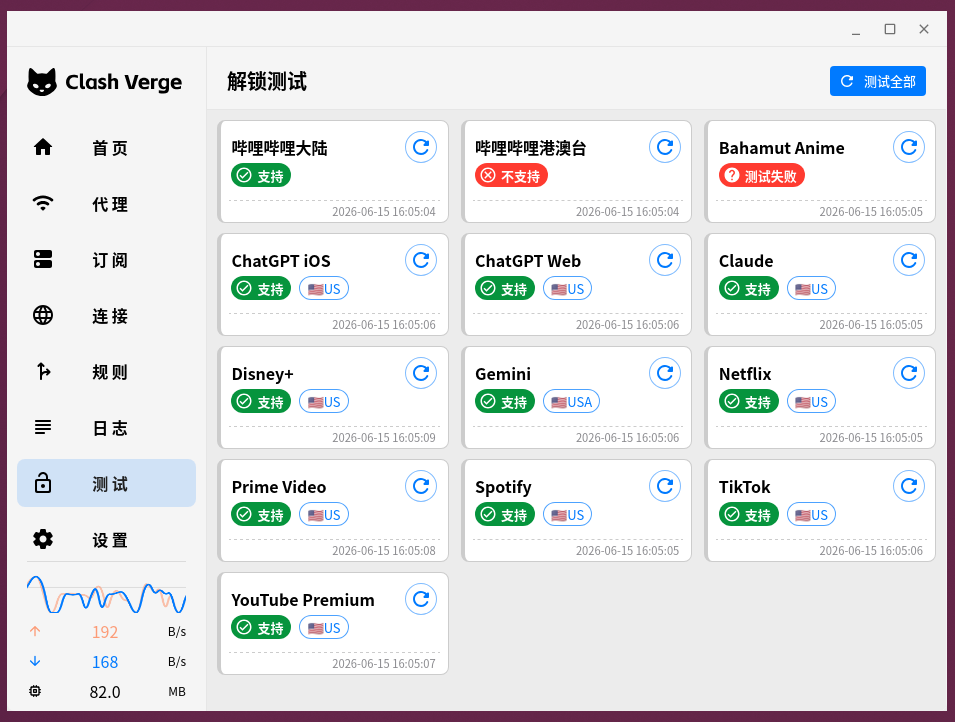
- SpeedTest Exit bandwidth speed measurement, open: https://www.speedtest.net/ . The result is shown in Figure 2
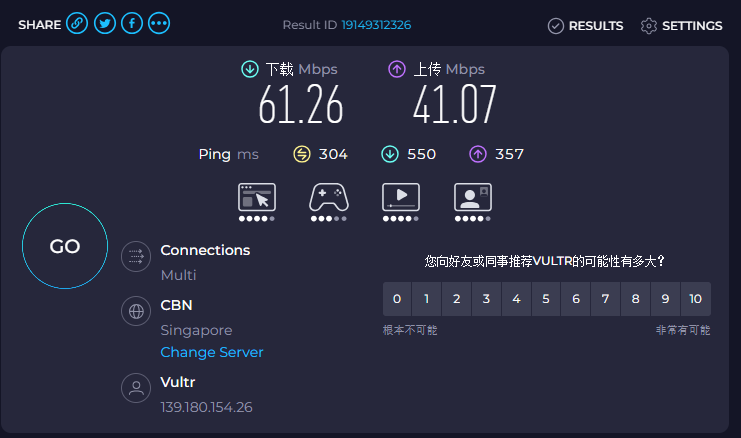
- Download: 61.26 Mbps
- Upload: 41.07 Mbps
- Speed measurement delay: 304ms ~ 550ms
Key conclusions:
The bandwidth is completely surplus, far enough, and the web page is slow, the market card, and the lag lag in the circle, and has nothing to do with the size of the bandwidth and the level of the machine.
- Browser’s real access to somatosensory
Ordinary static web pages can barely open, but load is slow;
Visiting market trading platforms such as Binance, the homepage is slow to load slowly, and the switching page is frequently rotated in circles.
3. Deep dismantling: Why is the network very slow, but the network is very slow?
Misunderstanding: near physical distance = fast network speed
The vast majority of novice selection rooms will be intuitive:
Chengdu is close to Singapore in a straight line, which is definitely faster than Los Angeles, USA.
This is the biggest cognitive misunderstanding.
Internet transmission does not look at the physical straight-line distance, but only depends on the backbone route of the operator.
The innate shortcomings of Chengdu Mobile Broadband
Chengdu Mobile does not have a local international export, and all cross-border traffic must first go to Beijing, Shanghai and Guangzhou for unified exports and then go to sea.
Obviously very close, the data packet is transferred around most of the country, and the actual transmission distance has been greatly lengthened.
VULTR Singapore route is inherently limited
To be honest, to say:
There is no CN2 boutique line in all VULTR rooms, all of them are ordinary international BGP lines.
The free time period is barely available, and when the international link of the evening peak is congested, the delay will soar directly.
It is superimposed on the route detour of Chengdu Mobile itself, and the delay is easy to 300-400ms+.
Key conclusion: it’s not that your configuration is not adjusted properly
I have optimized the Windows network, WireGuard parameters, DNS, shunt, and preservation to the best.
It turns out:
Caton high latency has nothing to do with local settings, Wireguard configuration, machine hardware grade, and bandwidth size.
4. Suggestions for landing for self-built Wireguard players
- Beginner’s Pit Advice
Don’t blindly rush to Singapore’s computer room with ‘physical distance’ alone.
In particular, Chengdu Mobile and ordinary household broadband, blindly choose Vultr Singapore, it is very easy to step on the big pit of high delay. - Three possible options, on demand
Option 1: Maintain the status quo and make do with self-use
If you don’t want to toss, don’t want to change service providers, and don’t want to redeploy Wireguard, you can make do with peace of mind.
Advantages: worry-free migration, configuration does not need to be changed, equipment does not need to be re-adapted;
Disadvantages: Accept high latency, suitable for ordinary browsing, not suitable for market, transaction, low latency demand scenarios.
Option 2: Leave at VULTR, only change the machine room and not the platform
If you don’t want to change merchants and are afraid of the trouble of reinstalling and deploying, you can migrate the Vultr machine from Singapore to Los Angeles.
The backbone route of Chengdu Mobile is more regular and less detoured, and the delay can be reduced from 400ms to about 200ms, and the stability and fluency have been significantly improved. The original Wireguard just needs to be replaced. IP, the configuration does not need to be changed.
Option 3: Pursuing silky low latency (optimal solution)
If you often visit overseas platforms, watch the market, you need to open the page in seconds, and the K line will not lag:
Give up Vultr directly and choose a VPS merchant with Singapore CN2 GIA boutique line.
Really give full play to the advantages of Singapore’s geography, the domestic delay is stable at 140-180ms, and the evening peak is not congested, delayed, or lost.
5. Written in the final summary
- Self-built WireGuard is slow to access the external network, most of which is not a configuration problem, but a double pit for broadband operator routing + VPS lines;
- Don’t rely on intuition to choose a computer room, the physical distance is close to the network routing, and Chengdu mobile users should pay special attention;
- Vultr is suitable for beginners, simple deployment, loose risk control, but no CN2 dedicated line, not suitable for low-latency rigidity;
- If you don’t want to toss, just make do with it. If you want to experience either moving to the Los Angeles computer room, or directly changing the boutique line merchants with CN2.
- I myself choose the first option: maintain the status quo and make do with your own use. In the future, when I plan to have free time, I will redeploy it with scheme three.
Leave a Reply