
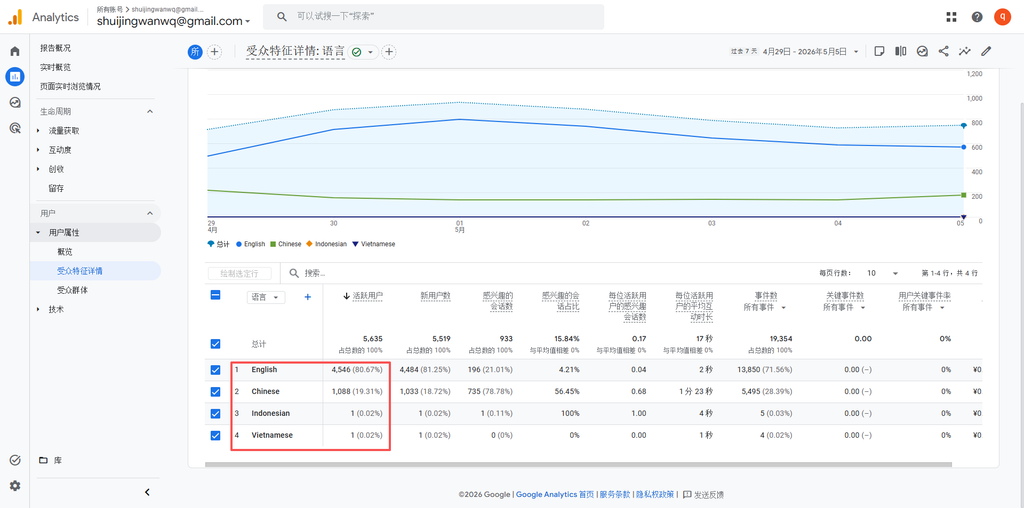

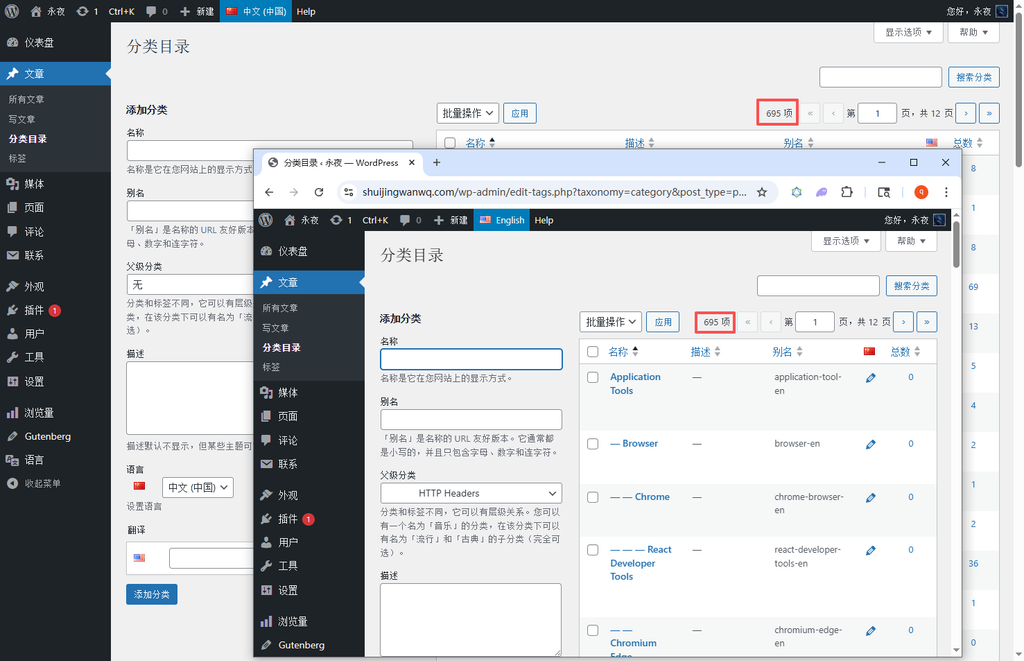
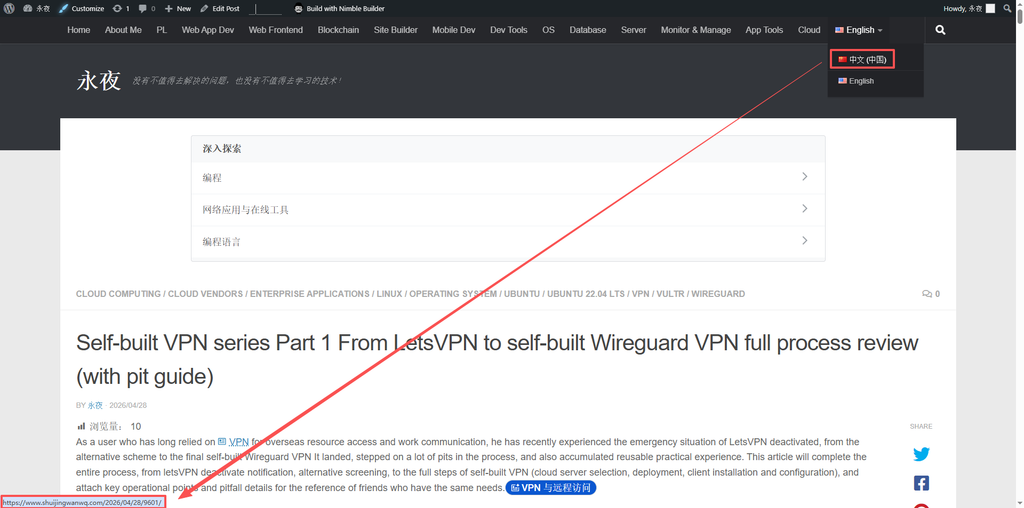
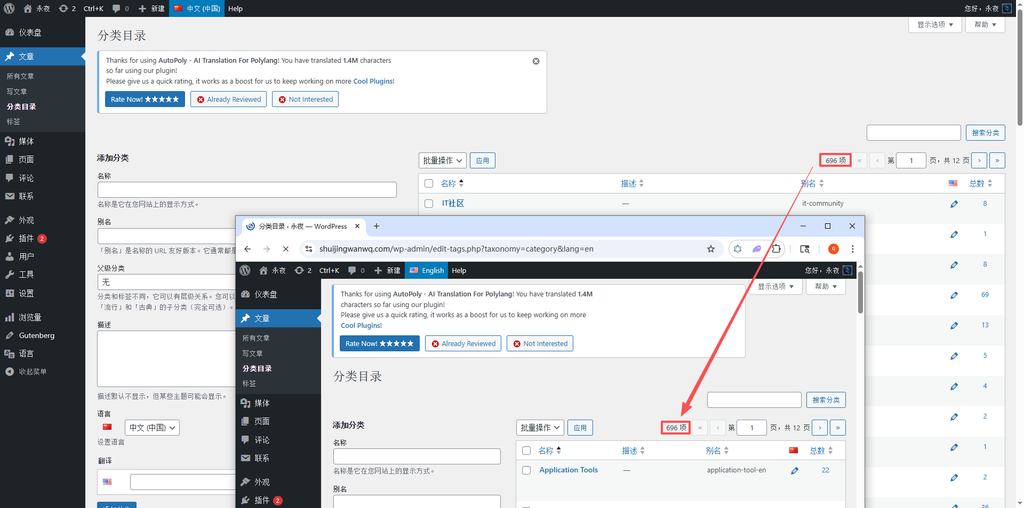
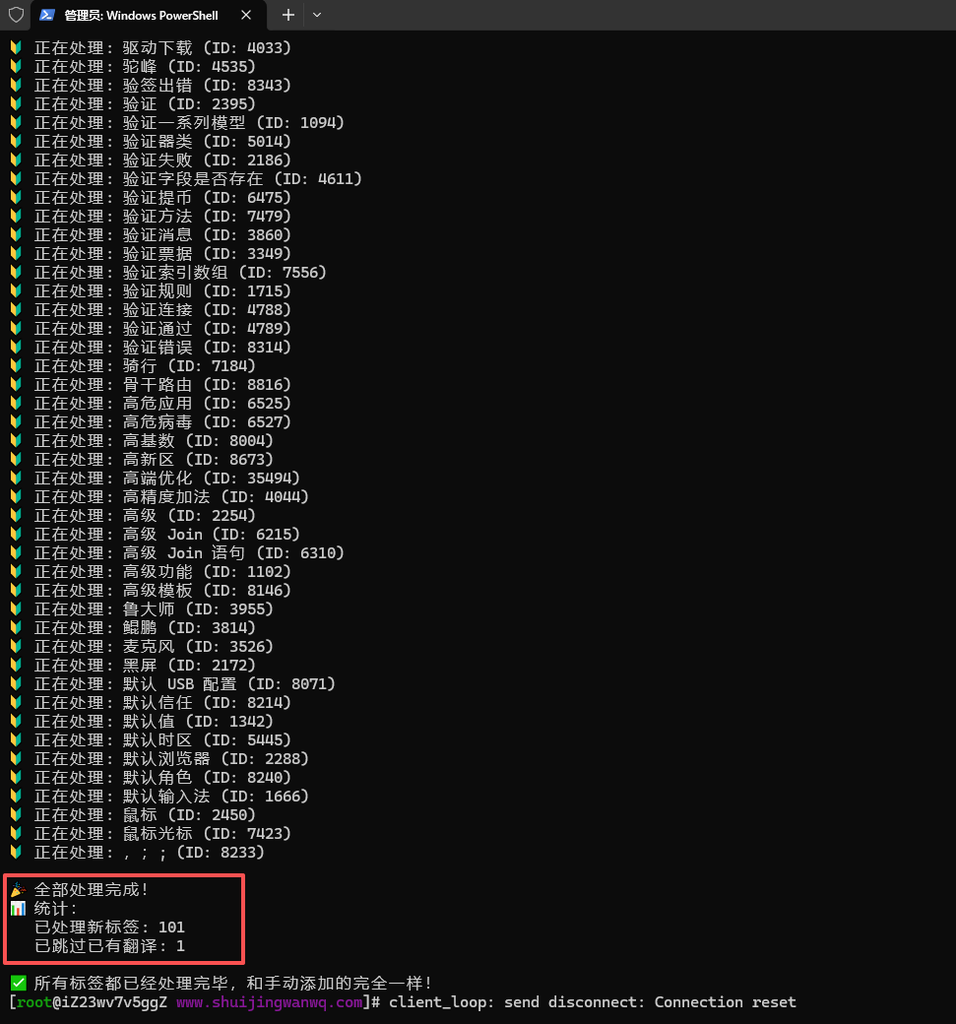
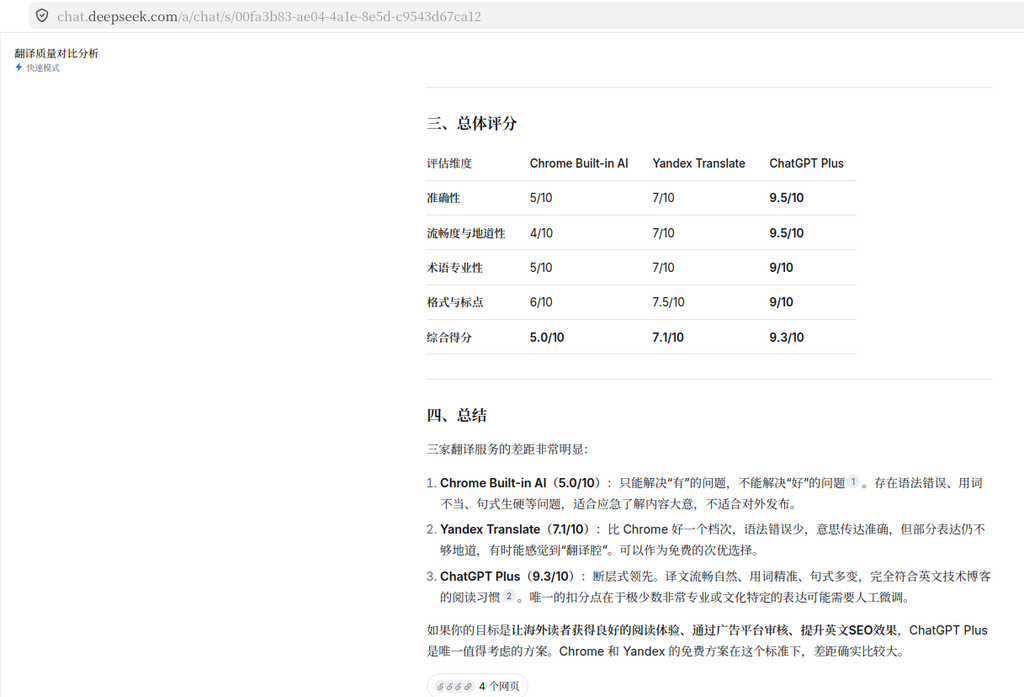
In the previous article, I shared with you the selection and configuration of multilingual plug-ins. Today, I will enter the most time-consuming and most test-testing step – classified translation. There are a total of 695 categories of my blog, and it took 4 hours to complete the manual translation. My fingers are almost exhausted. I stepped on a lot of pits in the process. Sharing the key points of the pit to help you save time and avoid detours, I also hope that more bloggers can successfully complete multilingualism and bring their own sharing to a wider audience.
Let me first explain my classification situation: Among the 695 categories, there are more than 200 Chinese categories, and the rest are English categories (scattered before), and the classification has a clear hierarchy. Departments (level 1 → level 2 → level 4 → level 5), such as the first-level classification ‘IT community’, the second-level classification ‘CSS framework’, and the third-level classification ‘Bootstrap’. For sharing blogs, classification is the core entry for users to find content, especially overseas users. The clear and standardized English classification can make They quickly find the technical content they need, so the classification and translation must not only ensure that the levels are not chaotic, but also ensure that the translation is standardized and the semantics is accurate.
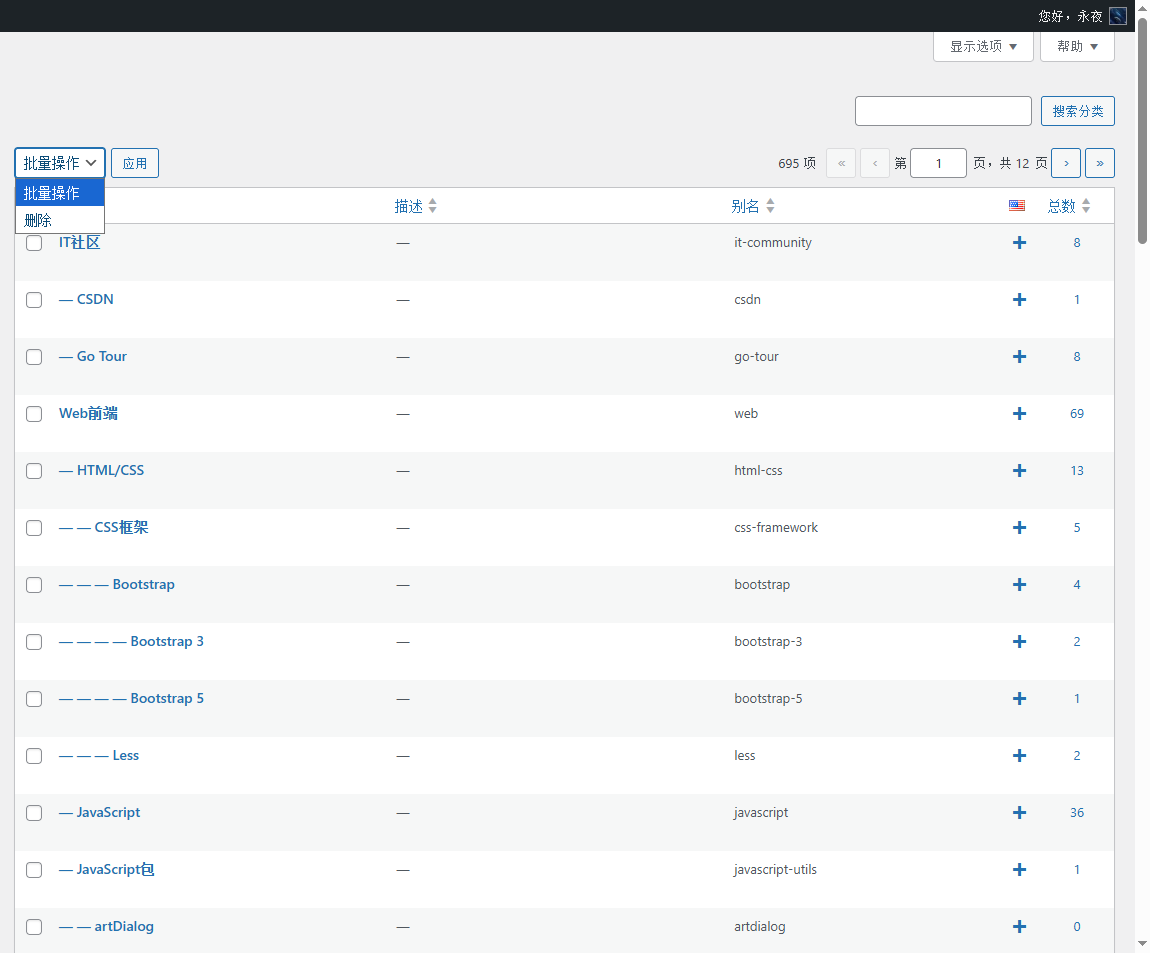
Core premise: autopoly The free version does not support automatic classification of classification, and can only be translated manually, and must be translated from top to bottom according to the level (first level first, then level two, and then three Level, then level 4, and then level 5), otherwise the sub-classification will become ‘orphan classification’, and the hierarchy is completely confused, which affects the search content of overseas users. (as shown in Figure 1)
1. Preparation of classified translation (must do)
1. Clarify translation specifications (avoid unified revisions in the later stage to ensure user experience):
① English classification name: The first letter of each word (title case), such as ‘application tools’ is translated as ‘application tools’
② English category name (slug): all lowercase, the words are connected with short horizontal lines, such as ‘application-tools’, which is convenient for overseas users to memorize and search engines, and try to be consistent with the Chinese alias;
③ Note: Polylang will automatically add the ‘-en’ suffix to the English category name (avoid duplication with Chinese alias), no need to manually modify, and do not affect the search and SEO of overseas users.
2. Filter hierarchical classification (key, save time, avoid confusion):
The classification has levels, and it cannot be translated indiscriminately. The first-level classification must be screened first, and then the second-level, third-level, fourth-level, and fifth-level classification must be screened. Since the WordPress background does not have a layered filtering function by default, I used a piece of JS code to filter the corresponding hierarchy with one click (the actual measurement is available):
① Only display the first-level classification (hide the second, third, fourth, and fifth levels) (as shown in Figure 2):
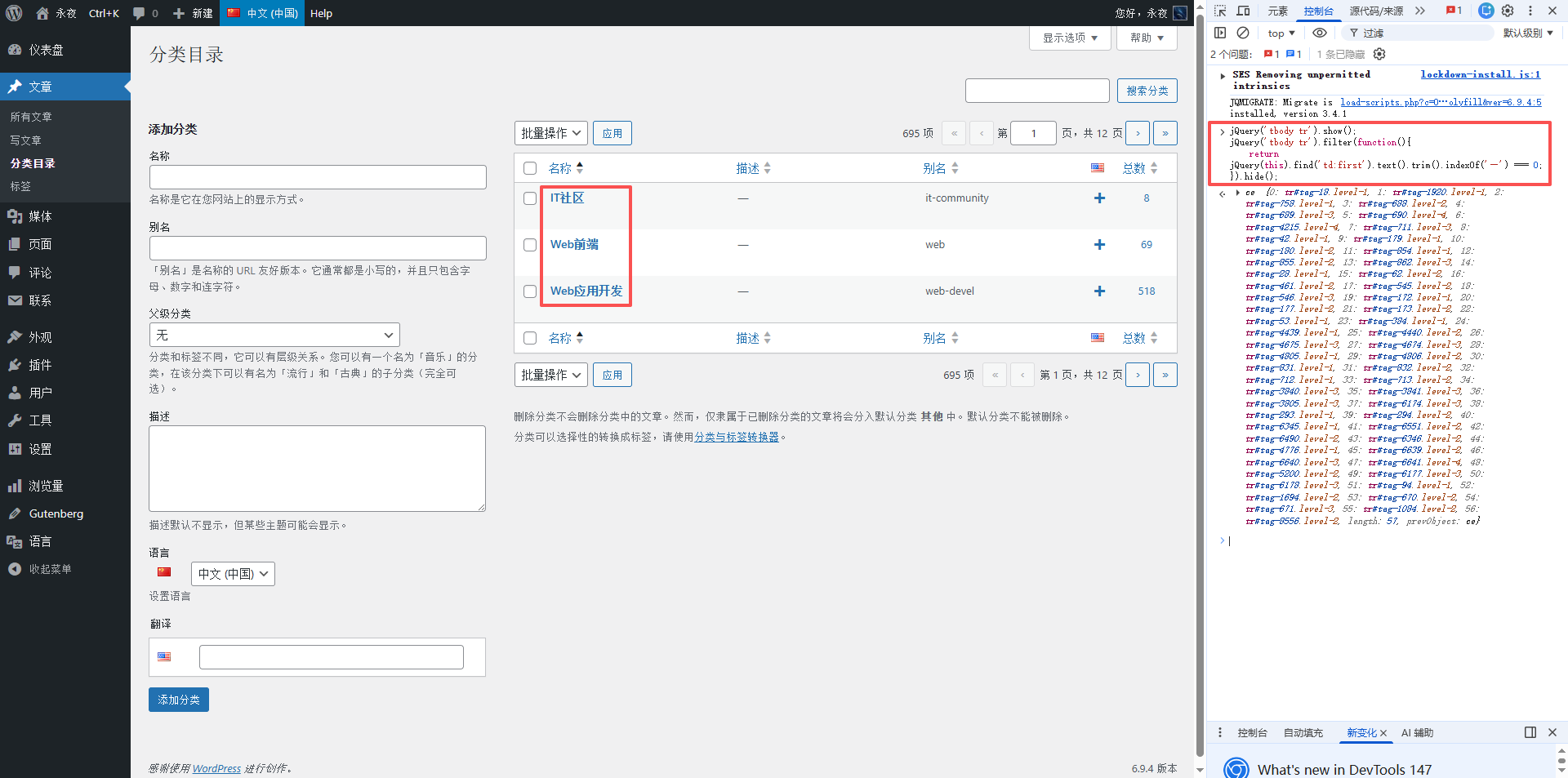
jQuery('tbody tr').show();
jQuery('tbody tr').filter(function(){
    return jQuery(this).find('td:first').text().trim().indexOf('—') === 0;
}).hide();
② Only the second-level classification (Hide I, Level 4, Level 4, and Level 5) is displayed only (as shown in Figure 5):
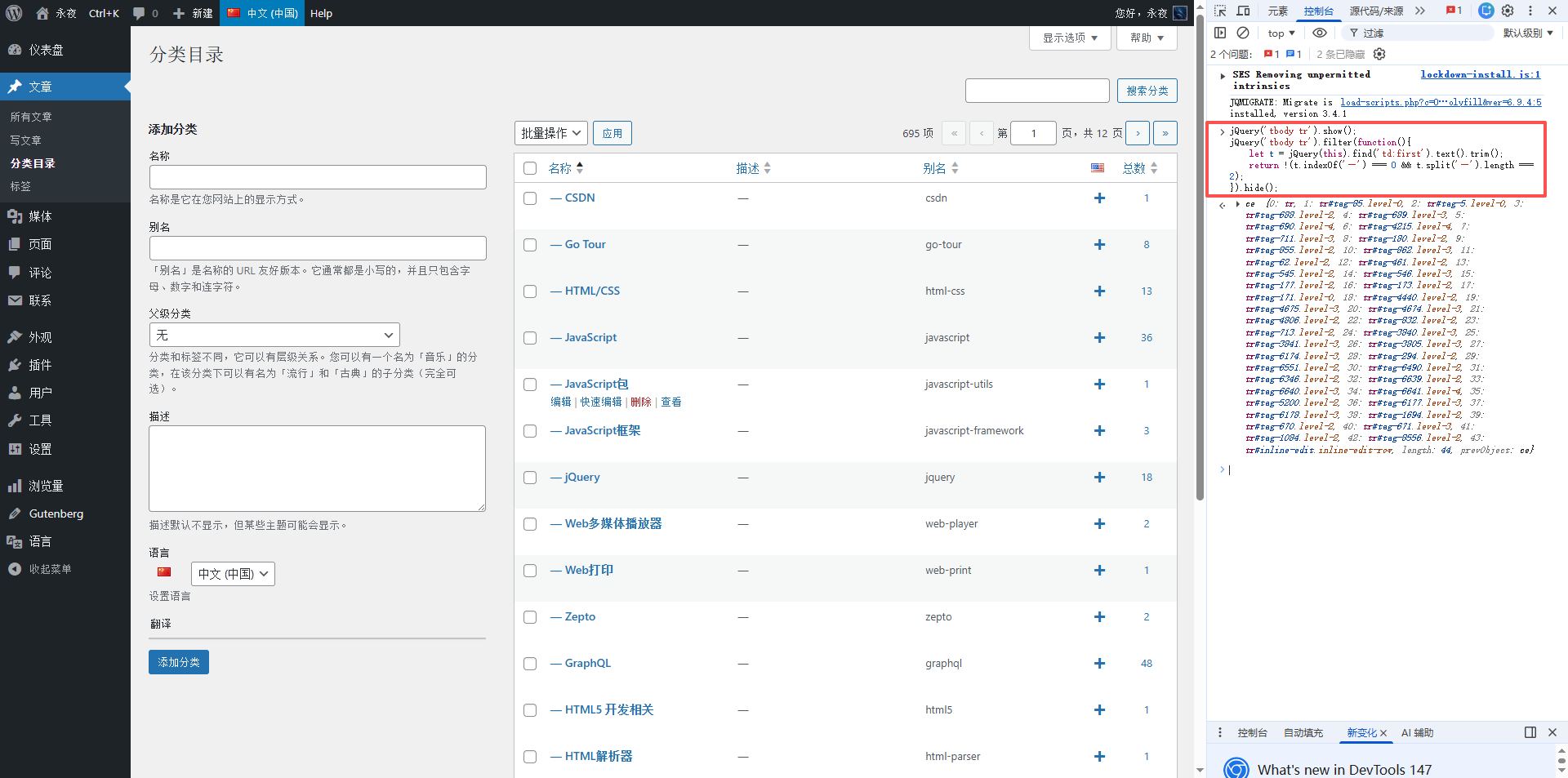
jQuery('tbody tr').show();
jQuery('tbody tr').filter(function(){
    let t = jQuery(this).find('td:first').text().trim();
    return !(t.indexOf('—') === 0 && t.split('—').length === 2);
}).hide();
③ Only the third-level classification (hidden one, two, four, and five) is displayed (as shown in Figure 7):
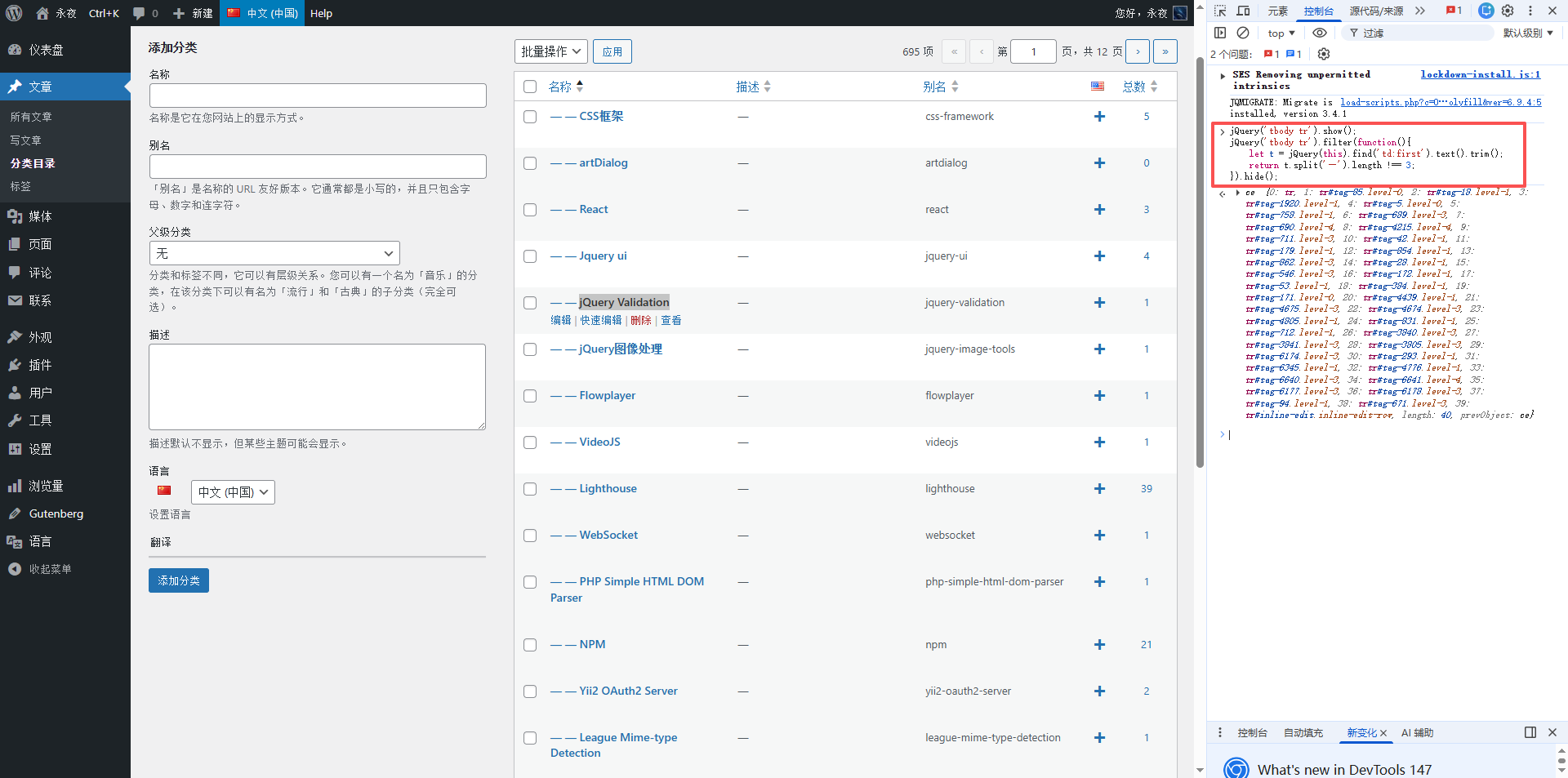
jQuery('tbody tr').show();
jQuery('tbody tr').filter(function(){
    let t = jQuery(this).find('td:first').text().trim();
    return t.split('—').length !== 3;
}).hide();
④ Only the third-level classification (hidden 1, 2, 4, and 5) are displayed (as shown in Figure 8):
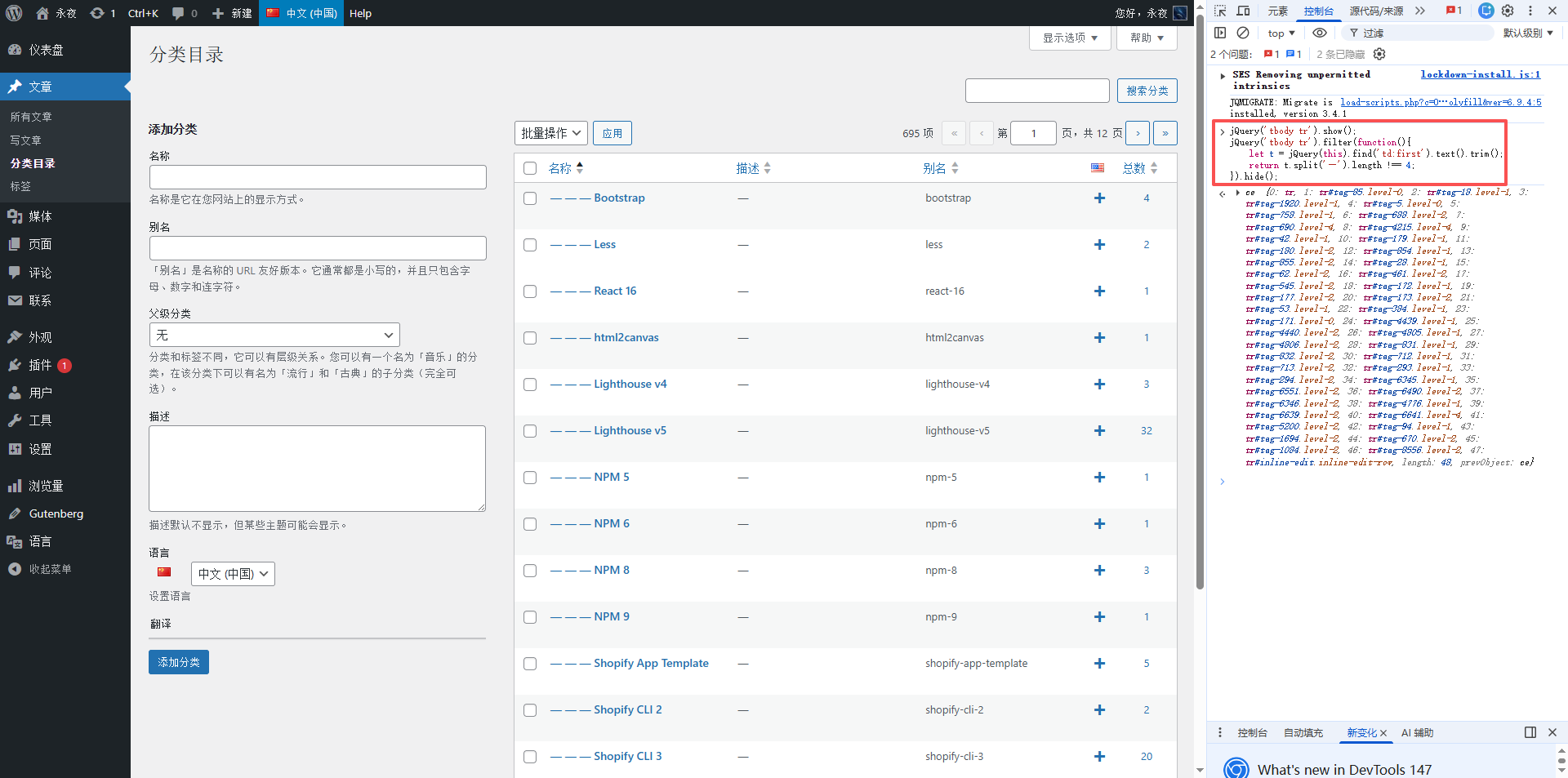
jQuery('tbody tr').show();
jQuery('tbody tr').filter(function(){
    let t = jQuery(this).find('td:first').text().trim();
    return t.split('—').length !== 4;
}).hide();
⑤ Only the third-level classification (hidden one, level 2, level 4, and 5) are displayed (as shown in Figure 9):
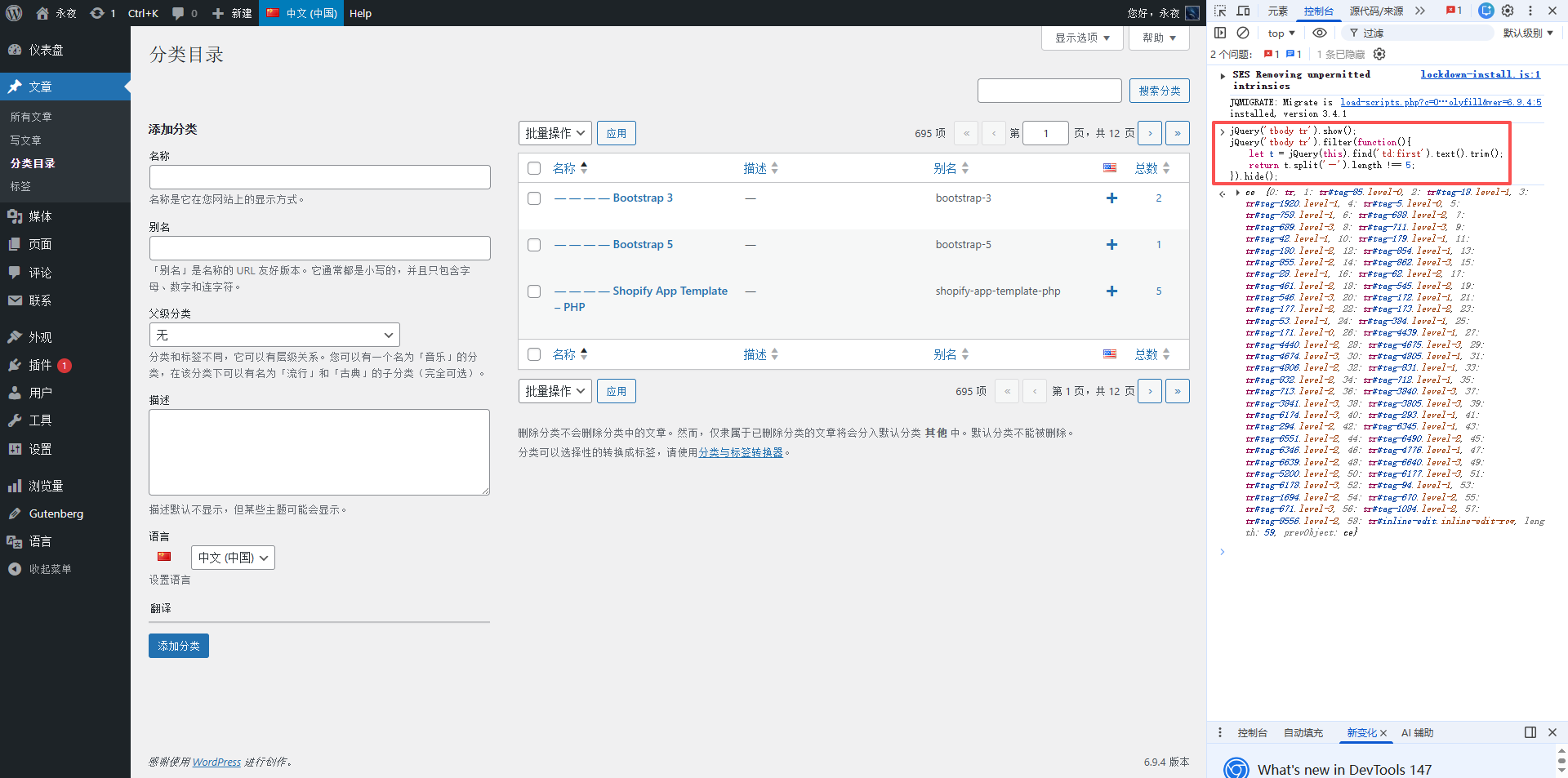
jQuery('tbody tr').show();
jQuery('tbody tr').filter(function(){
    let t = jQuery(this).find('td:first').text().trim();
    return t.split('—').length !== 5;
}).hide();
How to use: Go to the background → Article → Category, press F12 to open the console, paste the corresponding code and press Enter, you can filter with one click, refresh the page to restore all categories, greatly save the time of manual filtering.
Second, the complete operation process of classified translation ( Step by step )
The whole process is operated in the Chinese background, do not go to the English background to create a new classification to avoid hierarchical confusion. Take the first-level classification ‘IT community’ as an example, and teach you how to operate step by step:
1. Switch to Chinese (China), enter Article → Category, paste the first-level filter code above, and filter out all first-level classifications;
2. Find the ‘IT community’ category, click the ‘+’ sign on the right (add translation), and select ‘English’;
3. The English classification editing window will pop up, and fill in the translation content (the key point is to ensure that the semantics are accurate, which is convenient for overseas users to understand) (as shown in Figure 3):
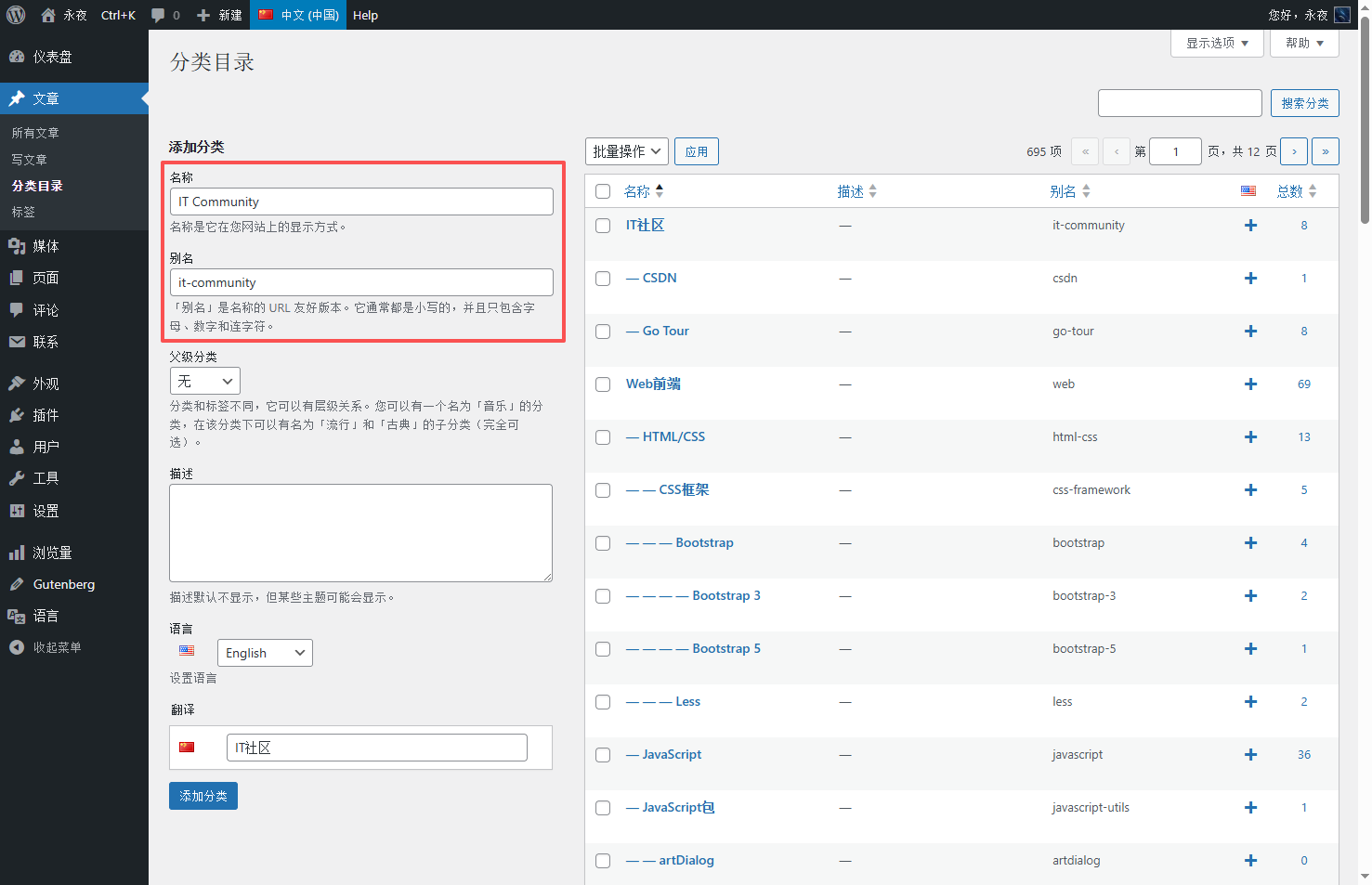
① Category name: fill in the translated English (such as ‘it community’);
② Category name: fill in the English that is the same as the Chinese alias (such as ‘IT-community’);
③ Parent-level classification: no need to choose (first-level classification);
④ Description: blank, no need to fill in;
4. Click ‘Add Category’ and save it;
5. After adding 1 page, you can click the next page, then in the console, press ⬆ to quickly display the last JS command executed without copying and pasting;
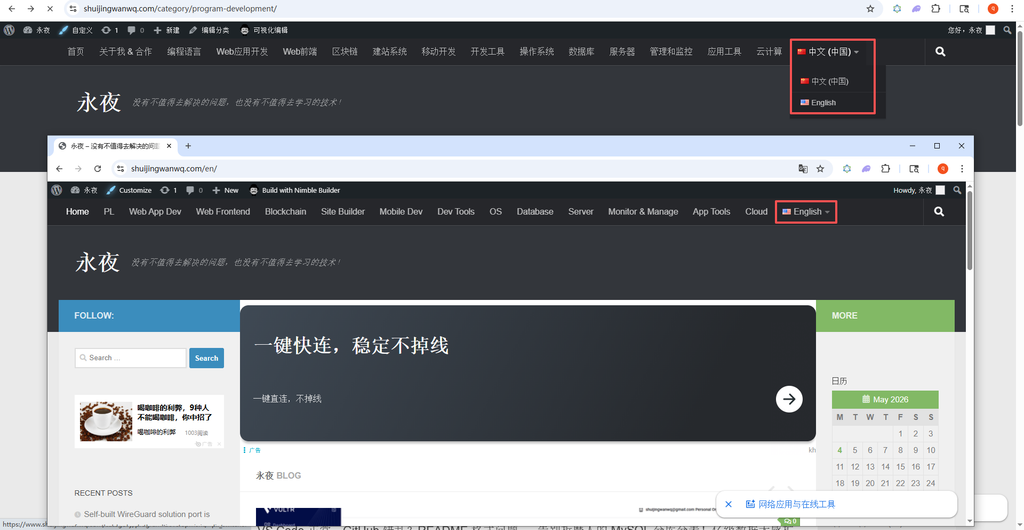
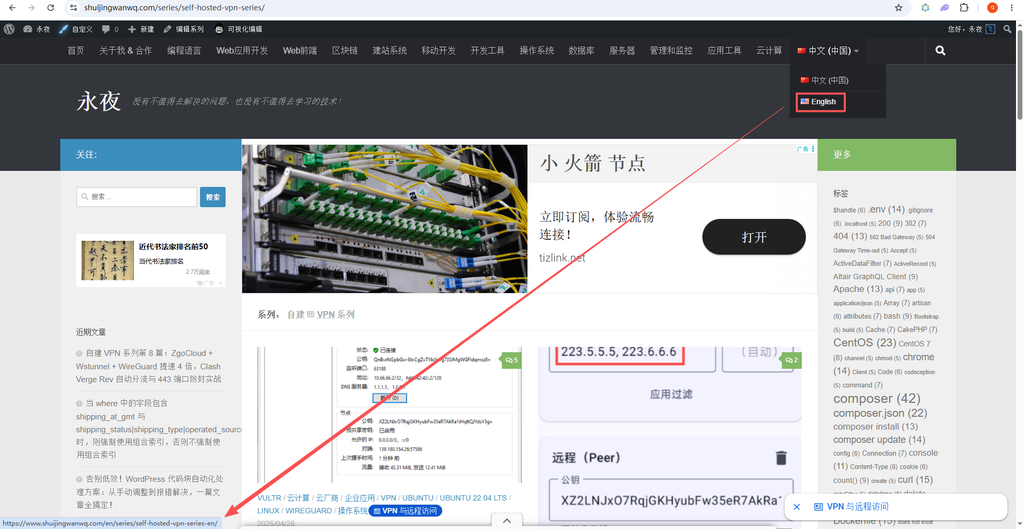
6. Switch the top language to English, put the mouse on the view link, you can find that the link ishttps://www.shuijingwanwq.com/en/category/it-community-en/. It can be determined, add the classification, after saving, the polylang will automatically add the ‘-en’ suffix to become ‘it-community-en’, and the category link contains /en, which is in line with expectations (as shown in Figure 4);
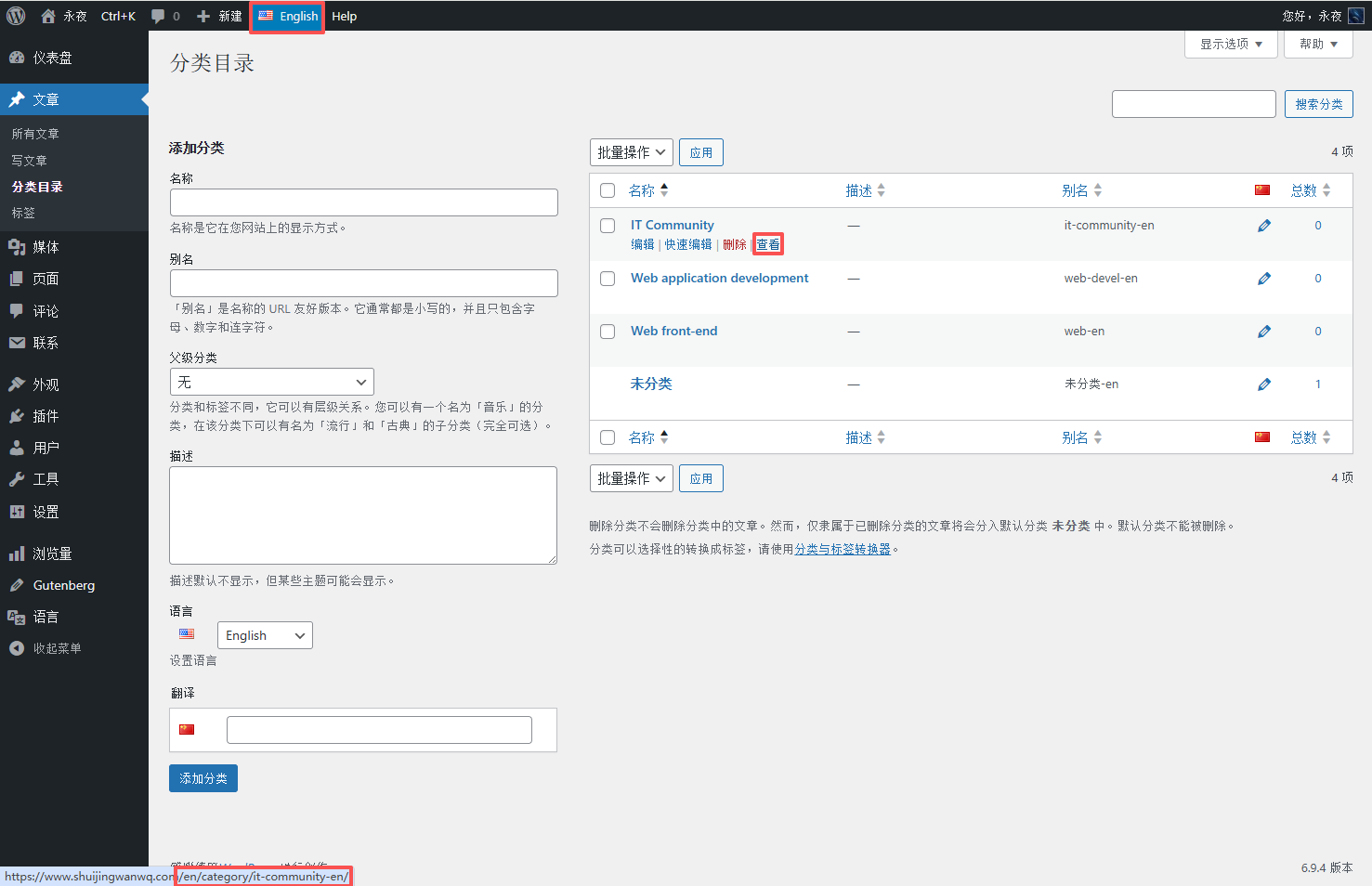
7. Repeat steps 2-4 to complete the translation of all first-level classifications (the first-level classification is the core of the user’s search content, and the translation is completed first);
8. After the first-level classification translation is completed, paste the secondary classification screening code, filter out all the second-level classifications, repeat steps 2-4, and translate the second-level score (At this time, the parent-level classification will automatically match the translated English first-level classification, no need to manually select), and the hierarchy is clear (as shown in Figure 6);
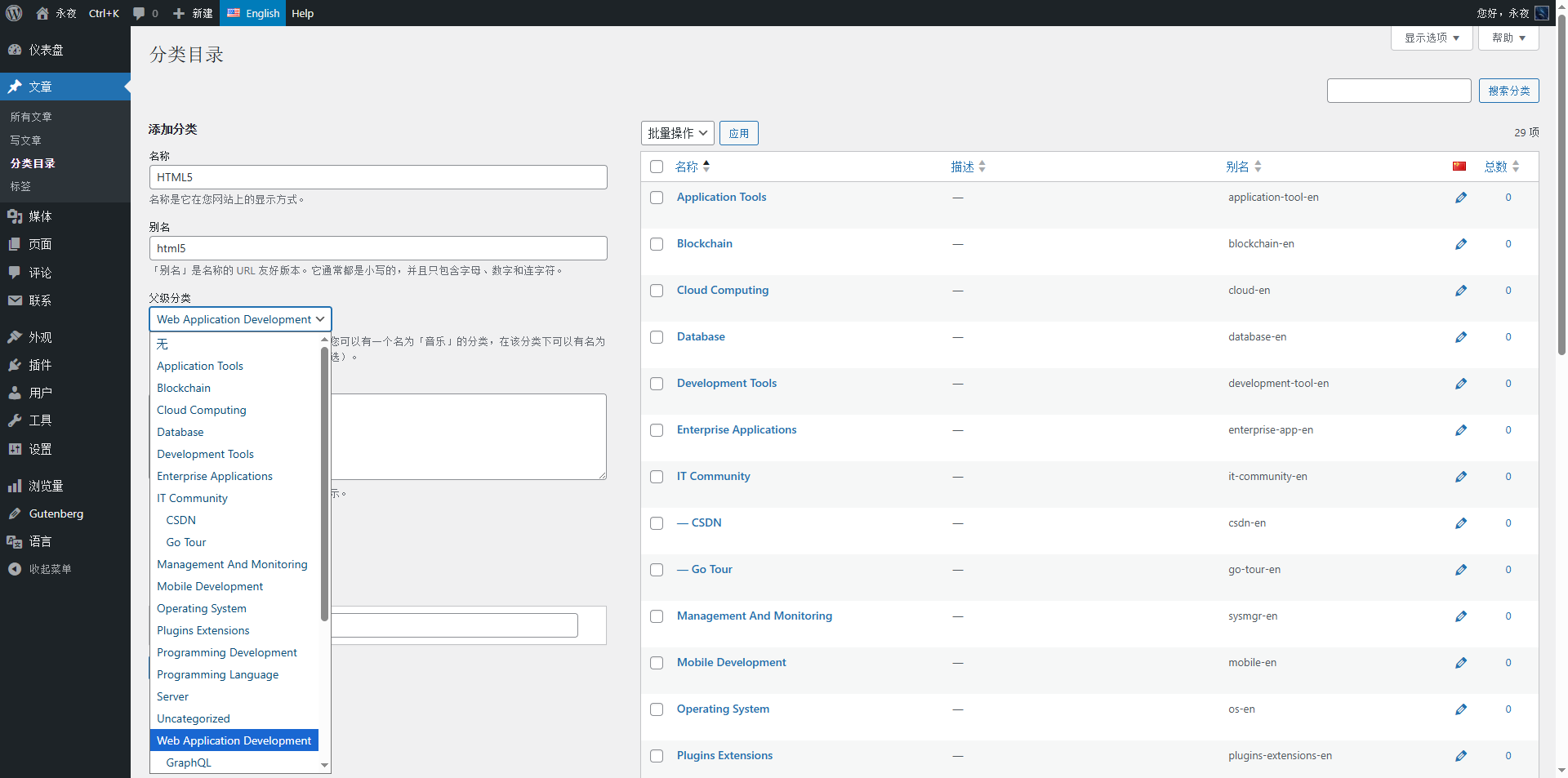
9. After the second-level classification translation is completed, use the same method to translate three-level classification, four-level classification, and five-level classification to ensure that each classification can be accurately translated, which is convenient for overseas users to find;
10. A little trick: When you find the ‘IT community’ category, when you click the ‘+’ sign on the right, it is recommended to open a new tab, and then you can use the shortcut key:
Cut to the next: Ctrl + Tab
Switch back to the previous one: Ctrl + Shift + Tab
In order to facilitate the switch back and forth of the category list page and add the category page, quickly copy the category name and category name, and avoid adding the classification, and automatically jump back to the classification list page, which leads to the loss of the classification hierarchy filtered with JS;
11. When a classification level is added, it is necessary to check page by page again to ensure that all Chinese classifications have corresponding English classifications. However, it may be found that some Chinese classifications add corresponding English categories, and after adding the classification and saving, it is always unsuccessful. At this time, you need to delete the corresponding English classification, and then add it again.
3. 3 pits that have been stepped on during the translation process (must see the pit)
1. Skipping translation leads to hierarchical confusion: At first, I want to translate the second-level classification first, saving time. As a result, after the translation is completed, the secondary classification becomes the first-level classification. When overseas users find content, they will be confused. Remember: you must translate layer by layer according to ‘level 1 → level 2 → level 4 → level 5’.
2. Manual modification of English alias results in conflict: I have tried to delete the ‘-en’ suffix of English alias, which is consistent with the Chinese alias. The mandatory rules are used to avoid conflicts, no need to be modified, just let it be.
3. Classification name singular and plural confusion: For example, ‘application tool’, which was translated as ‘application tool’ at the beginning, and later found that the column is a collection, and English users are more accustomed to using the plural ‘application’ Tools’, and in batches, it is a waste of time. It is recommended to make it clear before translation: use plurals for column categories, and use singular for a single special category, which is suitable for English users’ reading habits.
4. Summary and follow-up plans
695 categories, 4 hours of manual translation is completed, although tired, but full of sense of achievement – after this step is completed, the classification structure of the English site is built, and it is used overseas for overseas use. Through standardized and clear English classification, Hu can quickly find the technical content that they need. My sharing can finally cross the language barrier and reach a wider audience.
Here is a small suggestion for you: the classified translation does not need to be done at one time, but can be done in batches, such as 200 translations per day, in 3-4 days to avoid excessive finger fatigue. In addition, when encountering the category names that are not easy to translate, you don’t need to be hard, just use simple and easy-to-understand English.
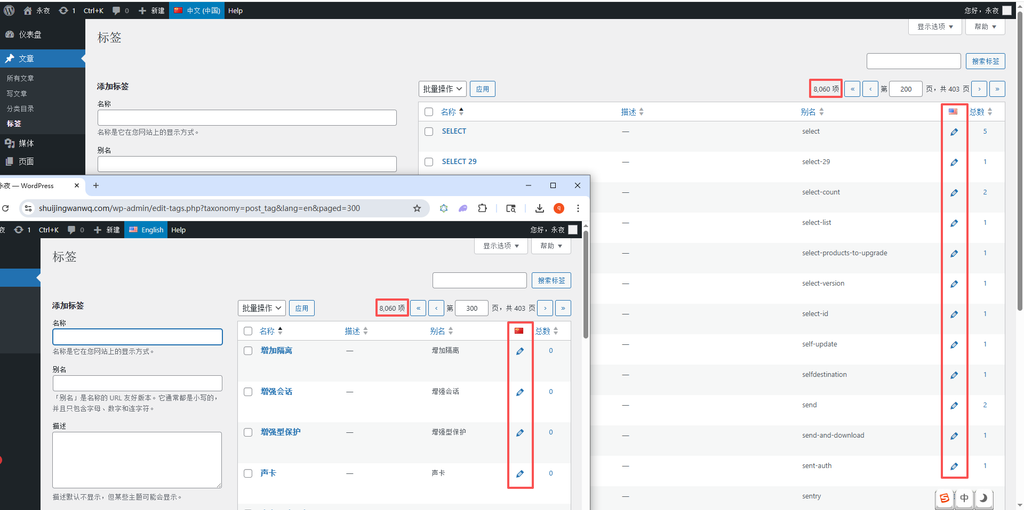
After the classification translation is completed, the next step is the larger task – the translation of 8062 tags, the label is the supplement of the content, and the accurate English label can allow overseas users to find relevant content more accurately. I plan to Use SQL to generate English translation items in batches, and then manually modify the tags with Chinese. The next article will share the practical process of label translation in detail, as well as the usage of SQL statements (the whole process is friendly), remember to pay attention~
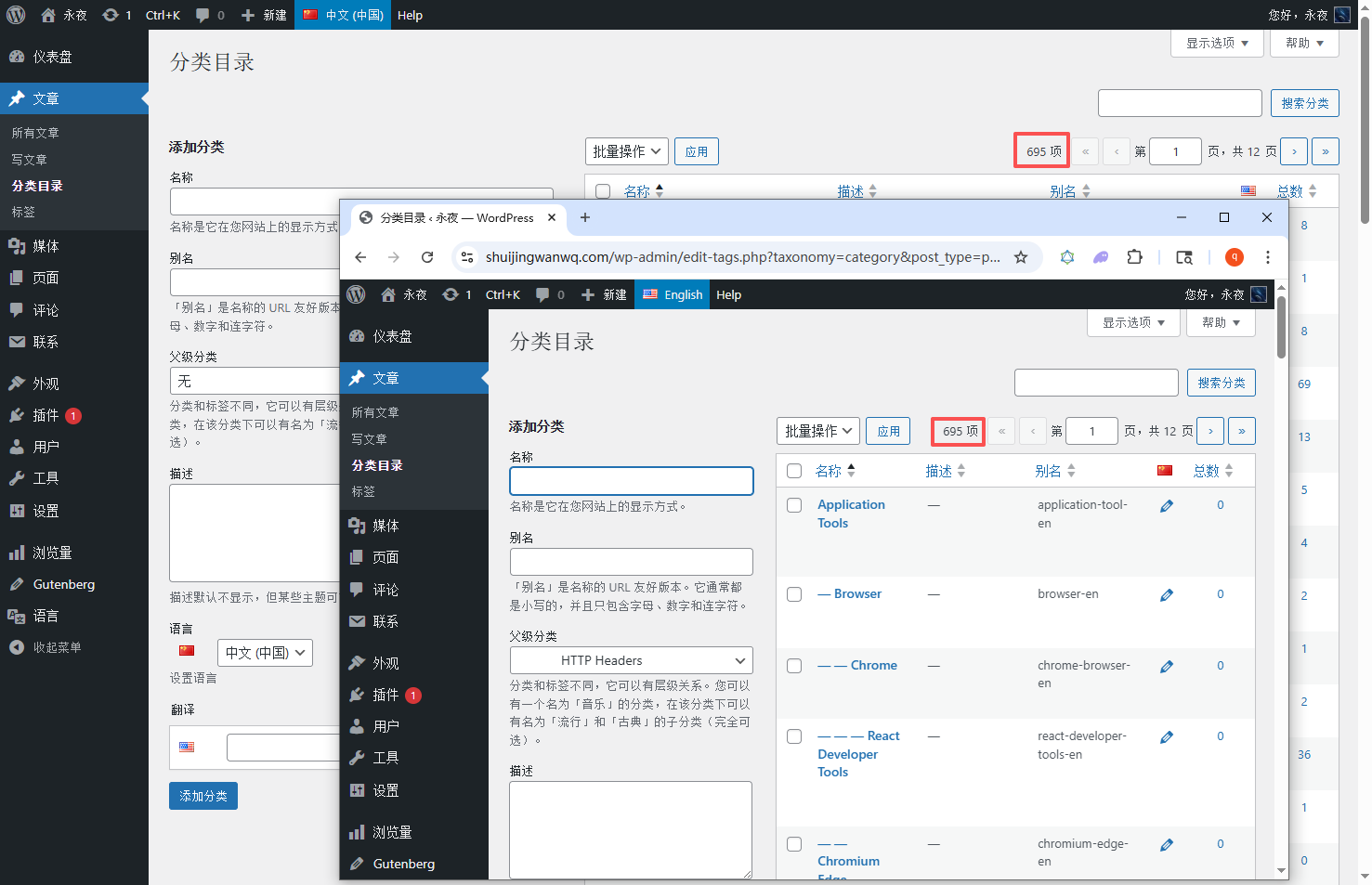
Finally, I will attach a screenshot of the classification effect after my translation is completed (as shown in Figure 11), the total number of classifications in Chinese and English is equal. The English classification name is standardized, the hierarchy is clear, and the Chinese classification structure is perfectly reproduced, so that overseas users can quickly find the content they need, and also lay a solid foundation for my subsequent content sharing.
WordPress Maintenance, Performance Optimization & Blog Growth Consulting
I have been running my personal technology blog for more than 10 years and have published over 1,000 original articles. My long-term practice covers WordPress website maintenance, CDN / Cloudflare configuration, caching optimization, Google SEO, ad monetization, and multilingual website operations.
If your WordPress website is slow, unstable, affected by plugin conflicts, showing caching issues, having AdSense display problems, or facing CDN / Cloudflare / DNS configuration uncertainty, feel free to contact me for remote troubleshooting.
Ideal For:
✅ Personal blog owners
✅ WordPress website operators
✅ Independent developers and content creators
✅ SaaS website owners
✅ Website owners who want better speed and stability
What I Offer:
✅ WordPress performance optimization
✅ Cloudflare / CDN / caching configuration checks
✅ Plugin conflict and layout issue troubleshooting
✅ AdSense display issue troubleshooting
✅ Basic SEO structure review
✅ Blog growth and monetization consulting
If you would like to discuss your website, please contact me and mention: WordPress Maintenance Consultation.
Contact Me:
Telegram: @shuijingwan
WeChat: 13980074657
Email: shuijingwanwq@gmail.com
Leave a Reply