WordPress Performance Benchmark and CDN Selection Record: From Domestic Dial to Overseas WebpageTest, how 1-core 2G server is global
Preface
After completing the basic optimization of the first few rounds, my WordPress site (about 2000 articles, the number of tags is 18,000+) has been able to run stably under a certain daily visit. But as I translated Chinese articles into English (in the follow-up plan to add Japanese),Access experience for overseas usersbecome a new shortcoming.
In order to quantify the problem and choose the appropriate CDN, I conducted a complete performance benchmark test – including domestic multi-node dialing and overseas real browser simulation. This article records the test process, data interpretation and CDN selection ideas, hoping to help the WordPress webmaster who is also facing ‘going to the sea’.
1. Domestic user experience: dial test (boce.com)
First test the performance of domestic users visiting my Hangzhou ECS source station (without any CDN). Tools use boce.com ‘Website speed measurement’ function, test time 2026-06-05 19:04:09.
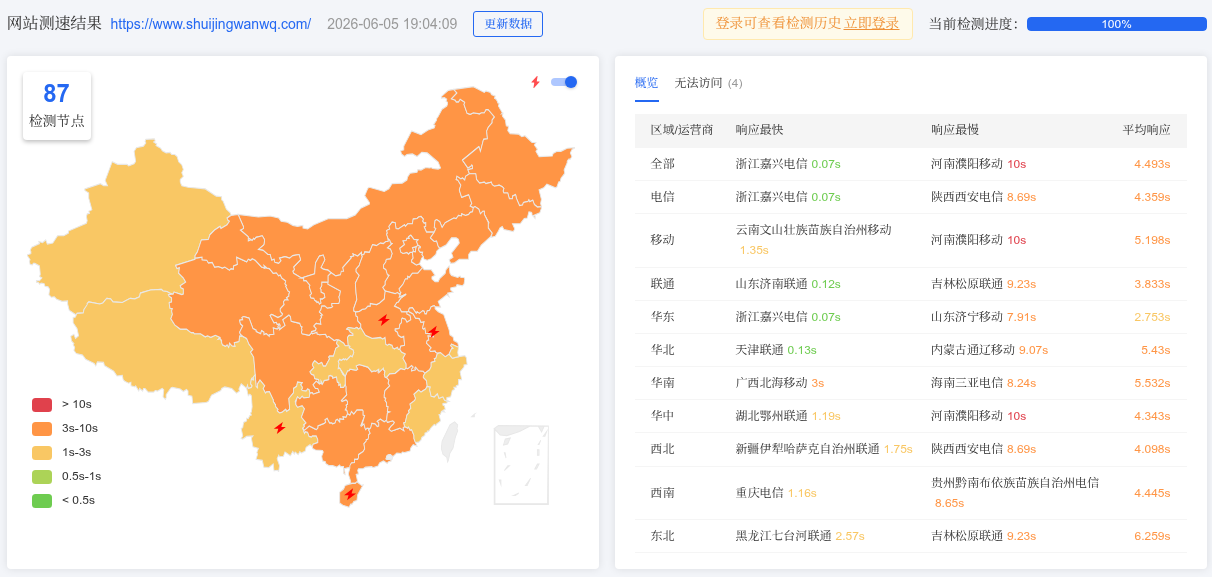
Overview of dialing test results
Key data:
- Average response time: 4.493 seconds
- Fastest: Zhejiang Jiaxing Telecom 0.07 seconds (same province advantage)
- Slowest: Puyang Mobile, Henan 10 seconds
Cross-operator (Telecom Line → Mobile User) delay is serious, which is a typical problem of the domestic network environment. If the major users are still in China in the future, domestic CDNs (such as Alibaba Cloud CDN) must be considered to solve the bottleneck of cross-operator.
2. Overseas user experience: WebpageTest (Ohio node in the United States)
In order to simulate user access in the United States, I chose webpagetest Of Columbus, Ohio, USA Nodes (Desktop Chrome, WiFi 240/120 Mbps).
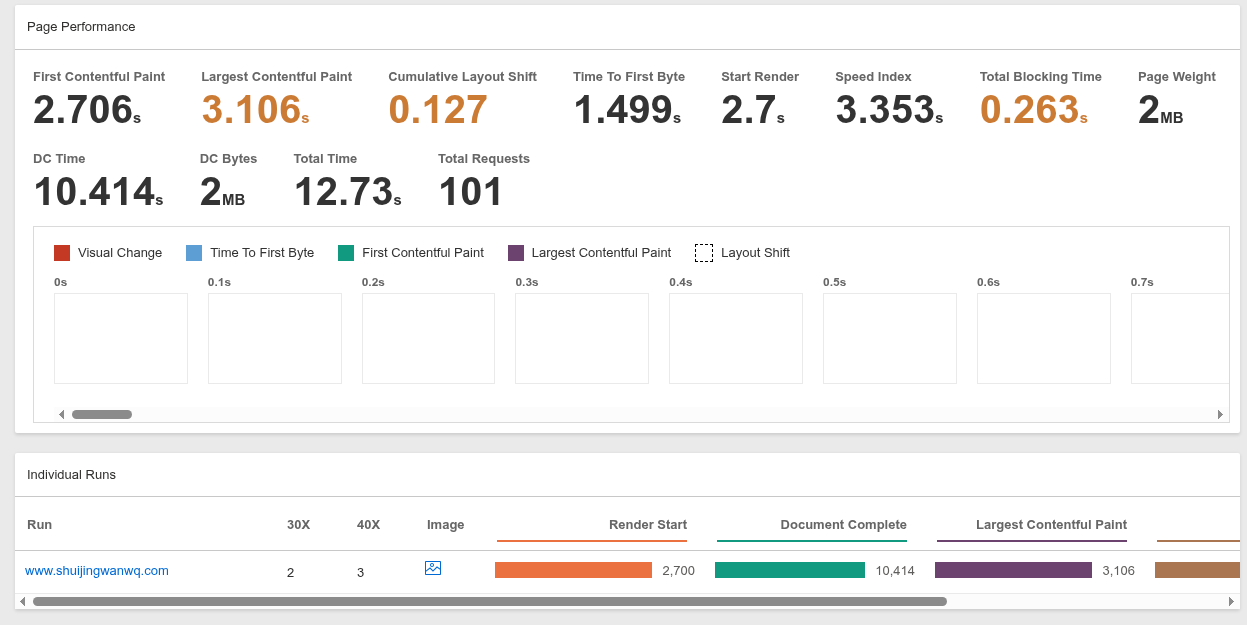
WebPageTest core metrics
- TTFB (Time to first byte): 1.499 seconds
- LCP (Largest Contentful Paint): 3.106 seconds (more than 2.5 seconds suggested by Google)
- Full load time: 12.73 seconds
- Total requests: 101
- page volume:2 MB
Waterfall Diagram Analysis (Key Discovery):
Open request table View the top 15 resources:
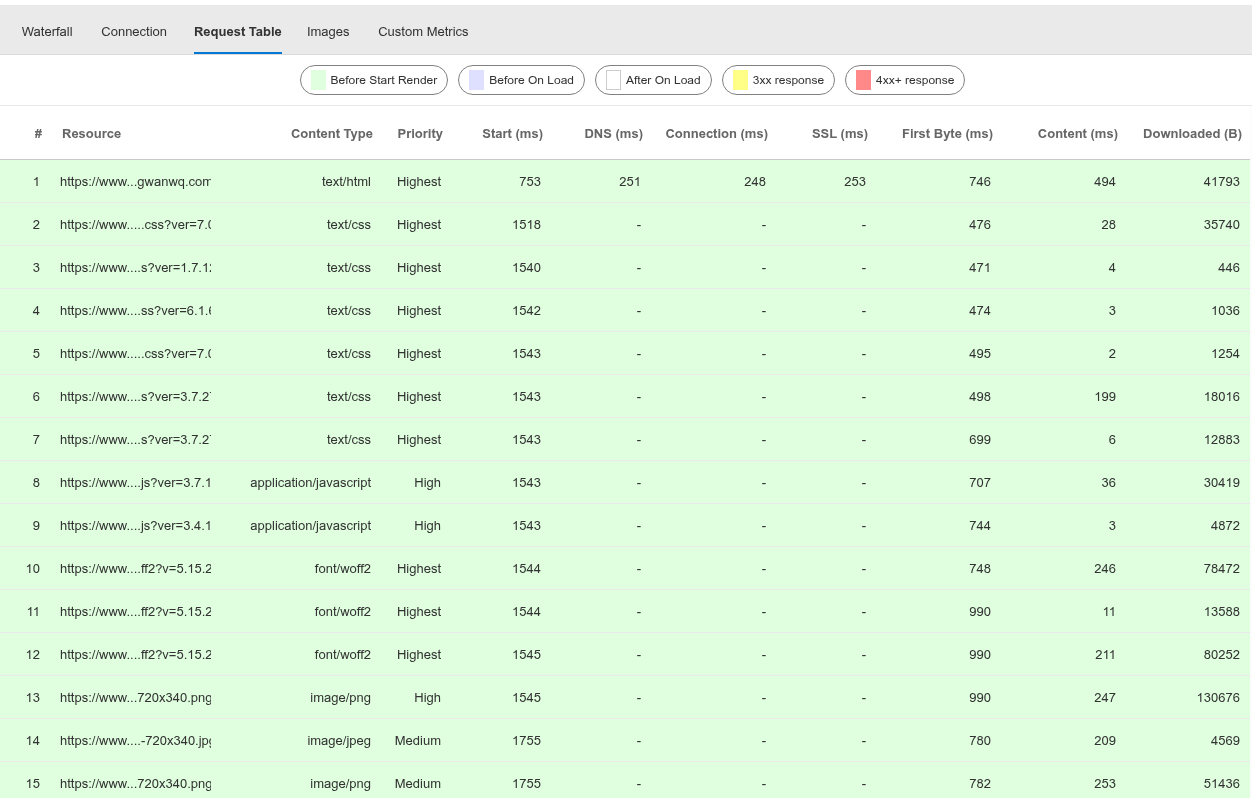
Request table first 15 items
Notice that each static resource (CSS, JS, font, picture) shows independent connection It takes time (hundreds of milliseconds), for example:
- 10th font file: Connection 748ms
- 13th picture: Connection 990ms
This looks like a browser re-established a TCP connection for each resource. However, check the server nginx configuration:
cat /usr/local/nginx/conf/vhost/www.shuijingwanwq.com.conf | grep "listen"
  listen 80;
  listen [::]:80;
  listen 443 ssl http2;
  listen [::]:443 ssl http2;
has been opened correctly http/2, in theory, the connection should be reused. I speculate that the ‘Connection’ column of WebPageTest may indicate the latency of the request in the queue, rather than the real handshake. But anyway,101 requests × trans-Pacific high delay is the core bottleneck.
In addition, the Google PageSpeed Insights function built in W3 Total Cache reports an error (Hangzhou ECS network restriction) because the server cannot directly connect to the Google API (Hangzhou ECS network restriction), which also explains the instability of cross-border networks from the side.
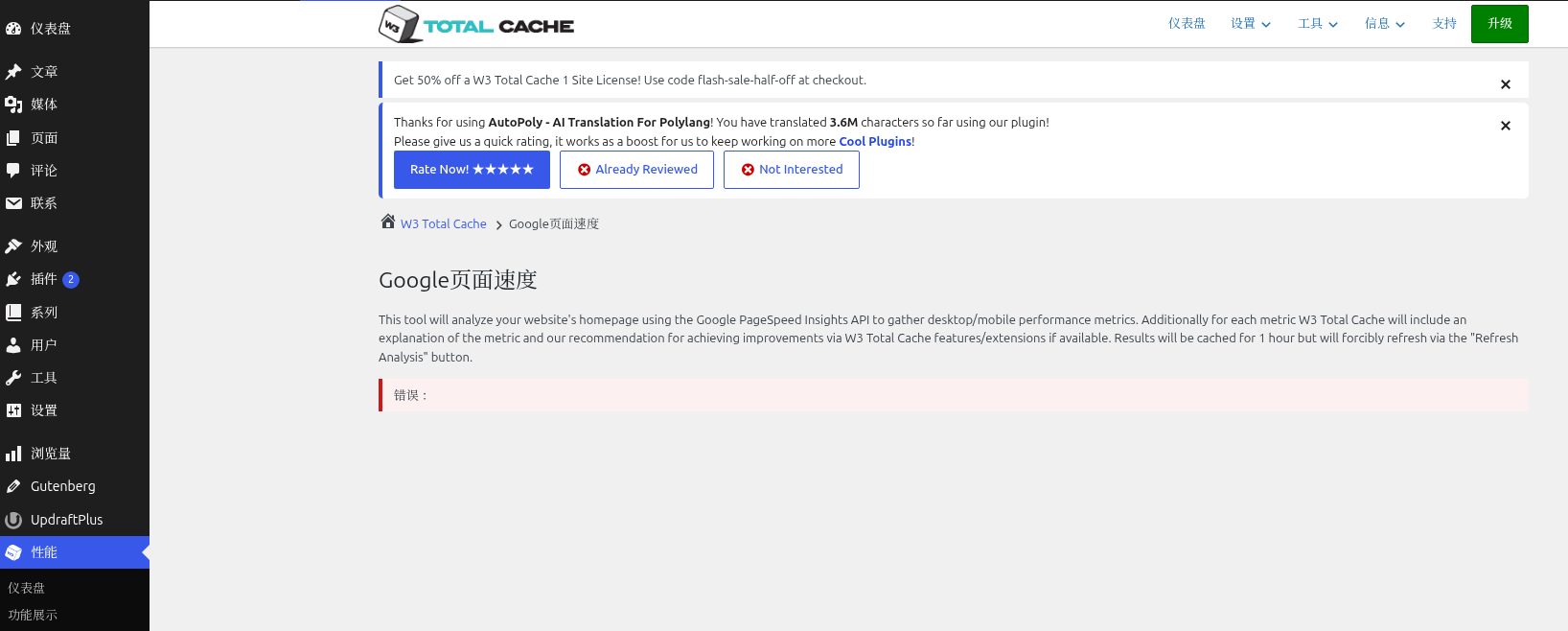
w3tc google page speed error report
3. CDN solution selection: Alibaba Cloud or Cloudflare?
Based on the above tests, I have clarified the goals:Accelerate the access of overseas users without damaging the domestic experience (it is best to take care of it).
| Program | Advantage | Shortcoming |
|---|---|---|
| Alibaba Cloud CDN | There are many domestic nodes, which communicate with the ECS intranet, and the source is fast. | There are few overseas nodes, and the price is billed according to the flow |
| Cloudflare Free Edition | Global 300+ nodes, free, automatically enabled HTTP/2/3 | Domestic access may be slower (need to cooperate with smart DNS) |
| hybrid architecture | Domestic Alibaba Cloud + Overseas Cloudflare | The configuration is complex and requires additional DNS split service |
Since my future user group is mainly overseas (English, Japanese content), I decided toTest CloudFlare Free Edition firstImprove the effect of overseas users. If the domestic visit slows down due to Cloudflare, then consider implementing intelligent DNS shunt (domestic to Alibaba Cloud, overseas to Cloudflare).
The next step plan
- Access Cloudflare: Register a free account, modify the NS record of the domain name, and configure the page rules (at least bypass
/wp-admin). - Verify that the CDN is in effect: After waiting for DNS to take effect, check whether the static resource response header contains
cf-cache-status: hit. - test again: Retest with the same WebPageTest US node, compare ttfb, lcp and full load time.
- Assess the domestic impact: Run Boce.com to dial the test again to observe whether the domestic average response time has deteriorated.
- If the overseas increase is obvious: Consider buying Cloudflare APO ($5/month) to cache HTML pages, further reducing TTFB.
In the future, I will write the comparison data after CDN access into the next article. If you are also worried about the global access speed of the WordPress site, please leave a message to exchange.