Elegantly add multiple sets of statistical code through the WPCode plugin, and solve the problem of data loss access to Google Analytics in China
📋 Backgrounds and Goals
I had a headache when adding statistical code to a WordPress site:How to deploy multiple statistical tools at the same time without affecting the performance of the website, and ensure the accuracy of the data? Especially for Chinese-speaking websites, the stability of Google Analytics (GA4) in mainland China may lead to the loss of some traffic data. My demands are very clear: not only to use a powerful GA4 to analyze overseas traffic, but also to take care of the access experience of domestic users; at the same time, I also want to add Microsoft’s Microsoft Clarity to see how users browse the page. I thought it was a simple ‘copy-paste-save’ three-step step, but I didn’t expect to step on a lot of pits in actual operation. Today, I will share my practice process and investigation ideas, hoping to help friends who are also tossing the statistical code.
Based on the geographical distribution of website visitors and the advantages of different analytical tools, I have designed the following statistical schemes:
Domestic access is stable, associated with Baidu search
Record domestic traffic and accelerate Baidu’s inclusion
⭐⭐⭐⭐⭐
Google Analytics 4
Powerful Event Tracking and Funnel Analysis
Analyze overseas users and measure marketing effects
⭐⭐☆☆☆
Microsoft Clarity
Free heat map with session recording
Behavioral analysis, user experience optimization
⭐⭐⭐⭐⭐
🛠️ Deployment process and problem solving
Step 1: Add Baidu statistical code through WPCode
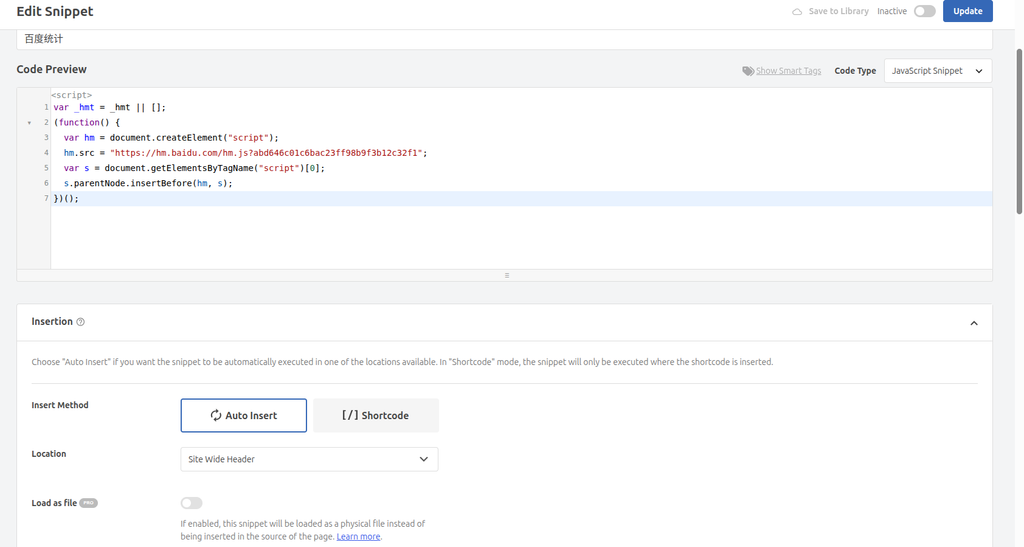
In order not to make the theme files messed up, I have always been accustomed to using the WPCode plugin to manage various third-party scripts. The first is to deploy the most stable Baidu statistics in China. When creating a new code snippet in wpcode, I selected javascript fragment type, after pasting the code, set the position to site wide header(Whole site header), the device type is selected any device type(Desktop and mobile) so that all access devices are covered.
Baidu statistical code is successfully added, the location is selected in the header to load as soon as possible Baidu statistics is very smooth here. But when I deploy GA4 next, I was reported by WPCode as a mistake.
Step 2: Add Google Analytics 4 code (an error is reported)
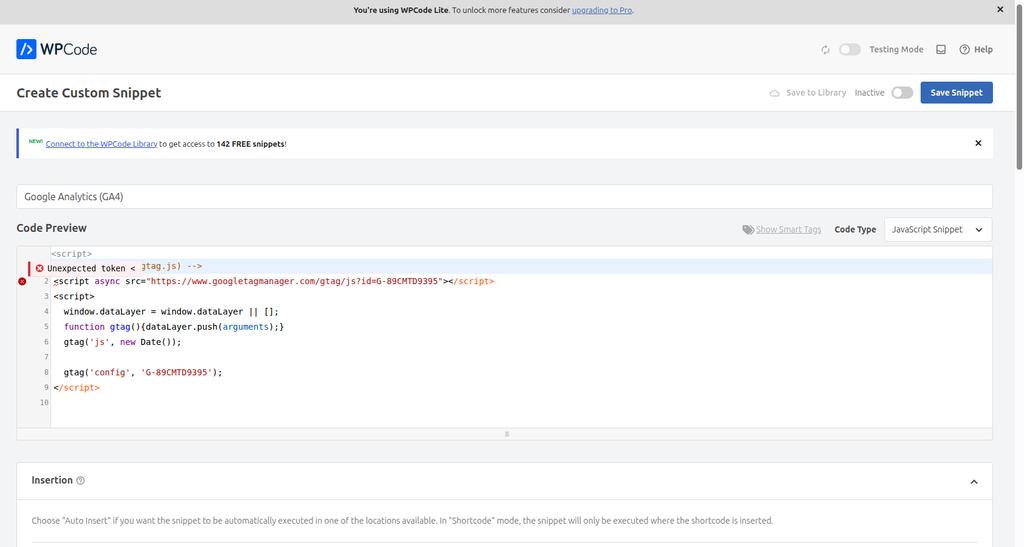
I painted the gourd and painted the GA4 part to <script> The code at the beginning is pasted, and the code type is still selected as a JavaScript fragment. When the result is saved, the system directly reports an error:unexpected token <.
GA4 code triggers syntax error when selecting a JS fragment At that time, I was a little confused, but after a closer look, I realized that the code of GA4 is a complete HTML tag (including <script> And </script>), and the JavaScript fragment type requires pure JS logic, which encounters the beginning < Naturally, the syntax is wrongly parsed.
Step 3: Solve the problem of adding GA4 code
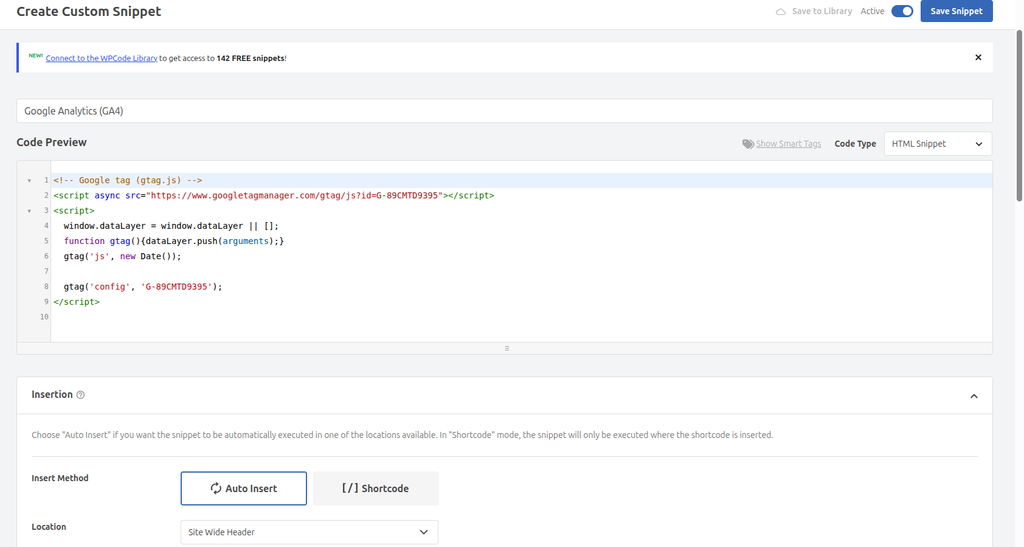
Once the cause is found, it will be resolved quickly. I changed the code type to HTML Fragment, paste the GA4 code again, this time it was successfully saved, no error was reported.
After re-selecting the HTML fragment, the GA4 code is successfully saved
💡 key learning point: In WPCode,Code containing HTML tags (such as statistical code) must choose HTML fragment type, and the pure JavaScript code selects the JavaScript fragment type. This is the key to avoiding the ‘unexpected token’ error.
Step 4: Install the Microsoft Clarity plugin
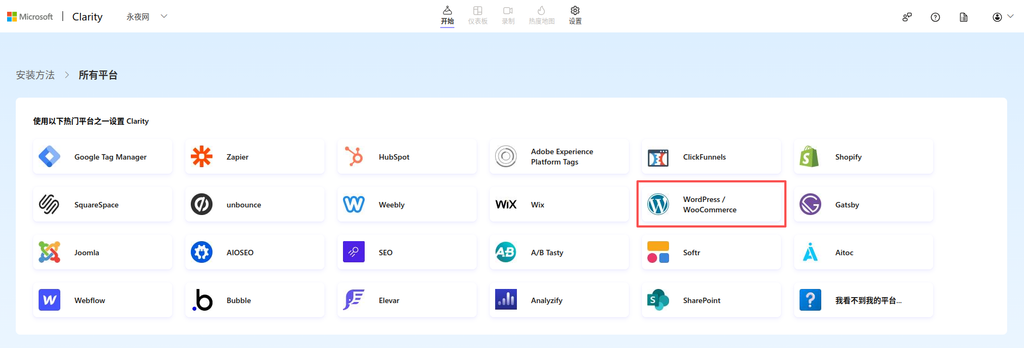
It stands to reason that the Clarity code can also be managed with WPCode. But considering that the main function of Clarity is session recording and heat map, the script is relatively heavy. Although wpcode can also be set in footer, I took a look at the clarity official website and found that they actually provide a special wordpress plugin. Since there is a native plugin, the trouble of manually managing the position of the code can be saved. The plugin will automatically inject the code in the optimal way (usually at the bottom of the page), without worrying about affecting the first screen speed, and it can also be used in wp Looking directly at the overview in the background, why not do it. So according to the official website, I chose the WordPress platform.
Clarity officially provided WordPress plugin installation boot Go straight back to the background of the blog, search for ‘Microsoft Clarity’, one-click installation and enable.
One-click installation of background search plug-in When enabled, there will be an additional Clarity option in the sidebar. Click to enter and follow the prompts to log in to the Microsoft account authorization.
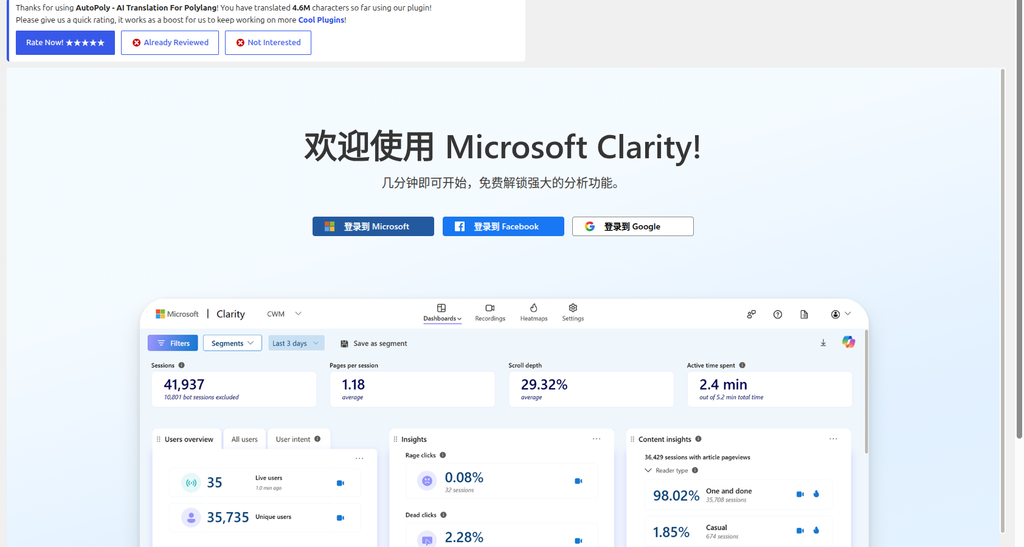
Click to log in to your Microsoft account directly in the background After the authorization is complete, the page will be automatically linked to the project I created in the Clarity background, and the entire deployment process is extremely silky.
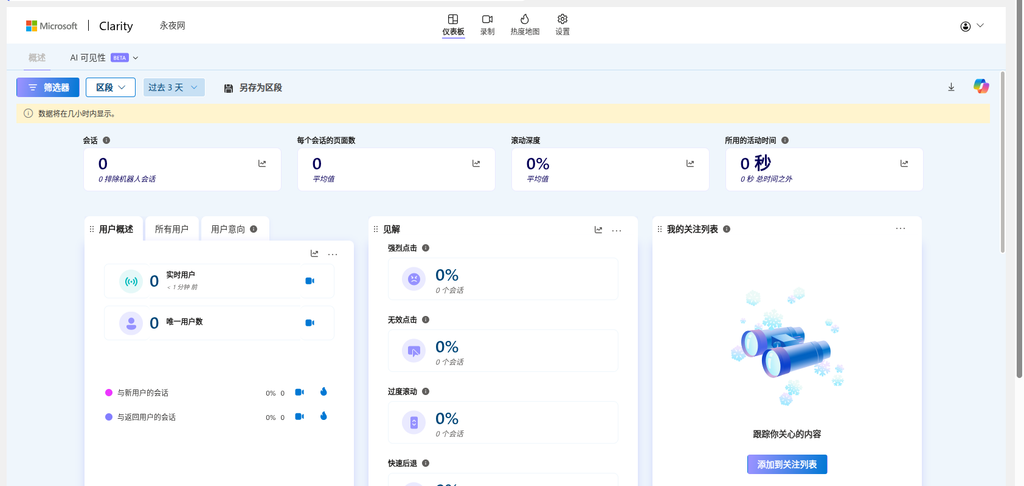
Status panel after the plugin is successfully connected
🔍 Authentication and Testing: Network Request Analysis
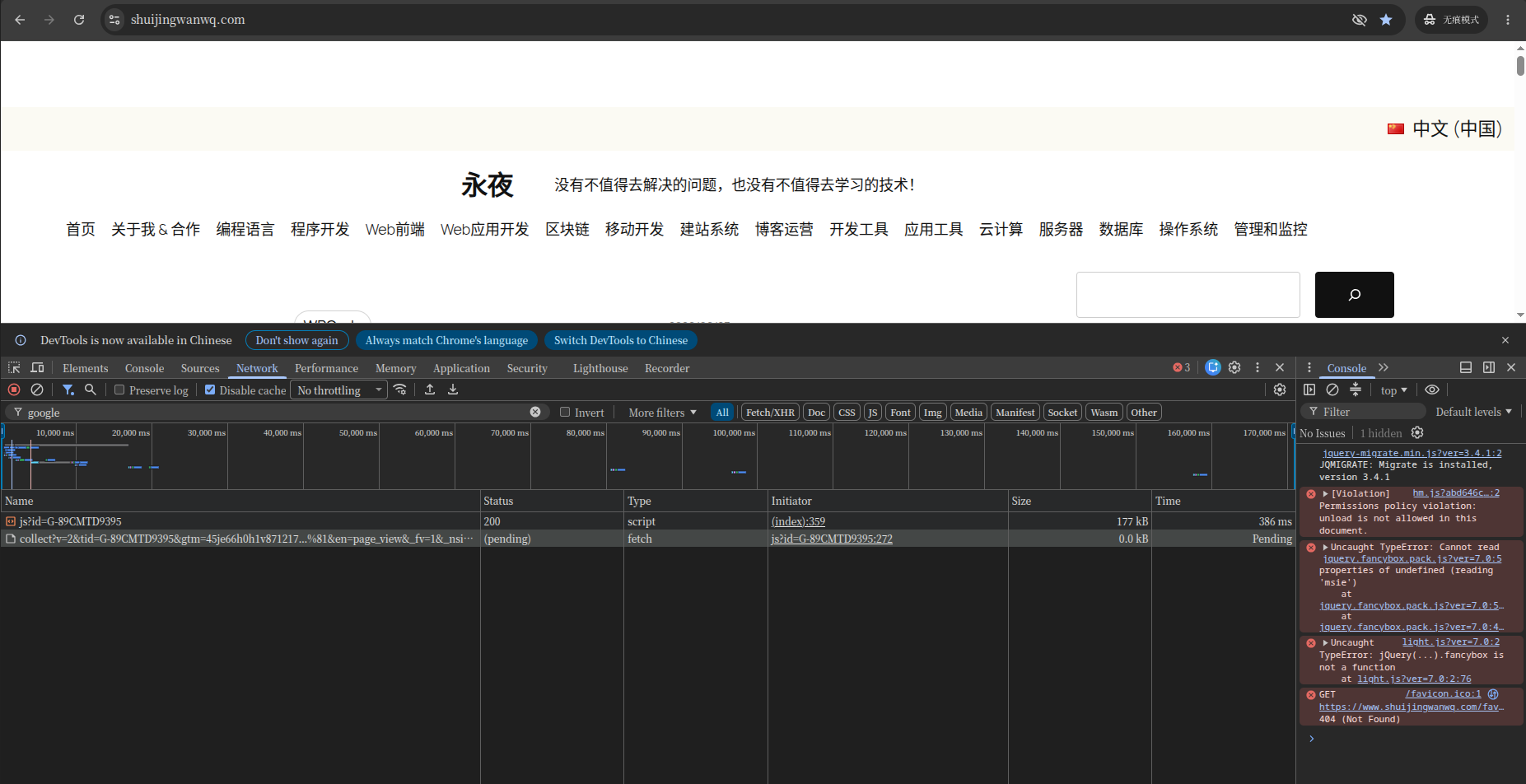
The code has been deployed, which does not mean that everything will be fine. Especially GA4, whether it can send data normally under the domestic network environment, I have always had a question mark in my heart. In order to find out the real situation, I turned off the VPN, simulated the most realistic domestic visitor environment, opened the browser’s seamless mode, and pressed f12 Call out the developer tool, cut to network Panel, prepare ‘seeing is believing’.
Google Analytics 4 request analysis
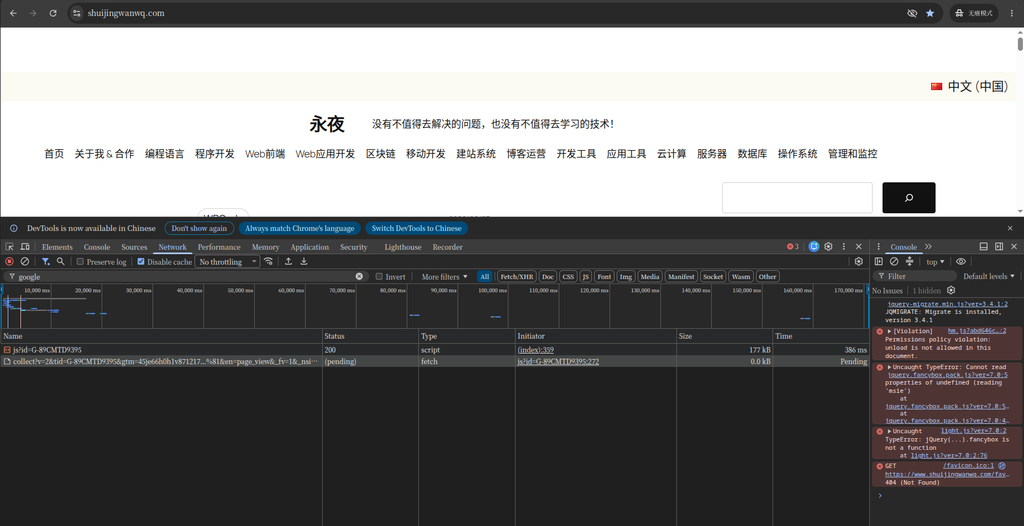
Filter in the Network panel google, refresh the page, I saw a very interesting phenomenon:
GA4 request status captured by the Network panel As shown in the screenshot, the work of GA4 is actually divided into two steps:
Load Core Script: request https://www.googletagmanager.com/gtag/js?id=G-89CMTD9395, this request status code is 200 (success). Description GA4’s code base has been downloaded.
Back to traditional meter data: request https://www.google-analytics.com/g/collect?...(a long list of requests containing information such as page address, title, etc.), but the status of this request has always been Pending (hanging/waiting). What does this mean? It means that the code is installed without a problem, but because the domestic network is google-analytics.com The interference of this data collection interface makes the data not sent out at all. In the end this page browsing (PV) is lost in the GA4 background.
Baidu statistical request analysis
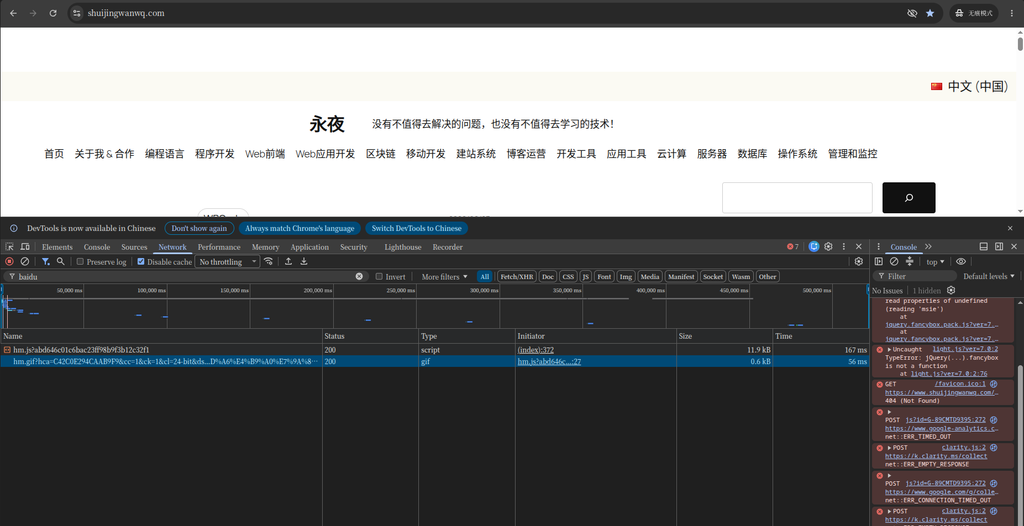
Since GA4 cannot be counted in China, how is Baidu’s performance? I’m in the same network panel, and I’ve changed the filter word to baidu.
The two core requests of Baidu Statistics have successfully returned 200 Similar to GA4, Baidu Statistics also has two key requests, and both are successful:
https://hm.baidu.com/hm.js?...: state 200, responsible for loading the core js script of Baidu statistics.
https://hm.baidu.com/hm.gif?...: state 200, which is a request that is actually used to send data. Baidu Statistics is very smart. It carries parameters by requesting a 1×1 pixel transparent GIF image. This ancient but cross-domain compatibility is excellent, and it is extremely stable under the domestic network. See these two 200, I know that the data of domestic visitors has been firmly recorded in the background of Baidu statistics.
contrast conclusion
The access stability of Baidu Statistics in China is much higher than that of GA4, which can reliably record the traffic data of all domestic visitors, as a cornerstone tool for domestic traffic statistics. Although GA4 is powerful, there is indeed a problem of unstable data collection in the domestic network environment.
📊 Final plan: three tools work together
Based on the test results, I determined the final solution for the three tools to work together:
Behavioral Deep Analysis: Use Clarity’s session recording and heat map to discover page design issues
Integration Analysis: Regularly compare the data of the three sets of tools, find the difference and optimize the statistical deployment
⚠️ Frequently Asked Questions and Solutions
❓ FAQs
Q1: Why is the data of GA4 inaccurate in China?
A1: GA4’s data collection request (Google-Analytics.com) is unstable in China and is often interfered or reset, resulting in data loss. The core script (GoogleTagManager.com) may load successfully, but the data cannot be sent.
Q2: Why is there a big difference between Baidu Statistics and GA4 data?
A2: The main reasons include: 1) GA4 failed to request in part; 2) The statistical mechanism of the two sets of tools is different; 3) The time zone and filter settings are different. It is recommended to analyze domestic traffic on the basis of Baidu statistics.
Q3: Will Microsoft Clarity affect website speed?
A3: Clarity uses asynchronous loading, which has little impact on website speed. Its script loading takes place in the background, does not block page rendering, and there is no traffic restriction for free.
Q4: How to avoid code conflicts in WPCode?
A4: 1) Each statistical tool uses independent code snippets; 2) Avoid repeated deployment of the same code; 3) Check the status of the code snippet regularly to ensure that there are no errors.
🎉 Summary and results
By deploying Baidu Statistics, Google Analytics 4 and Microsoft Clarity three sets of statistical tools, I built a complete website statistics system:
Solved the problem of domestic data loss: Baidu Statistics ensures a complete record of domestic traffic data
Retains overseas analytical capabilities: GA4 Continue to analyze international user behavior
gained deep behavioral insights: Clarity provides session recording and heat maps to optimize user experience
💡 Final suggestion: For WordPress websites for Chinese users,Baidu Statistics + Microsoft Clarity It is a basic must-have combination, and GA4 is used as a supplement to analyze overseas traffic. All statistical codes are managed through the WPCode plug-in, which not only facilitates maintenance, but also avoids the risk of directly modifying the theme file. Through this solution, I have not only solved the data collection problem of Google Analytics in mainland China, but also obtained comprehensive website analysis capabilities, which has laid a solid foundation for data-driven website optimization.


Leave a Reply