
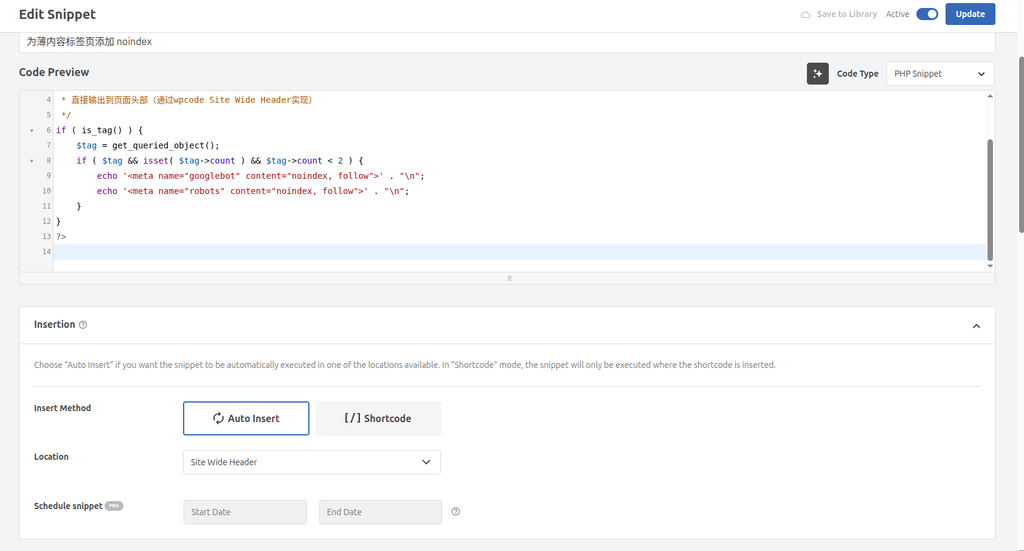
Okay, let me help you sort out a complete blog article about the wordpress console error troubleshooting. I will combine the information and pictures you provide to create a professional and detailed technical blog for you.
WordPress Console Error Troubleshooting Transcript: From jQuery conflict to Baidu statistical warning
In the process of maintaining a WordPress website, we often encounter a console (Console) error. These errors may seem scary at times, but not all of them cause the site to crash. This article will share a real case that shows how to check and solve these errors step by step, so that your website can be restored to health.
1. The first appearance of the problem: ‘red letter’ in the console
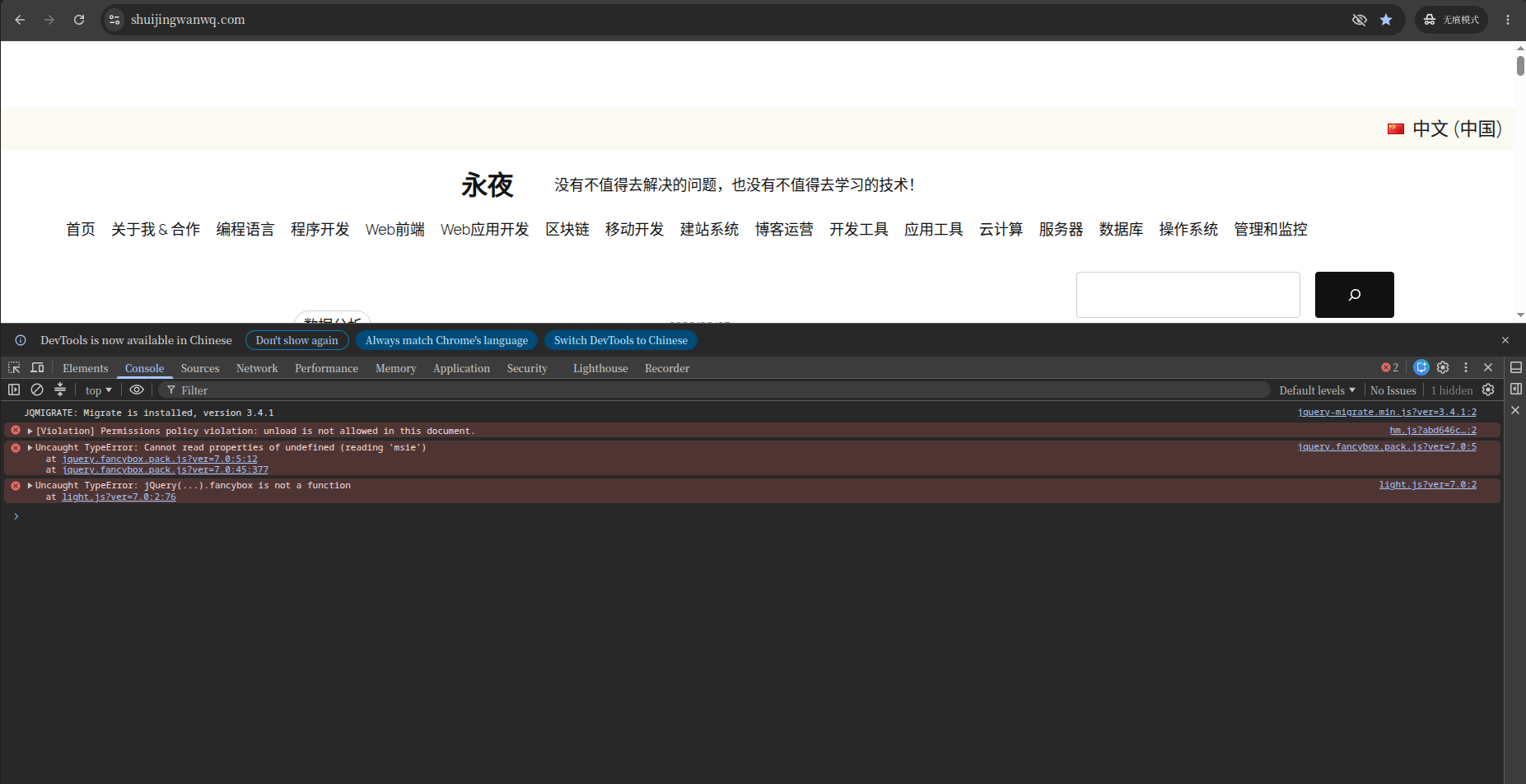
Recently, when I was checking my WordPress website, I found several disturbing red error messages in the browser developer tool console:
uncaught typeError: Cannot read properties of undefined (readingMsie)uncaught typeError: jQuery(...)..Fancybox is not a function[Violation]Permissions Policy Violation: Unload is not allowed in this document.
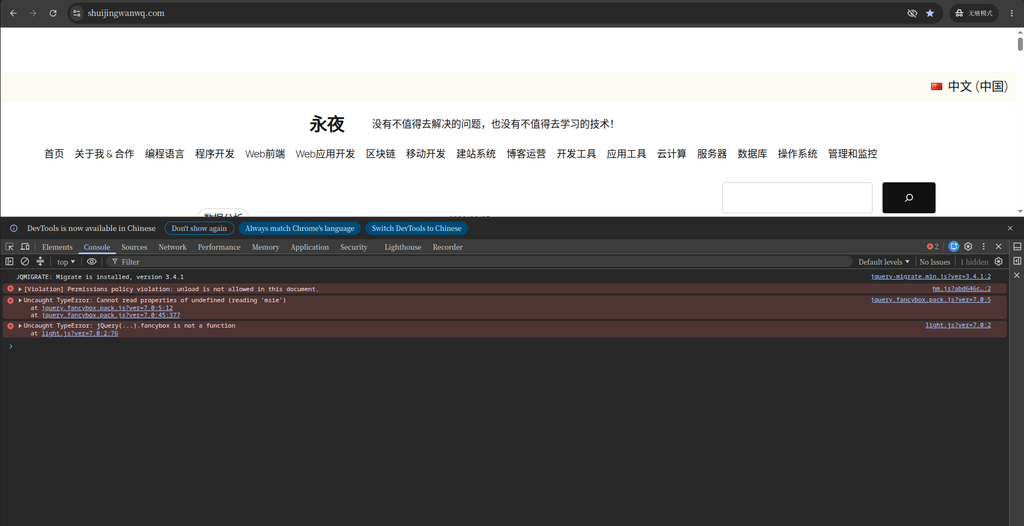
Although these error messages may seem complicated, through careful analysis, we can find the root of the problem.
2. Problem analysis: the source and cause of the error
2.1 Compatibility disasters with jQuery and FancyBox
first two errors Cannot read properties of undefinedMsie) And jQuery(...).fancybox is not a function, all point to a common source: a plugin named ‘Light – Responsive Lightbox’.
- wrong reason: This plugin relies on a jQuery library called FancyBox. However, the version of this library is very old, it tries to access a property that has been removed in newer versions of jQuery
$.browser.msie(Used to detect Internet Explorer browsers). Since this property is in the current environmentundefined, the code throws out when trying to read its propertiesTypeError. This error caused the FancyBox plugin to fail to initialize correctly, so subsequent callsfancyboxThe browser prompts ‘This is not a function’. - Direct impact: All pictures or albums that rely on this light box plug-in in the website cannot display the zoom effect normally, and the user experience is greatly reduced.
2.2 ‘Permissions’ warning of Baidu Statistics
The third error [Violation]Permissions Policy Violation: Unload is not allowed in this document., which comes from another common service: Baidu Statistics.
- wrong reason: Baidu Statistics tracking script
hm.jstrying to use a browserunloadevents so that the last stats are sent when the user leaves the page. However, in order to improve performance and user experience, modern browsers have disabled the use of web pages by default.unloadevent. Therefore, the browser throws this ‘authority policy violation’ warning. - Direct impact: this warningWill notAs a result, the function of the website will fail, and it will not affect the core data collection of Baidu Statistics. It’s just a ‘hint’, indicating that a third-party script is using a method deprecated by a modern browser.
3. Solution: Prescribe the right medicine
We have adopted different strategies for these two different properties.
3.1 Resolve jQuery conflicts: remove outdated plugins
For core functional errors caused by plugins, the most direct and effective solution is to remove the problem plugin.
- Deactivate and remove plugins: Log in to the WordPress background, go to the ‘Plugins’ page, find the ‘Light – Responsive Lightbox’ plugin, and click ‘Delete’.
- Clear cache: After deleting the plugin, be sure to clear the cache of the website (including the WordPress caching plugin, server cache, and browser cache) to ensure that the new status is in effect.
3.2 Ignore Baidu Statistical Warning
For Baidu’s statistics unload Warning, we chooseIgnore.
- Reason: This error stems from Baidu’s official script, not our website configuration. It does not affect the normal operation of the website, nor does it cause data loss. Waiting for Baidu to update its statistical code is the best choice, without our manual intervention.
4. Results verification: the error disappears, and the website is restored to health
After deleting the plugin and clearing the cache, I refresh the page again to see the console. The results are satisfactory!
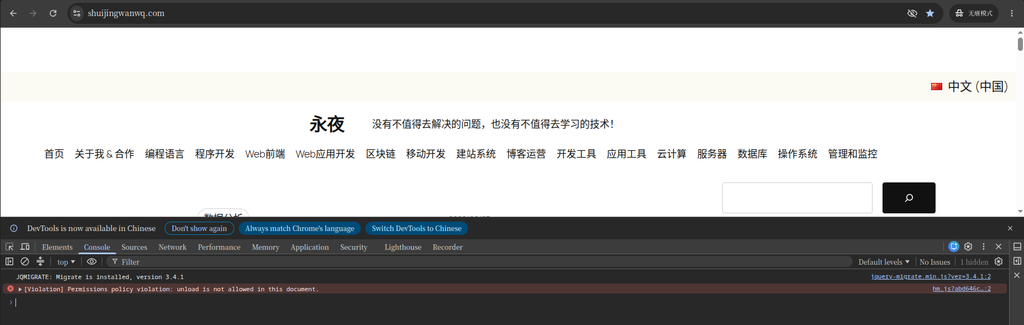
As shown in the picture above, the previous two jQuery errors that caused the function to fail have completely disappeared, and only the harmless Baidu statistical warning is left.
5. Summary and suggestions
Through this experience, I have summarized the following experiences, hoping to help you better maintain the WordPress website:
- Prioritize functional errors: When the console has an error, first pay attention to those errors that cause the website function to fail (such as
TypeError) and prioritize them. - Beware of outdated plugins: Many compatibility errors stem from using outdated plugins or themes. Checking and updating them regularly is the key to keeping your website healthy.
- Make good use of WordPress native functions: WordPress 5.4 and above have built-in lightbox effects in the gallery block, and the image zoom effect can be realized without additional plug-ins, which can avoid many compatibility problems.
- Understand third party script warnings: For warnings from third-party services (such as Baidu Statistics), unless the website function is seriously affected, it can be temporarily ignored and wait for the service provider to update the code.
- Check the console regularly: As a webmaster, regular viewing of the console can help you spot and solve potential problems in a timely manner, keeping your website in top.
I hope this blog can help you better understand and solve the problem of the console of the WordPress website! If you encounter other problems during the investigation process, please continue to discuss.
Leave a Reply