From zero to one: Build a Go + Gin development environment in Trae CN + Docker
write in front
Recently I tried to use the trae cn editor on Ubuntu 26.04, with the docker container to develop a Go + Gin project (go-gin-learning). The whole process stepped on some pits, but I also ran through a set of workflow that was relatively easy. This article is a complete record, I hope it can help friends who have encountered similar problems.
If you have read my previous blog (such as‘Build the basic environment based on Docker Compose + Go 1.26.4 in Ubuntu 26.04’), then this article can be regarded as ‘next article’ – from code submission to container operation, all strings together.
1. Preparations on the host
1.1 Install git and configure user information
First make sure that the host has git, then set the global username and mailbox (this information will be written every time):
git config --global user.name "shuijingwan"
git config --global user.email "shuijingwanwq@163.com"
Verify it:
git config --global user.name
git config --global user.email
1.2 Configure GitHub authentication (using Token)
GitHub will no longer support password authentication from 2021, and need to generate Personal Access Token.
- Login Github → Settings → Developer Settings → Personal Access Tokens → Tokens (Classic)
- Click on Generate new token (classic)
- Check
repoPermission, copy token after generation (only show once) - Execute in the host terminal:
git push origin main
When prompted for a username, enter your GitHub username, and paste the token just copied to the password. Git will remember the authentication information (if Credential Helper is configured) after success.
1.3 Install Go (Host)
In order to make the code completion and syntax jump in the TRAE CN work properly, you need to install Go on the host machine. I chose to use apt to install, which is simple and easy:
sudo apt update
sudo apt install golang-go -y
go version
output:GO Version GO1.26.0 Linux/AMD64
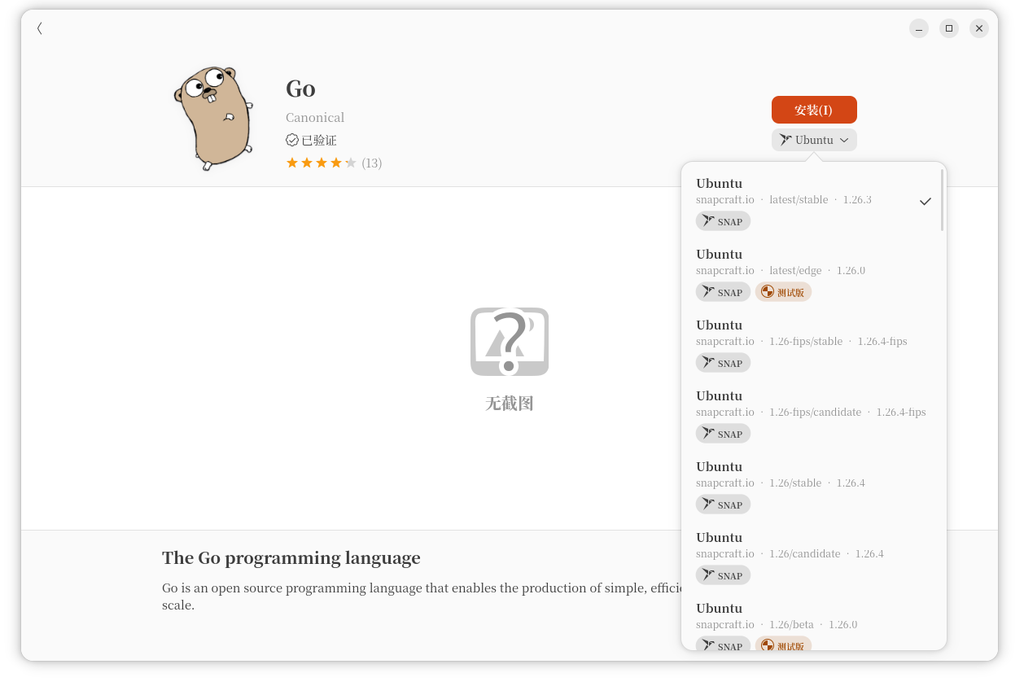
In fact, there is also a Snap version of Go in the system ‘Software’ (see screenshot), but APT is lighter and compatible with the Go version in the container.
1.4 Installing Go Extensions in Trae CN
Open Extension Store for TRAE CN, search go, find the official extension (published by golang) and install.
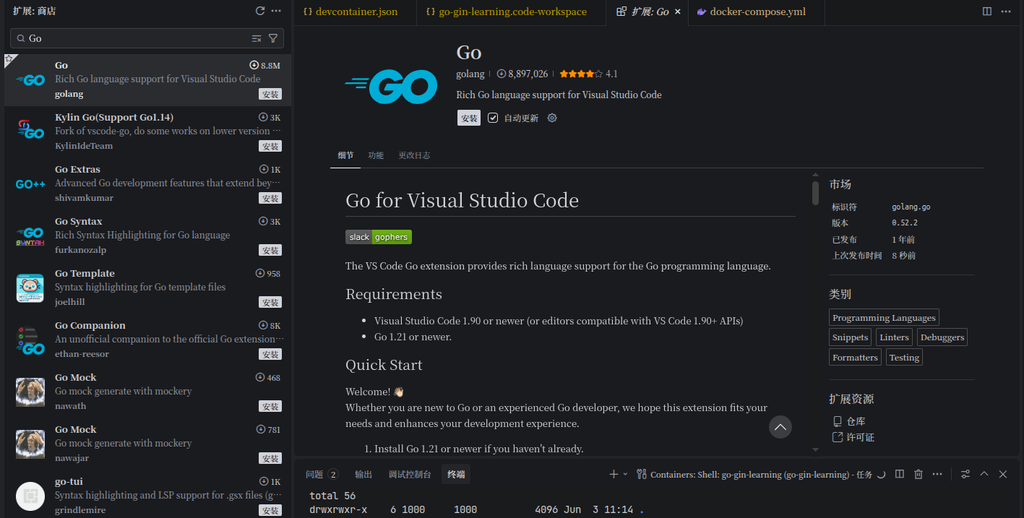
After the installation is complete, press Ctrl+Shift+P, enter go: install/update tools, check the pop-up list gopls,dlv,staticcheck and other common tools, click OK.
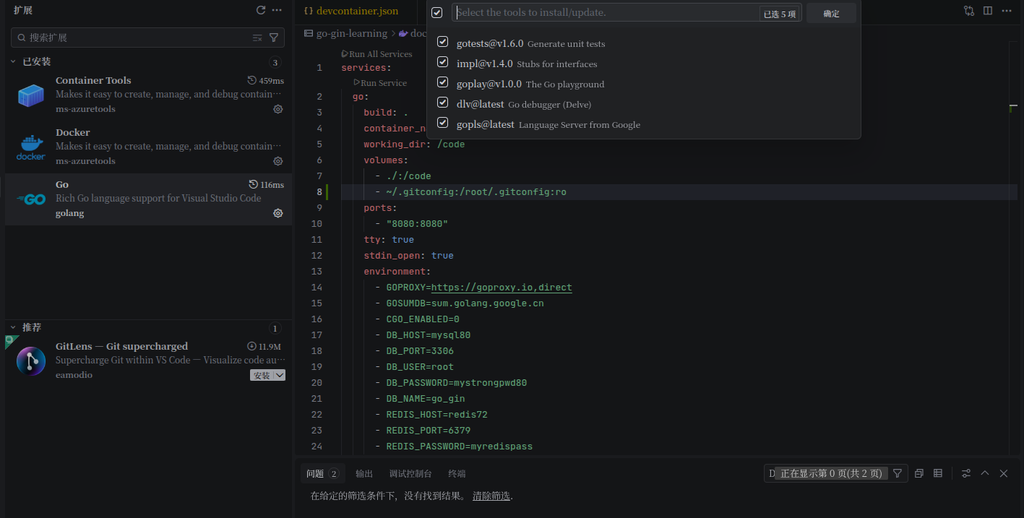
Wait for the installation to complete, then reload the window.
At this point, the code editing environment on the host is ready.
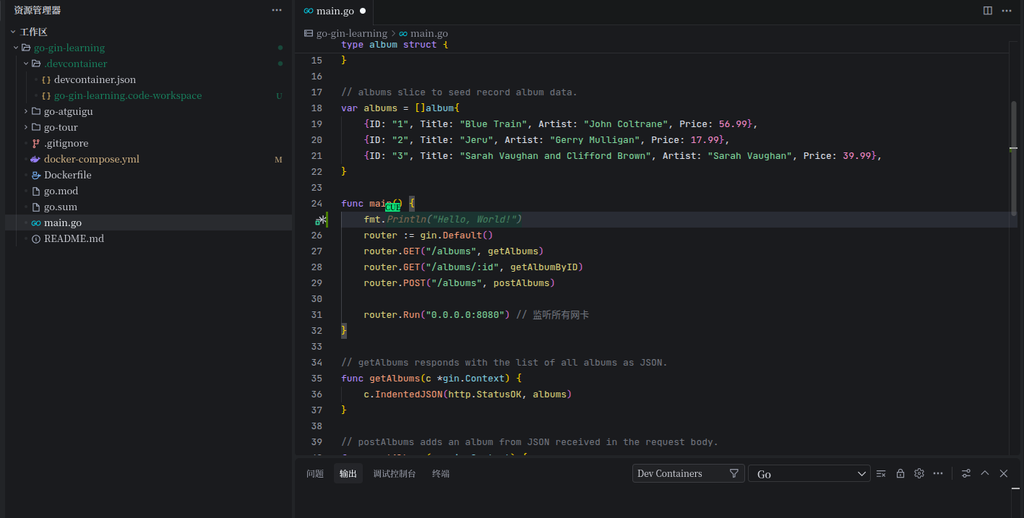
main.go in input fmt. You should be able to see smart tips.The development environment in the container
2.1 Let the container reuse the Git configuration of the host
We want to execute inside the container git commit You can also use the user name and mailbox of the host machine. Modify docker-compose.yml, mount ~/.gitconfig:
volumes:
  - ./:/code
  - ~/.gitconfig:/root/.gitconfig:ro
After restarting the container, enter the container verification:
docker exec -it go-gin-learning sh
git config --global user.name   # 应显示 shuijingwan
git config --global user.email  # 应显示 shuijingwanwq@163.com
2.2 Solve the problem of slow download of Go module
Initially execute inside the container Go mod tidy Always fail or time out because the default proxy goproxy.io Unstable, and the cache is emptied every time the container is rebuilt.
There are two solutions:
- Set up a more stable proxy:
go env -w goproxy=https://goproxy.cn,direct - persistent module cache: Mount the directory of the host machine to the container
/go/pkg/mod
I used the latter, in docker-compose.yml add in:
volumes:
  - ~/go/pkg-mod-go-gin-learning:/go/pkg/mod
In this way, the dependencies inside the container will be stored in a dedicated directory of the host, and even if the container is deleted, it will not be lost. execute again Go mod tidy time, all Go: downloading All succeeded.
2.3 Run the GIN service
Execute inside the container:
go run main.go
See the output below to indicate that the service has started successfully:
[GIN-debug] Listening and serving HTTP on 0.0.0.0:8080
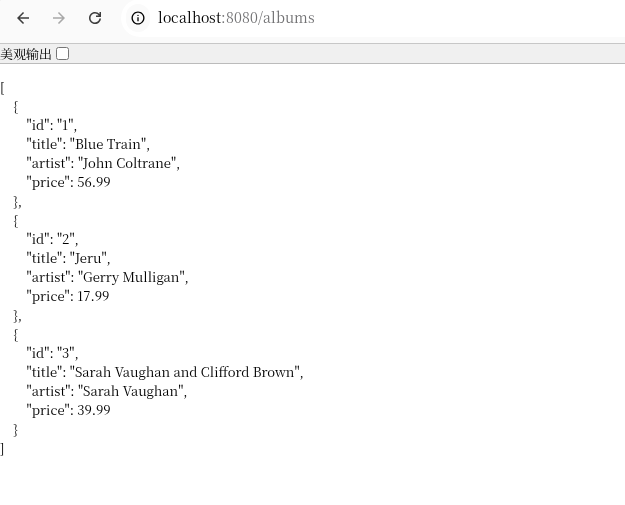
Access with a browser http://localhost:8080/albums, return JSON data, status code 200.
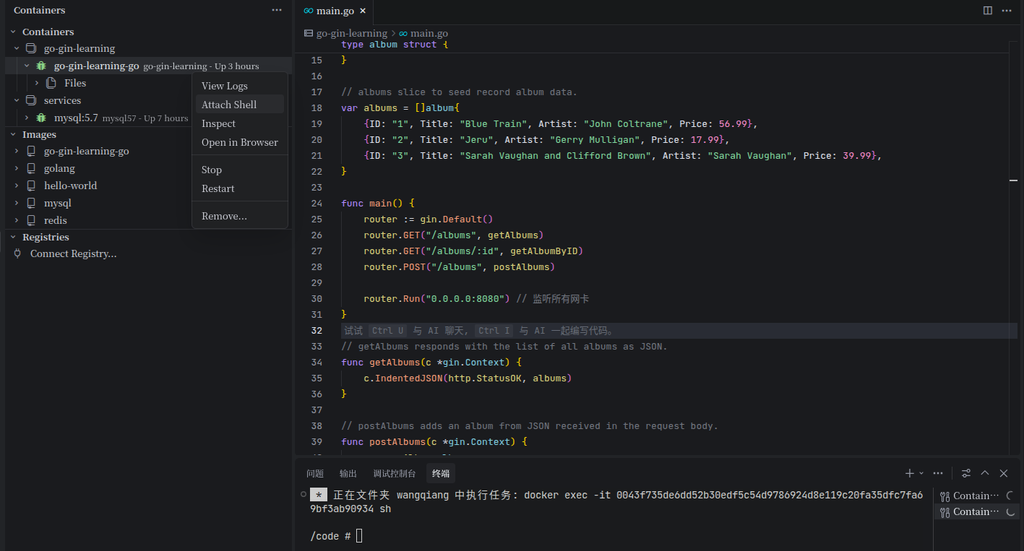
At this time, in the Docker extension panel of Trae CN, you can right-click the container to select Attach shell, conveniently open the container terminal.
3. Summary and standardization outlook
Current workflow summary
- hosting: Responsible for Git operation, code editing, Go language server (GOPLS).
- Container: Responsible for running
go run,go test, the dependency module is persisted through the mounted cache directory. - TRAE EN: Provide intelligent completion through the Go extension, attach to the container terminal through the Docker extension, so that ‘edit on the host, run in the container’.
Although Dev Containers is temporarily unavailable on TRAE CN, we still get an efficient and reliable development environment with the combination of ‘Host Go + Container Run + Cache Persistent’.
(by the way,.devcontainer/devcontainer.json I didn’t delete it because other members on the team who use VS Code may also need it. )
The points that can be standardized in the future
- Encapsulate common commands with Makefile: for example
make run,make test,make tidy, reduce manual input. - Integrated AIR thermal loading: Install inside the container
air, after saving the file, automatically restart the service to improve development efficiency. - Write environment configuration as a script: put
docker-compose.ymlVolumes settings, proxy configuration, dependency installation, etc. are written assetup.sh, it is convenient for new members to quickly join. - Consider using Remote – SSH: If the future teams are all developed on the same server, you can use SSH remote development to completely unify the environment.