
Introduction
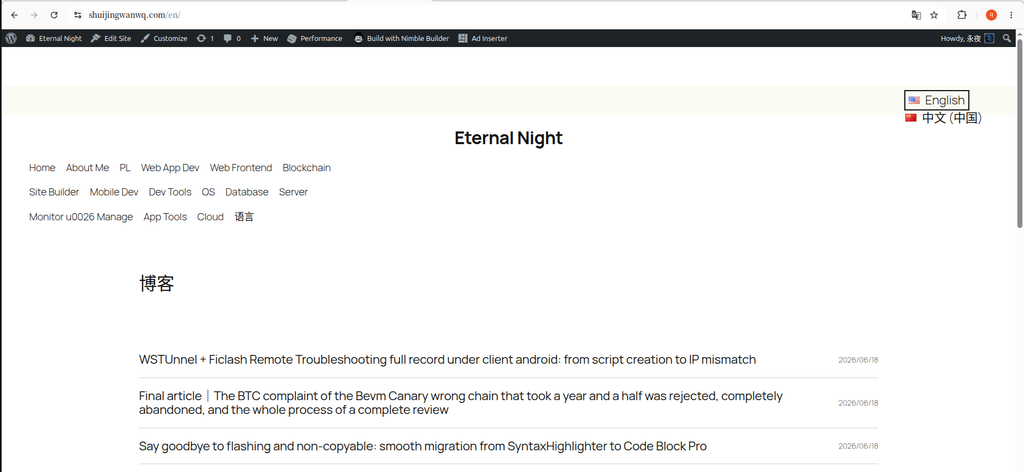
After switching the blog topic from Hueman to Twenty Twenty-Five , I had a tricky problem: the calendar block is showing exceptions in multi-language. in the English page (such as https://www.shuijingwanwq.com/en/), some dates (such as No. 22) on the calendar have not published English articles, but the link is still displayed, and after clicking, it returns to the 404 error page. The Chinese page normally displays the link of the corresponding language. After 1 day of investigation and repair, the problem was finally solved through the PHP code fragment. The process and scheme are now sorted out as follows.
Original question: English page calendar link lacks language prefix
problem description: in the English page https://www.shuijingwanwq.com/en/ , the link that jumps after each date on the calendar is still https://www.shuijingwanwq.com/2026/06/08/ form, not expected https://www.shuijingwanwq.com/en/2026/06/08/. This causes the user to click on the calendar link, due to lack of /en/ The prefix jumps to the error page, which is equivalent to language switching.
Preliminary solution: replace the URL prefix (and new questions)
preliminary
Initially, I tried to solve the original problem by replacing the URL prefix, referring to the blog postFixed the problem of ‘holding dissatisfaction’ in the sidebar: WordPress 2025 theme calendar style optimizationin the solution.
new problems appear
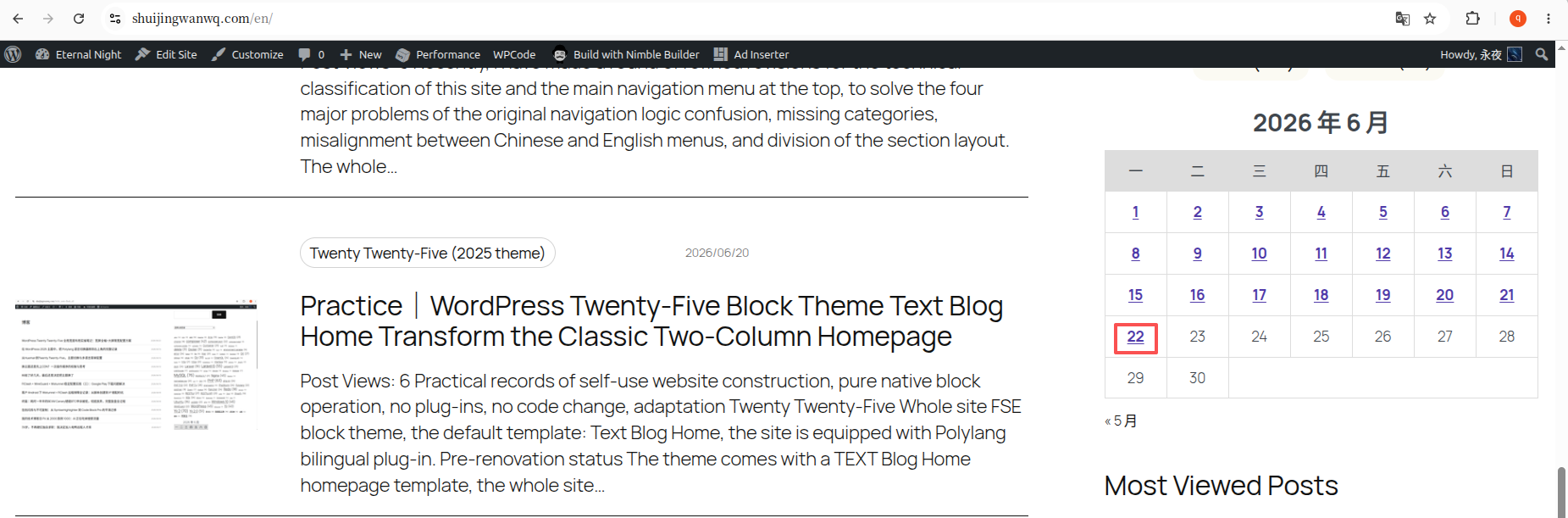
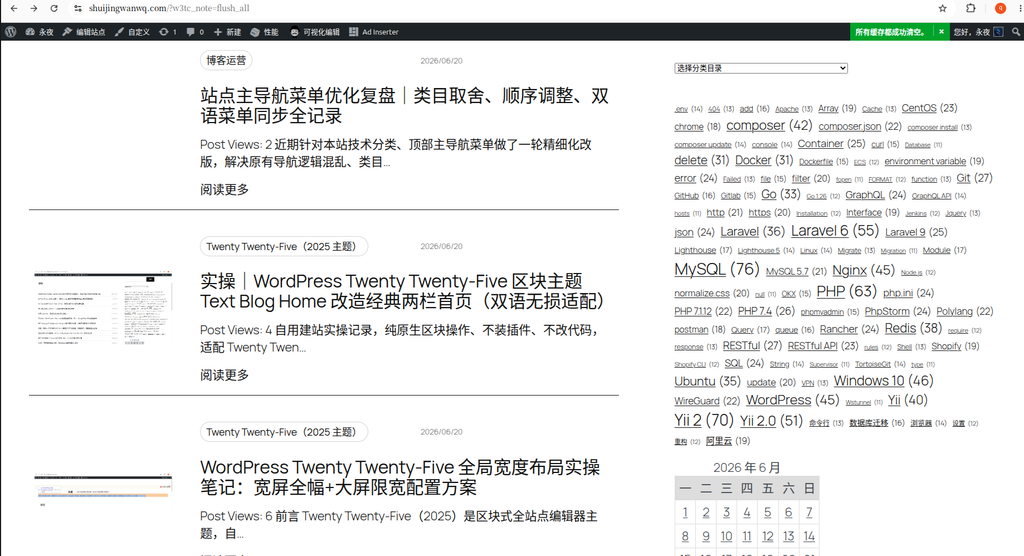
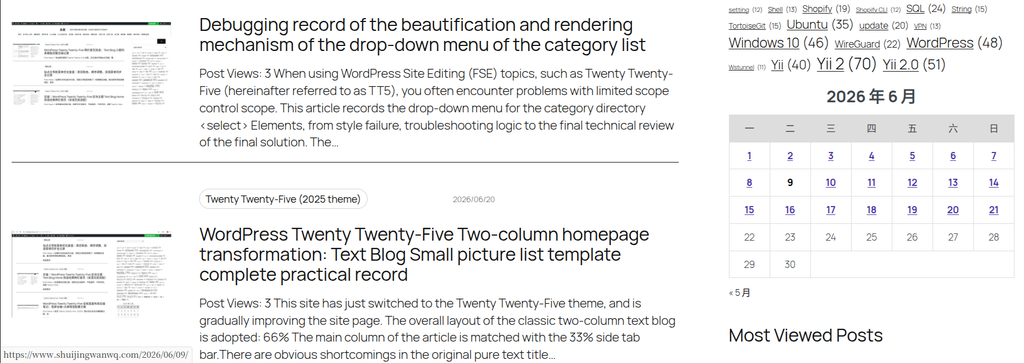
Although the URL prefix problem is temporarily solved, new problems follow: in the English page (https://www.shuijingwanwq.com/en/), the blue link is displayed on the 22nd of the calendar, but the English article is not published on this date, and it will return to 404 after clicking. this showsReplacing URL prefixes alone does not resolve data filtering issues– Calendar still displays article dates in all languages, not only in the current language.
Scenario Comparison: Full Rewrite vs. Modification Based on HTML
For the above problem, I have compared two solutions:
Scenario 1: Completely rewrite the calendar block (the architecture is clear, but it is easy to introduce bugs)
Thinking: Discarded WordPress Native Calendar get_calendar() function, through wp_query Query the article data of the current language, and manually generate the HTML structure.
Advantage:
- The architecture is clear, and the calendar display is directly controlled from the data layer to avoid potential problems that depend on native functions.
- The performance is better, because the html needs to be parsed because the data is directly queried.
Shortcoming: Calendar logic is complex (span month, first day of week alignment, etc.), completely rewrite easy to introduce typesetting bugs, and it is necessary to ensure that it is compatible with the theme CSS, and the maintenance cost is high.
Option 2: Modification based on native HTML structure (preserve native calendar logic, low risk)
Thinking: Let WordPress make the native calendar html, and then pass domDocument Parse and fix:
- Query the date collection of articles with articles in the current language for the month.
- Iterate over each of the calendar tables
<td>, check whether there is an article on the date:
- There are articles but no links: Create
<a>label and add the correct language prefix. - No articles but links: remove
<a>labels, keep plain text.
- Reconstruct the monthly navigation link to ensure that the current language data is generated.
Advantage: Preserve the layout logic of the native calendar, avoid the introduction of new bugs, compatible theme CSS, and low risk.
Shortcoming: Additional HTML needs to be parsed, the performance is slightly affected, but acceptable.
Final selection and effect display
Considering the limited time and the theme switching has taken 4 days, I chose Scheme 2 to add PHP code snippets through the WPCode plugin to achieve repair. The following are comparisons before and after the repair:
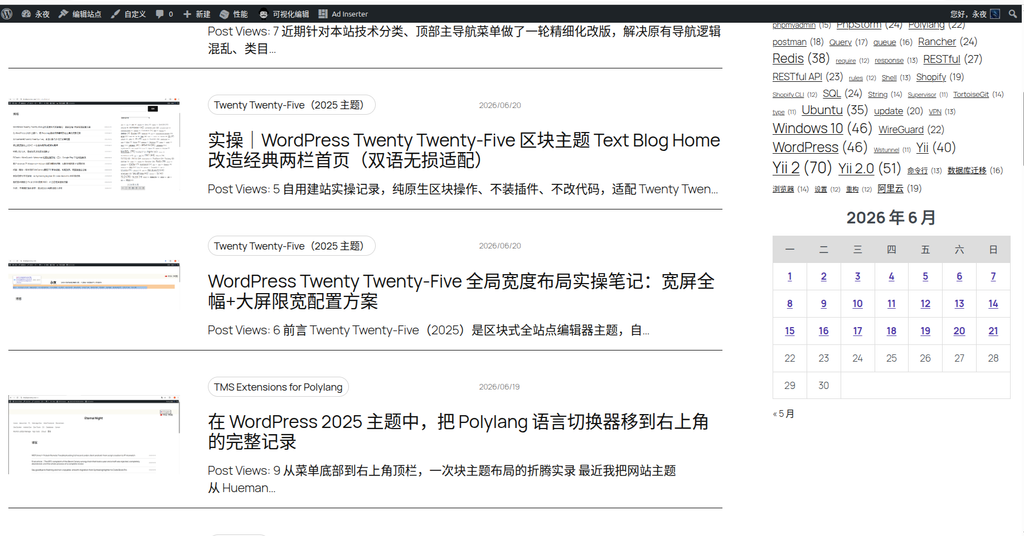
Before repair: English page No. 22 error display link
In the English page https://www.shuijingwanwq.com/en/ , No. 22 displays a blue link, but no English article is published on this date, and it will return to 404 after clicking.
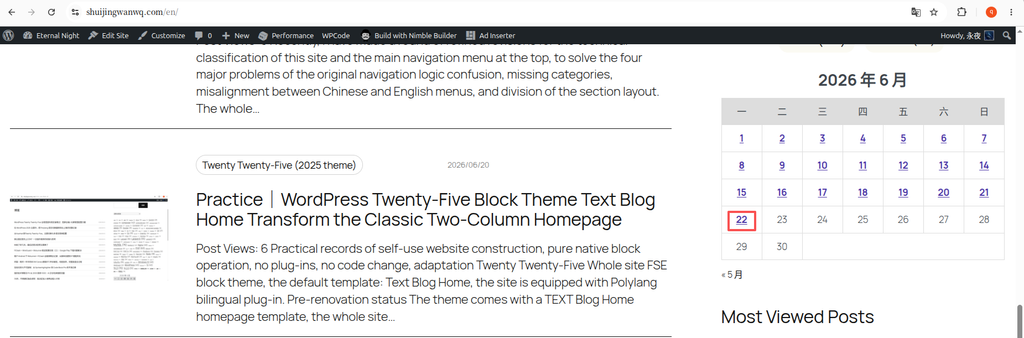
https://www.shuijingwanwq.com/en/ , No. 22 shows a blue link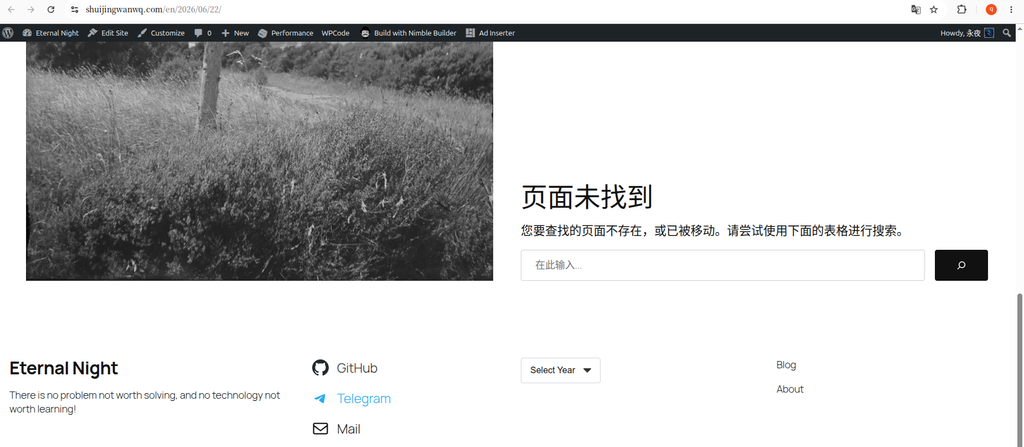
After repair: English page No. 22 has no link
After the repair, the English page No. 22 only displays plain text, no link, which is in line with expectations.
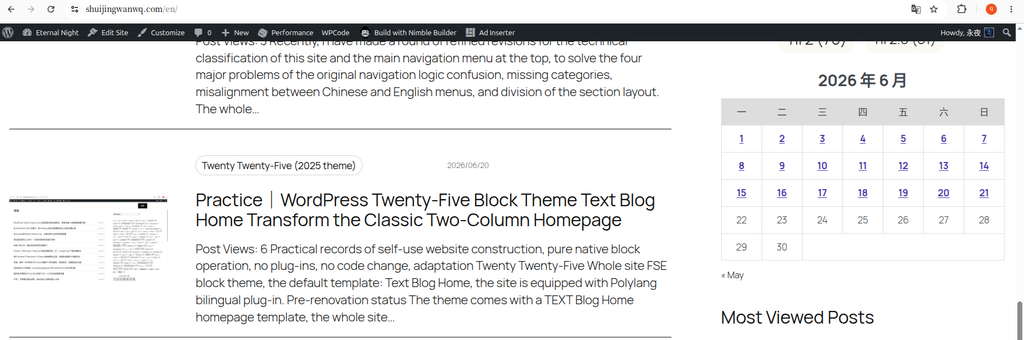
Plugin Compatibility Considerations: Calendas Plugins
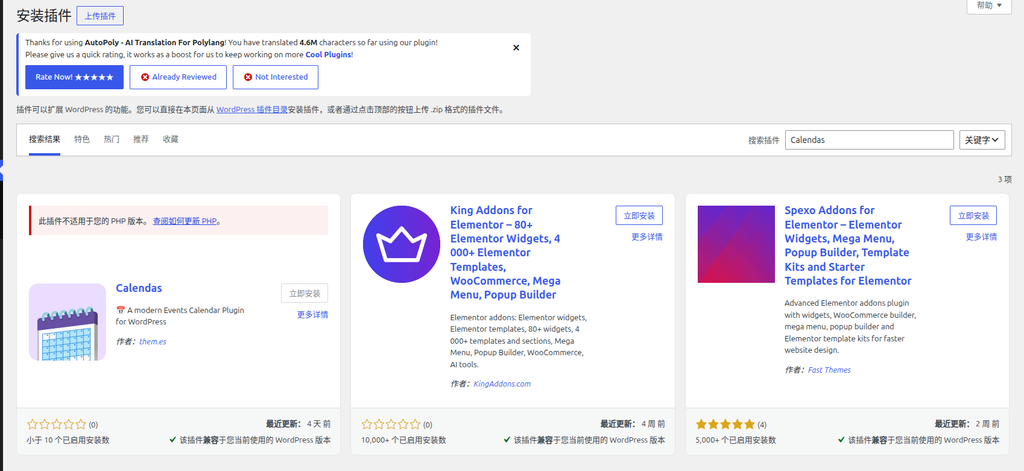
During this period, I considered using the Calendas plugin (polylang is explicitly supported), but it prompts that the PHP version is not compatible (requires 8.2 or higher), and it takes extra time to upgrade PHP, so give up.
Code implementation (based on scheme 2)
The following are snippets of PHP code added through the WPCode plugin, the core logic is:
- Query the date of the article in the current language that month.
- Use
domDocumenttraverse the calendar<td>, to fix the link or remove the wrong link. - Reconstruct the navigation links to make sure the language prefix is correct.
<?php
function fix_polylang_calendar_dom_patch_v2( $block_content, $block ) {
    if ( 'core/calendar' !== $block['blockName'] || ! function_exists( 'pll_current_language' ) ) {
        return $block_content;
    }
    global $wp_locale;
    $current_lang = pll_current_language( 'slug' );
    $default_lang = pll_default_language( 'slug' );
    $home_url = home_url( '/' );
    // 修正 URL 前缀
    $fix_url = function( $url ) use ( $current_lang, $default_lang, $home_url ) {
        if ( $current_lang === $default_lang ) return $url;
        if ( strpos( $url, $home_url . $current_lang . '/' ) === false ) {
            $relative = str_replace( $home_url, '', $url );
            return $home_url . $current_lang . '/' . $relative;
        }
        return $url;
    };
    // 查询当前语言当月有文章的日期
    $year = get_query_var( 'year' ) ?: (int) gmdate( 'Y' );
    $month = get_query_var( 'monthnum' ) ?: (int) gmdate( 'm' );
    $args = [
        'post_type' => 'post', 'post_status' => 'publish', 'posts_per_page' => -1,
        'fields' => 'ids', 'lang' => $current_lang, 'year' => $year, 'monthnum' => $month
    ];
    $query = new WP_Query( $args );
    $valid_days = array_map( 'intval', array_column( $query->posts, 'ID' ) );
    // 解析原生 HTML 并修正
    $dom = new DOMDocument();
    libxml_use_internal_errors( true );
    $dom->loadHTML( '<?xml encoding="utf-8" ?>' . $block_content, LIBXML_HTML_NOIMPLIED | LIBXML_HTML_NODEFDTD );
    $xpath = new DOMXPath( $dom );
    // 遍历每个日期单元格
    $td_nodes = $xpath->query( '//table[contains(@class, "wp-calendar-table")]/tbody/tr/td' );
    foreach ( $td_nodes as $td ) {
        if ( $td->getAttribute('class') === 'pad' ) continue;
        $day_text = trim( $td->nodeValue );
        if ( ! preg_match('/^\d{1,2}$/', $day_text) ) continue;
        $day_num = (int) $day_text;
        $has_post = in_array( $day_num, $valid_days );
        $existing_a = $xpath->query( './a', $td )->item(0);
        if ( $has_post ) {
            if ( $existing_a ) $existing_a->setAttribute( 'href', $fix_url( get_day_link( $year, $month, $day_num ) ) );
            else {
                $td->nodeValue = '';
                $new_a = $dom->createElement('a', $day_num);
                $new_a->setAttribute( 'href', $fix_url( get_day_link( $year, $month, $day_num ) ) );
                $td->appendChild( $new_a );
            }
        } else {
            if ( $existing_a ) $td->removeChild( $existing_a );
        }
    }
    // 重建导航链接(略,逻辑与正文一致)
    // 输出修正后的 HTML
    $modified_html = $dom->saveHTML();
    return trim( preg_replace( '/<!DOCTYPE[^>]*>|<html[^>]*>|<\/html>|<body[^>]*>|<\/body>/', '', $modified_html ) );
}
add_filter( 'render_block_core/calendar', 'fix_polylang_calendar_dom_patch_v2', 20, 2 );Summary
When dealing with problems left over from history in WordPress, you need to weigh the advantages and disadvantages of ‘complete rewrite’ and ‘post patching’. This repair has successfully solved the problem of multilingual compatibility by retaining the original calendar logic and only modifying the data and links, and avoided the introduction of new bugs. For similar problems, it is recommended to prioritize the modification scheme based on the native structure to ensure stability and compatibility.
Leave a Reply