WordPress tag cleaning practice (4): Realize WordPress Chinese and English tag merge and URL automatic jump based on Go script
When doing WordPress Multilingual Tag (Tag) merge, the URL of the old tag will face the problem of 404 failure, which not only affects the user experience, but also has a negative impact on SEO. This article will share how to write Go scripts, combine logs and dictionaries to automatically generate nginx redirect rules, and solve common pits such as Chinese URL matching and tail slash compatibility.
Project open source address: https://github.com/shuijingwan/tag-merge
1. Data preparation and merge log analysis
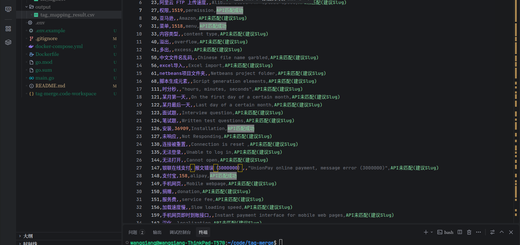
The source of all redirects comes from the tag merge operation. Our merge script will record the operations performed in the logs, specifying which source tags (ids) are merged into which target tags (ids).
![Figure 1: Shows the operation records in merge_log.txt, such as: ready processing:[中]Permissions (ID: 27)->[中]Permission(ID:1519)](https://www.shuijingwanwq.com/wp-content/uploads/2026/06/1-42.png)
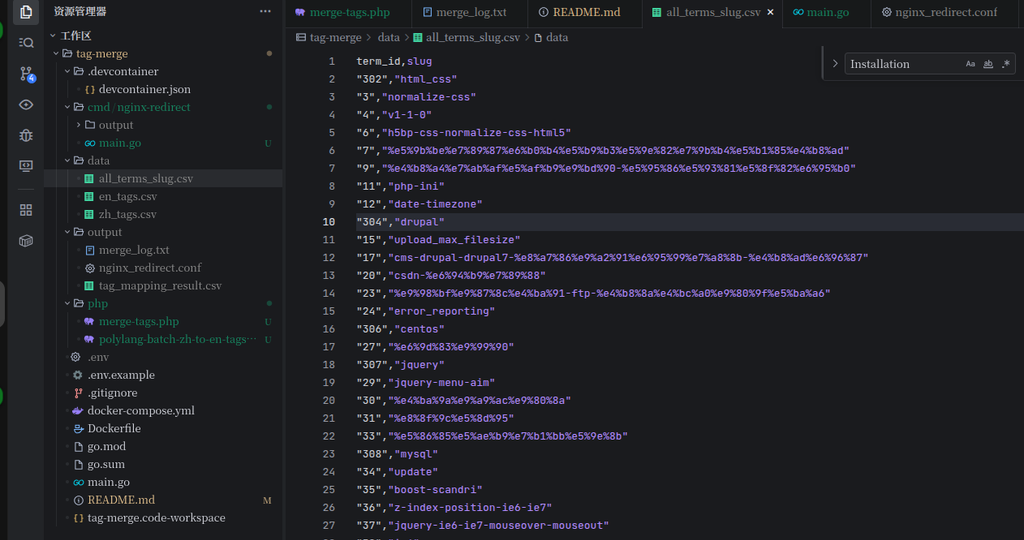
At the same time, we need a full label dictionary file to record the mapping relationship between the tag ID and the URL slug, which is the key basis for generating jump links.
2. Go script development and stepping on the pit record
In order to convert the above logs and dictionaries into available configurations for Nginx, we wrote cmd/nginx-redirect/main.go script. In the development process, the following three core problems are mainly solved:
- URL encoding conversion: nginx
$URIWhat the variable gets is the decoded path. If directly matched in regular%E6%9D%83%E9%99%90will fail. Therefore, when Go reads CSV, you need to usenet/urlOfPathunescapemethod, convert slug to Chinese characters (such asCompetence) then splicing rules. - Compatible with tail slash: Users may have or without slashes (such as
/tag/redis cacheAnd/tag/redis cache/). Regular matching needs to be from/$adjust to;?$, make sure all intercepts and uniformly redirects to the canonical URL with slashes. - syntax context control: make sure the generated
mapblock andserverThe blocks are hierarchical.
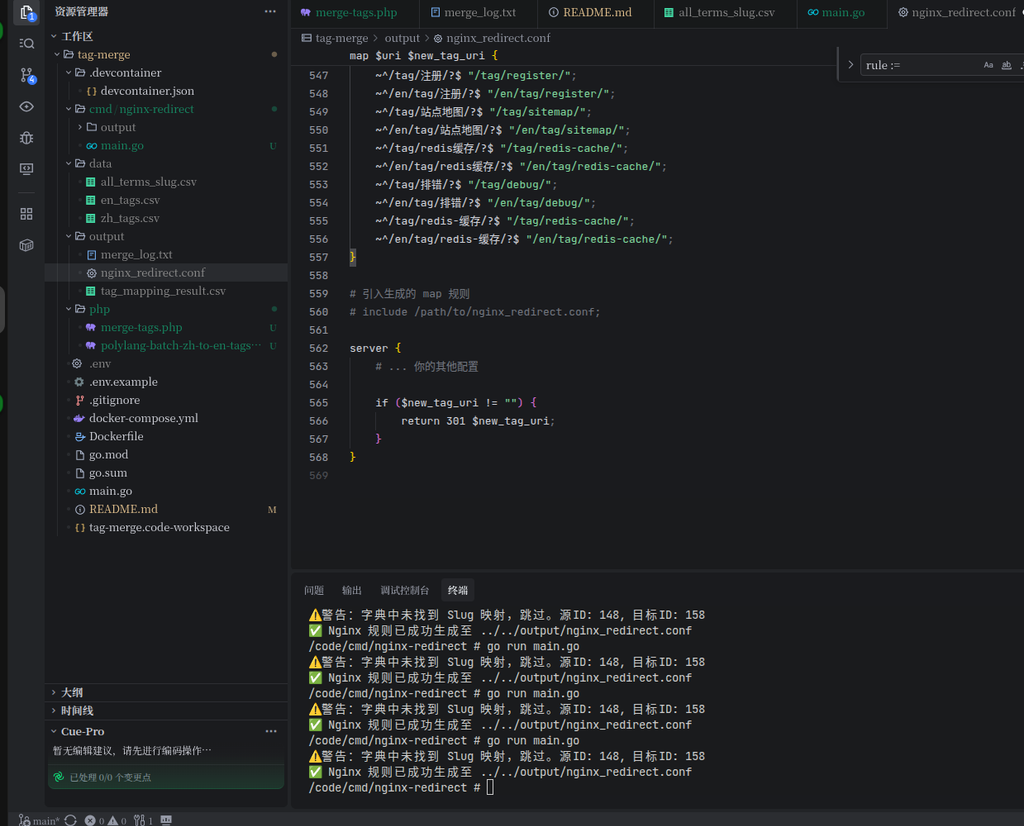
3. Generate nginx map matching rules
After running the Go script, you will output a copy containing map command and jump logic nginx_redirect.conf file. This file uses nginx to efficiently map Instruction, map the matched old URI to a variable $new_tag_uri in.
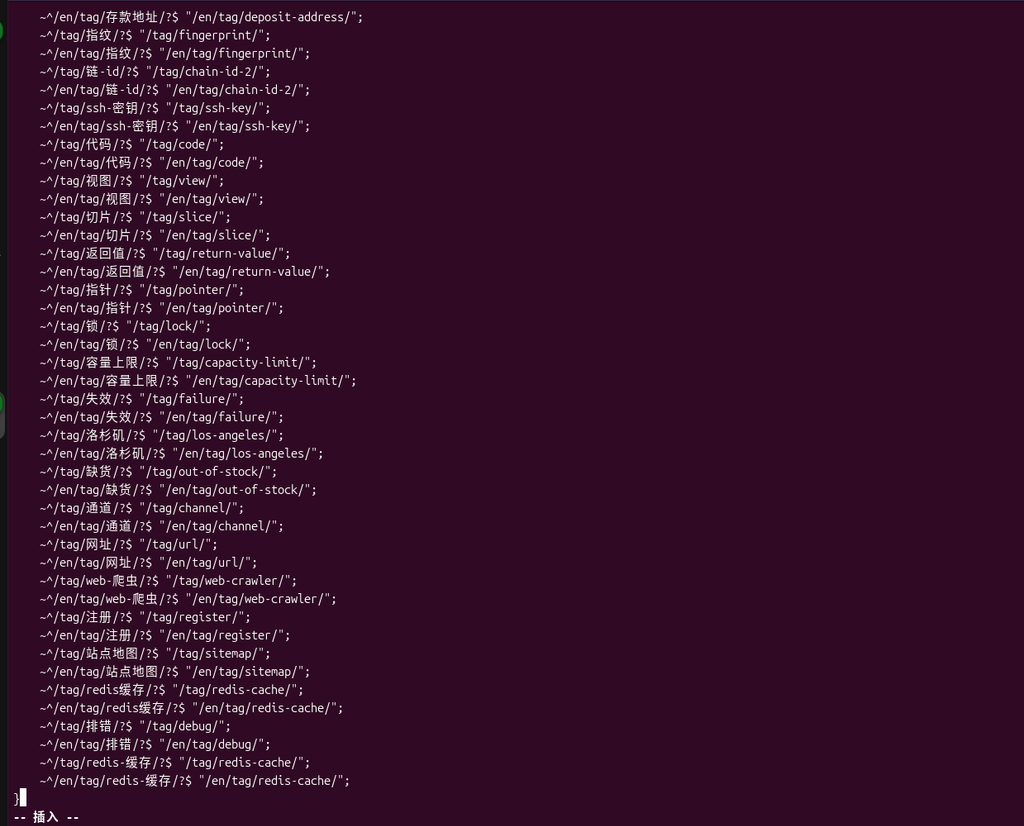
4. Nginx configuration integration
After getting the generated configuration file, it needs to be correctly integrated into the Nginx main configuration of the website. Here is an extremely important syntax rule:map instructions belong http context, must be placed server external to block, and specific if judgment and return The jump logic needs to be placed server inside the block.
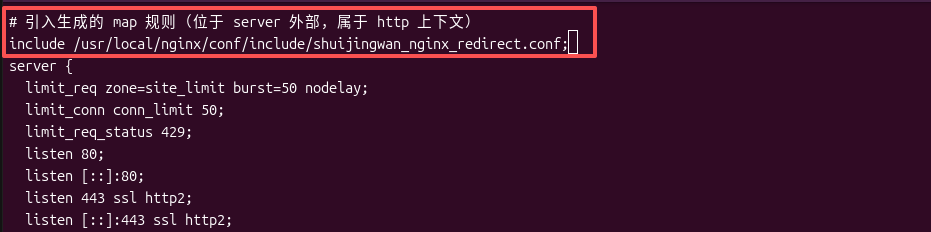
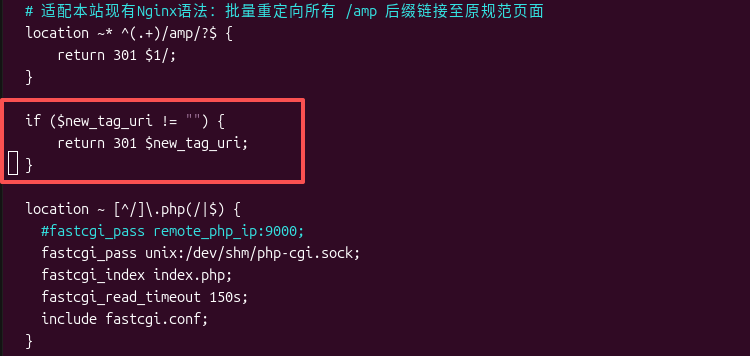
5. Effect verification
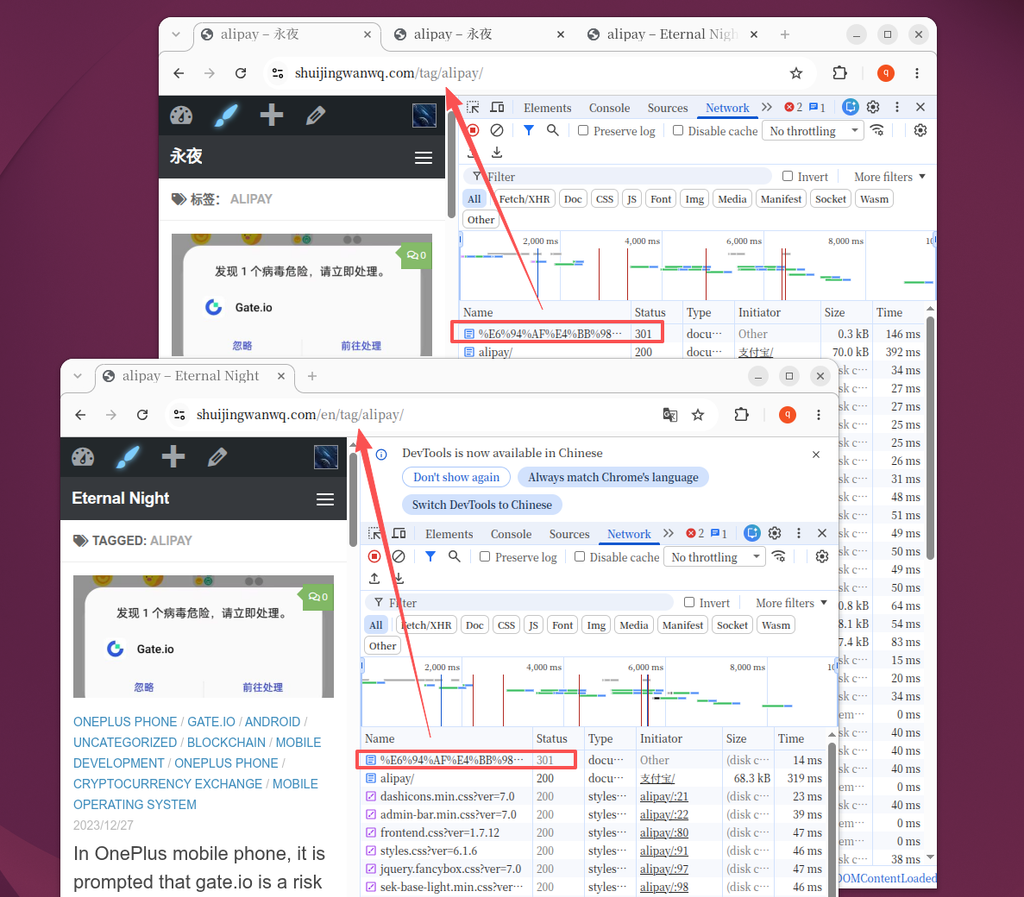
After configuring the overload, let’s verify the effect. When accessing the old Chinese tag URL (such as https://www.shuijingwanwq.com/tag/%E6%94%AF%E4%BB%98%E5%AE%9D/ That is, ‘Alipay’), the browser network panel is clearly displayed: the server has responded successfully 301 Status Code, and instantly jump to the new English specification path https://www.shuijingwanwq.com/en/tag/alipay/, the SEO weight is perfectly passed on.