
![[截图 5:Clash 规则片段,突出显示新增的两行 DST-PORT 规则]](https://www.shuijingwanwq.com/wp-content/uploads/2026/06/5-8.png)
![[截图 2:Play 商店更新界面,显示两个应用正常下载]](https://www.shuijingwanwq.com/wp-content/uploads/2026/06/2-2-465x1024.jpg)

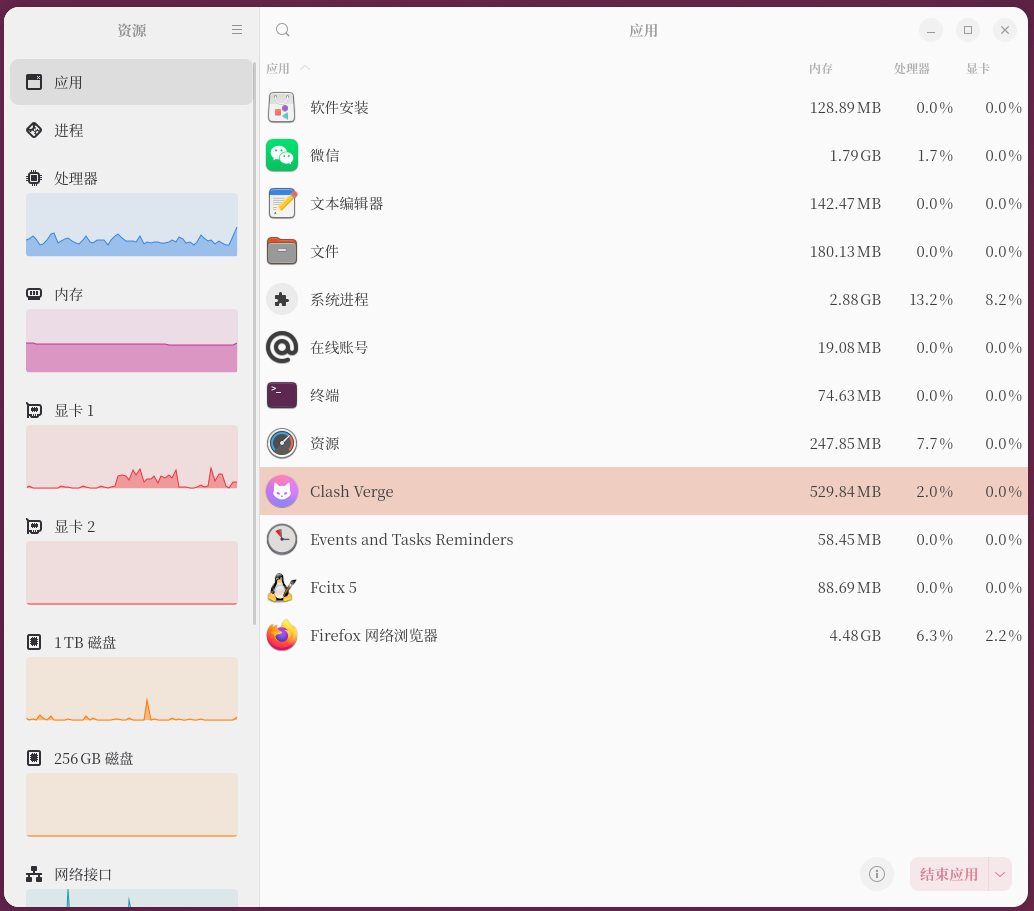
🧩 1. Problem background: Clash verge memory usage is too high
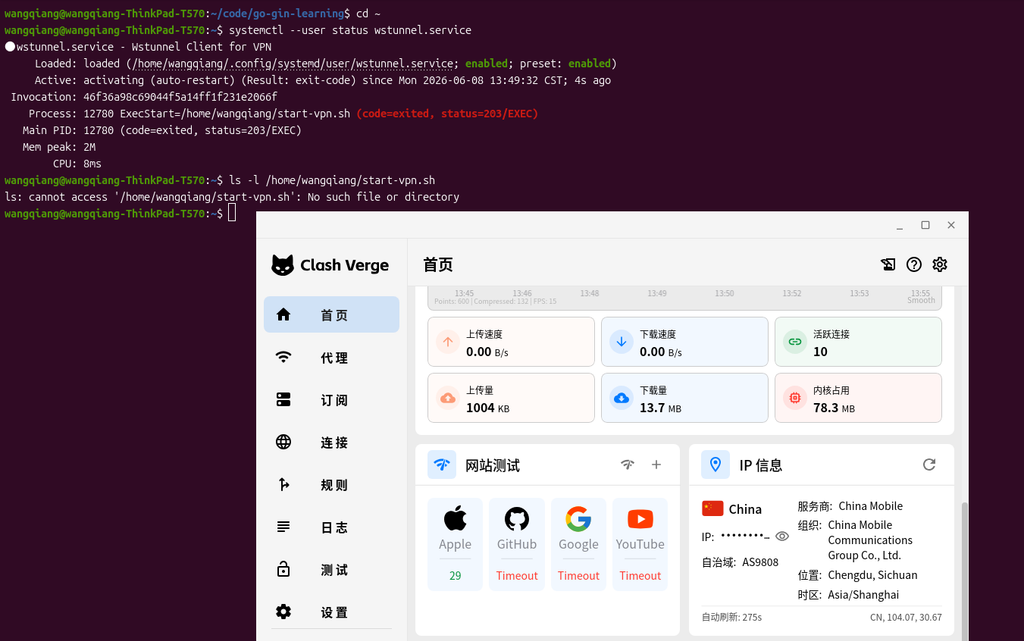
When using Clash Verge as a VPN proxy tool in the Ubuntu desktop environment, the following problems often occur:
- Memory usage continues to grow (500MB+)
- The system freezes after a long operation
- Performance degradation when used with Firefox/Gnome
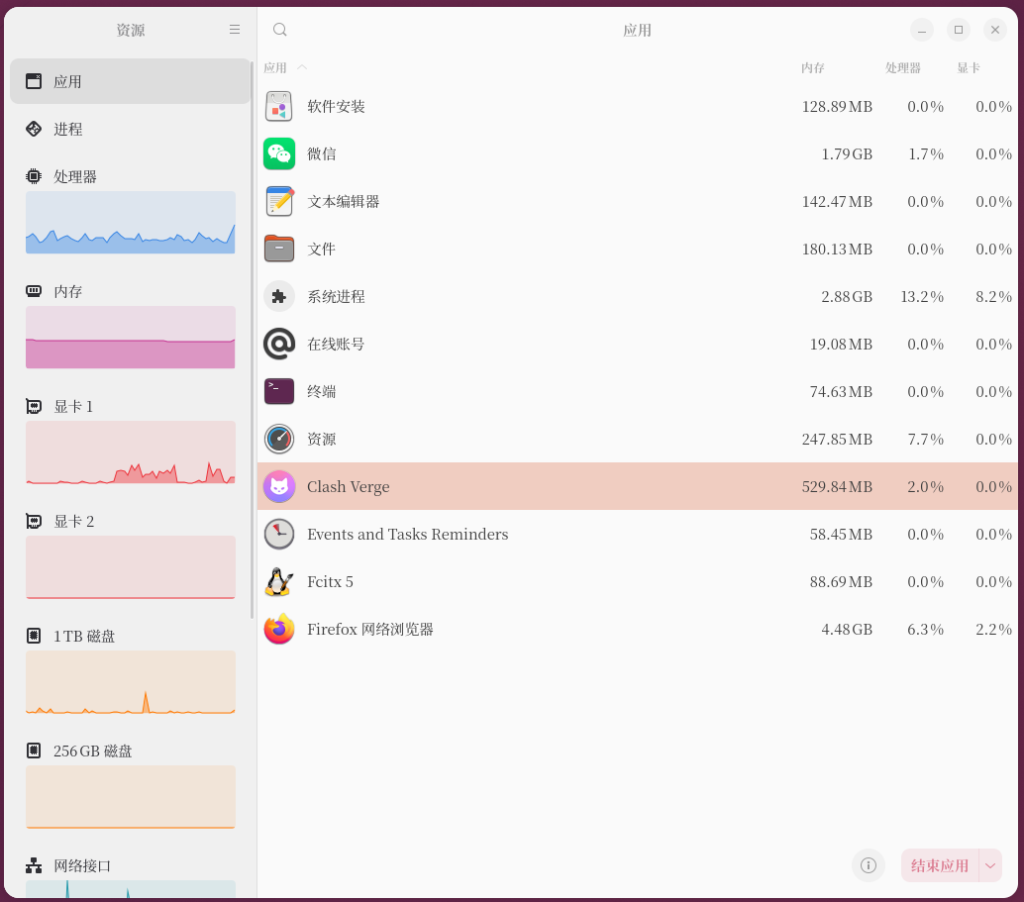
The essence is:
Electron architecture + real-time UI rendering + traffic statistics module
⚙️ 2. Optimization goals
This optimization goal:
- Keep the VPN function running properly
- Reduce the resident memory in the background
- Reduce UI resource usage
- Improve Ubuntu desktop stability
🛠️ 3. Optimization steps (core configuration stage)
1️⃣ Decrease the log level (important)
path:
设置 → Clash 设置 → 日志等级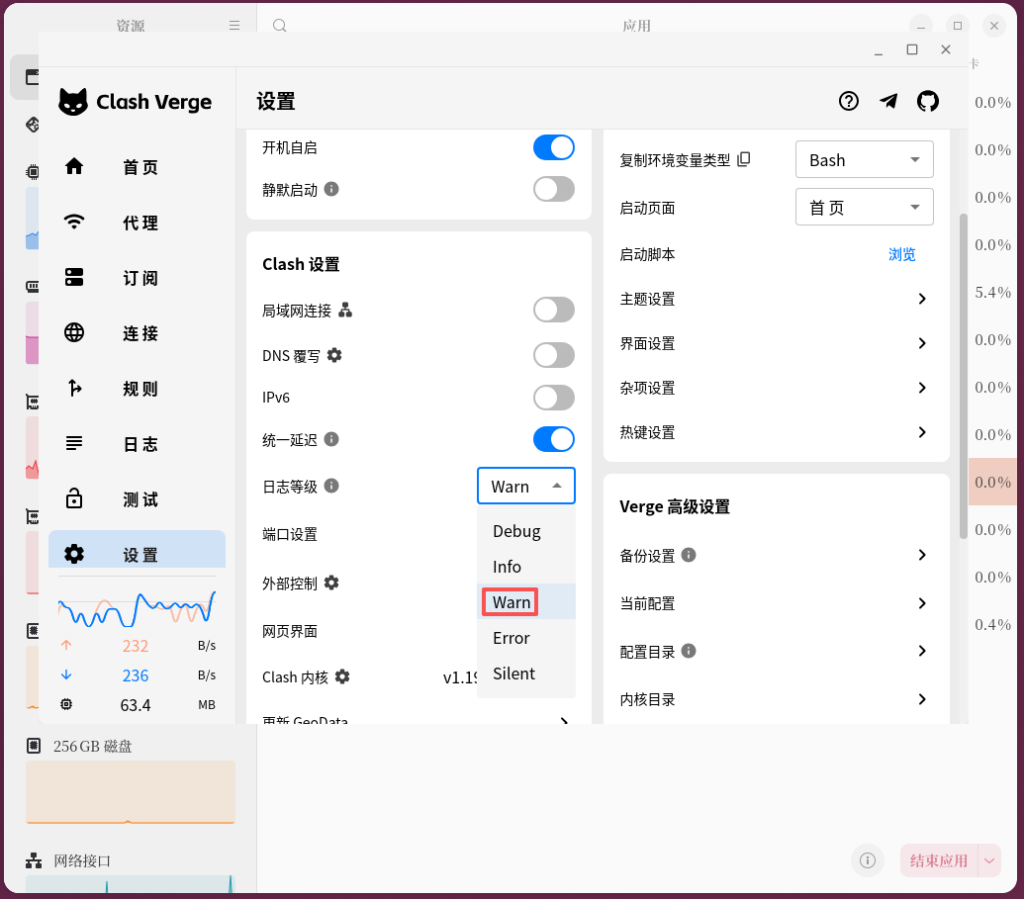
Recommended settings:
- WARN (recommended)
- error (lighter)
function:
- Reduce log write
- Reduce UI refresh rate
2️⃣ Turn off traffic statistics UI
path:
设置 → 界面设置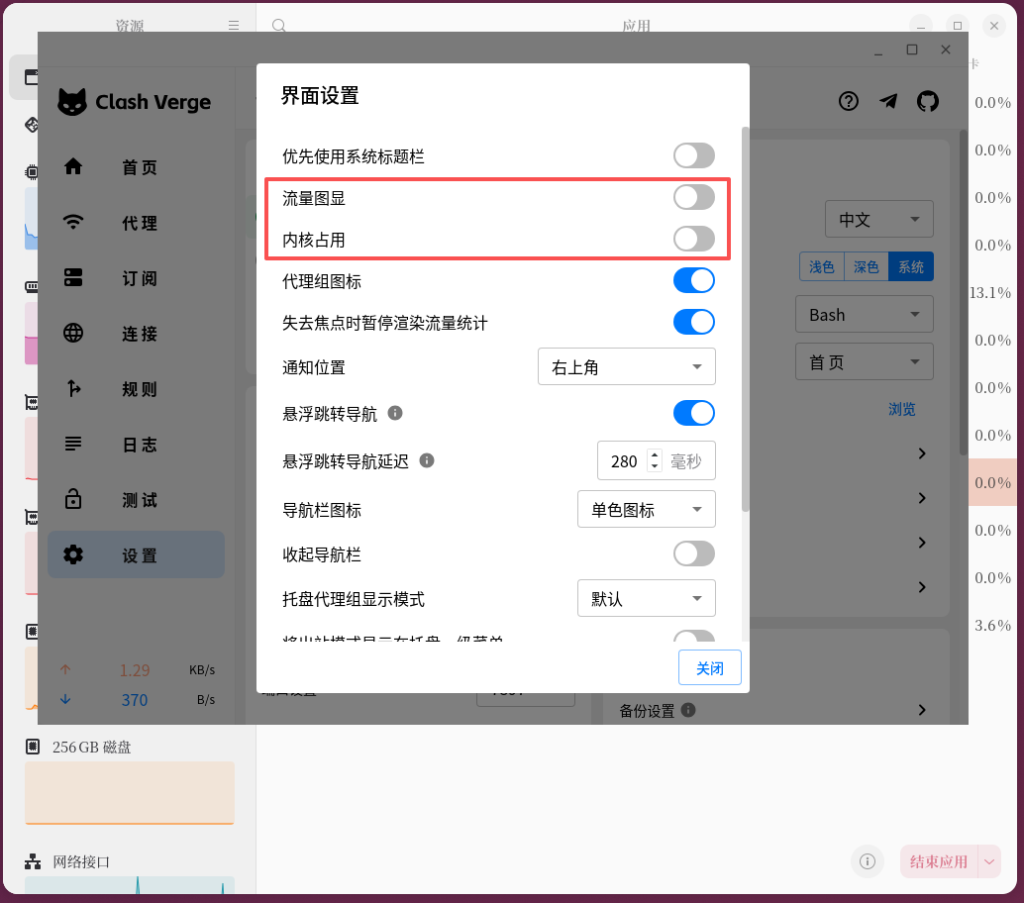
Close:
- flow chart display
- Kernel occupancy display
function:
- Reduce Electron UI rendering load
3️⃣ Turn off unnecessary network functions
Suggestion:
- IPv6: close
- DNS overwrite: close
- LAN connection: closed (not required)
⚡ 4. Key steps: enable lightweight mode (last execution)
path:
Verge 高级设置 → 轻量模式设置 → 启用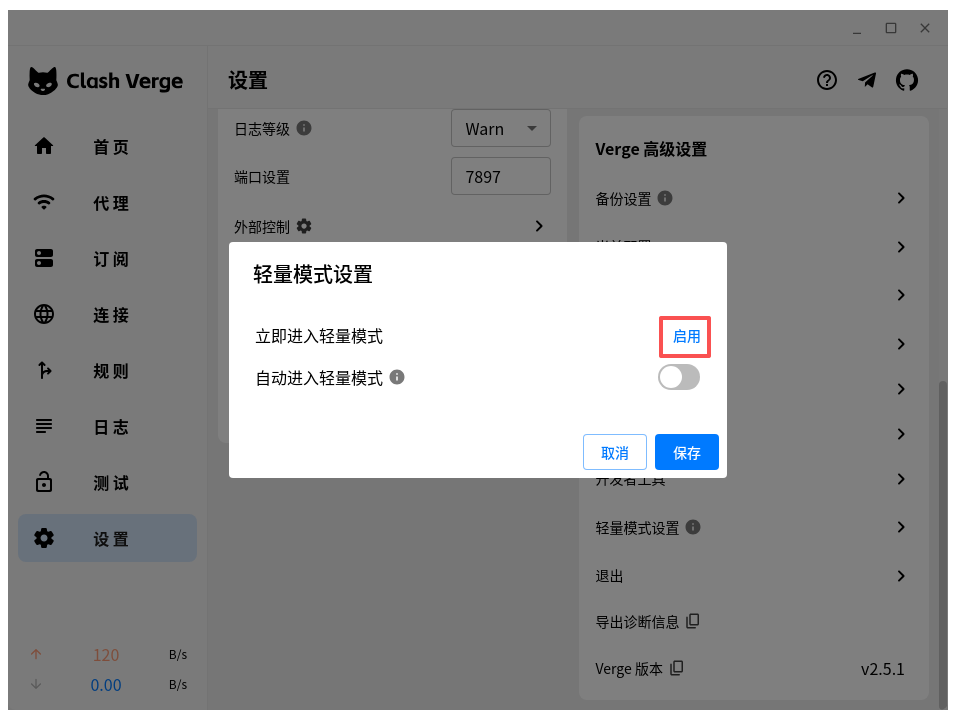
⚠️ Note:
- UI disappears when enabled
- Must be executed after all configurations are complete
📊 5. Optimization effect comparison
| Status | memory usage |
|---|---|
| default mode | 400MB – 600MB |
| after optimization | 150MB – 220MB |
👉 Memory drop by about 60%
🧠 Six, core conclusions
The essence of the Clash Verge memory usage problem is:
UI rendering + real-time traffic statistics, not the VPN itself
Optimize the core idea:
- Reduce UI
- Reduce logs
- Enable lightweight mode at last
🔍 7. Applicable scenarios
Applicable to:
- Ubuntu 22.04 / 24.04 / 26.04
- Gnome / Wayland desktop
- Clash Verge long-term background running
- run firefox/chrome/vscode at the same time
🚀 Recommended VPS (WireGuard / Clash / Self-hosted VPN)
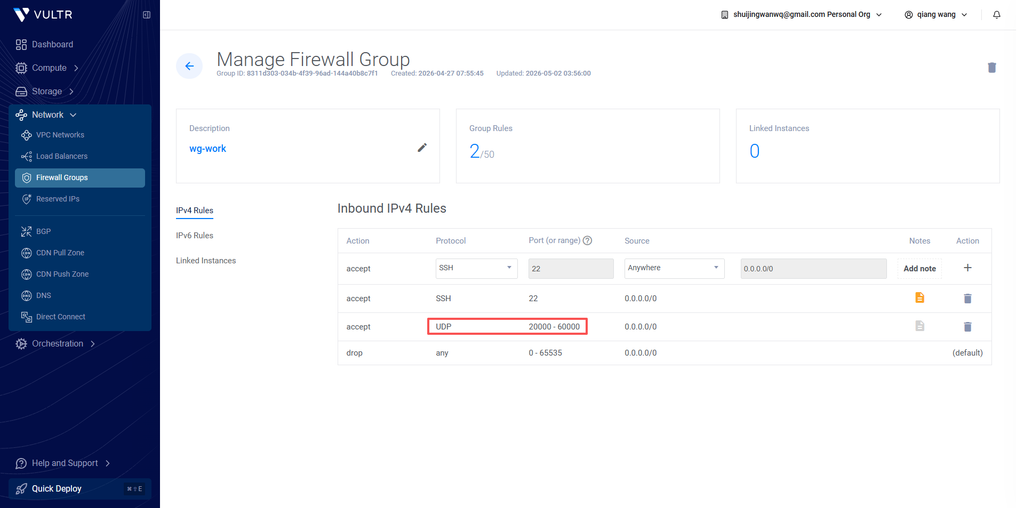
For this series, we recommend using Vultr VPS as the base infrastructure:
✔ Supports WireGuard / Clash / VPS deployment
✔ Multiple global data center locations
✔ Stable and suitable for long-term networking setups
👉 Visit Vultr (Recommended Sign-up Link)
💡 New User Promotion Info
Vultr may offer promotional credits for new users, such as:
– Up to $300 in trial credits
– For VPS deployment and testing purposes
– Availability depends on Vultr’s official campaign and account eligibility
⚠️ Offers may vary by region, time, or account type.
⚠️ Disclaimer
This page contains affiliate links to Vultr. We may earn a commission if you purchase through these links.
All promotions are provided and managed by Vultr. We do not guarantee that all users will receive the same promotional benefits.
Stop the Hassle | Dedicated WireGuard VPN Deployment Service
I continuously test and evaluate various network optimization solutions. My personal setup has been running stably for over a month with zero downtime. If you are tired of troubleshooting, experimenting with different protocols, or managing complex server configurations, feel free to contact me for a dedicated solution.
Ideal For:
✅ Users of AI tools such as ChatGPT, Claude, and Gemini
✅ Remote workers who rely on stable international connectivity
✅ Developers and technical learners who need access to global resources
✅ Users who do not want to spend time managing VPS and proxy configurations
✅ Anyone who prefers a private VPN server instead of shared public services
What I Offer:
✅ Remote Deployment: Deploy a dedicated WireGuard VPN on your own server with full control over your data.
✅ Free Trial: Apply for a one-month free trial of my self-hosted VPN node before making a decision.
✅ Traffic Routing Optimization: Fine-tuned routing rules optimized for AI tools, development environments, and everyday browsing.
✅ Post-Deployment Support: Assistance with setup, client configuration, and troubleshooting after deployment.
If you would like to learn more or apply for a free trial, please contact me directly and mention: VPN Consultation.
Contact Me:
Telegram: @shuijingwan
WeChat: 13980074657
Email: shuijingwanwq@gmail.com
Leave a Reply