Alibaba Cloud RDS database is damaged by misoperation, complete backup and recovery practical pit guide
The background of the accident
In the process of debugging the WordPress multi-language tag synchronization script, the script adds batch query and deletes the logic of dirty labels in the script, and the script runs free of the script running under the massive data cycle. After the process is forced to terminate, the database is irreversible and severely damaged:
Reference: WP 6.9 Label Synchronization Script In WP 7.0 Failure to Completely Troubleshoot and Solve Records
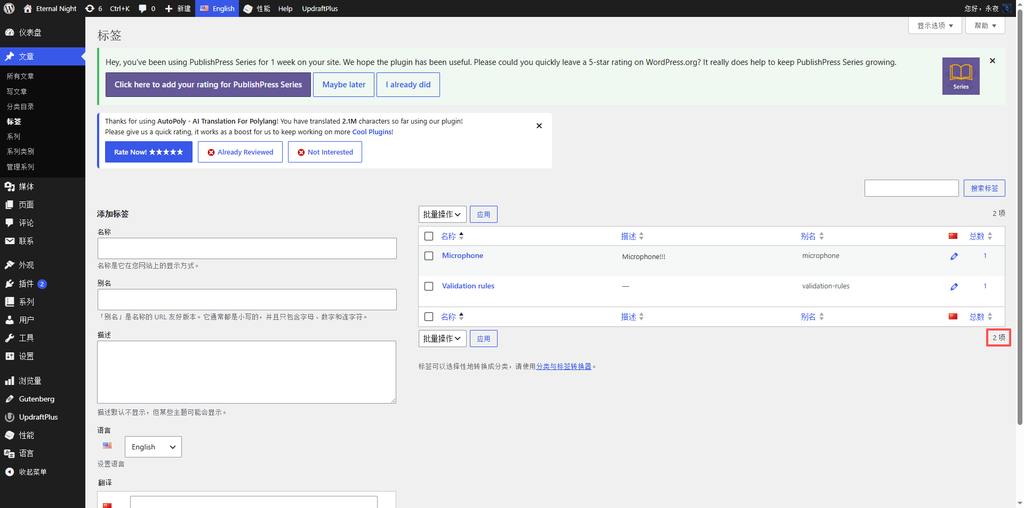
- A large number of normal English labels have been mistakenly judged to be dirty data deletion, and the total number of English labels has plummeted from more than 8,000 to only 2 left (as shown in Figure 1);
- The Chinese label generates more than 100 repeated redundant data, and the statistics are abnormally increased;
- There are no language attribution dirty data left in the library, the multi-language translation relationship is broken and confusing, and the website background statistics and label management functions are completely abnormal.
In daily habits, I can manually export SQL files for offline backup through DMS. This offline backup is historical data from a few days ago, and the latest business data within half a day cannot be restored; at the same time, R There is also a time difference between DS instance-level backups, and the overall recovery of instances requires additional purchase of instance resources, which does not meet the requirements of only repairing single database data and not changing the instance architecture. Finally, the restoration function of the library table time point is selected, and the time node that is accurately returned to the half-day before the failure occurs, and the complete and effective data is successfully retrieved.
2. Preparatory work
- Confirm the target restore time, and the time point of about half an hour before the lock script is abnormally executed;
- The Alibaba Cloud RDS MySQL instance runs normally, and the local network has been added to the instance whitelist;
- Suspend all the running database scripts on the front end of the website to access and close the server, and prevent the recovery process from creating new data write conflicts;
- Record the original database name and account permission information of the website wp-config.php in advance, so as to facilitate the subsequent switching of database configuration.
3. Restoration process that fits the actual scenario: restore the time point of the library table
The data is highly disordered, the historical offline SQL backup and the instance complete machine backup are not time-sensitive, and the deletion and reconstruction, the whole machine instance restoration scheme is abandoned, and the RDS is used to restore the time point library table according to the time point, and accurately trace the data of the specified time period.
- Enter the library table recovery function entry
1.1. Log in to the Alibaba Cloud website, enter the cloud database RDS console, and click the details page of the currently running database instance;
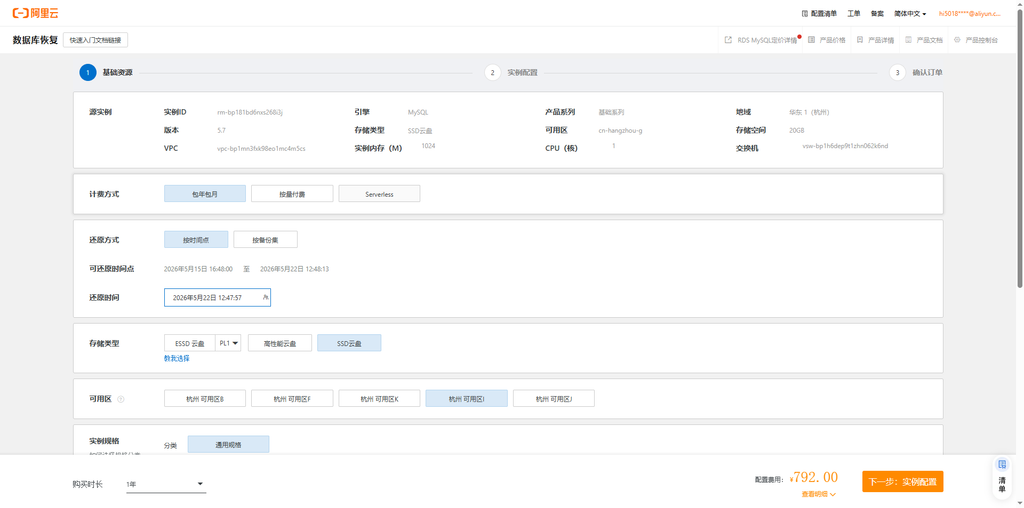
1.2. Find the backup recovery section in the left navigation bar, click to enter, and select the library table recovery function;
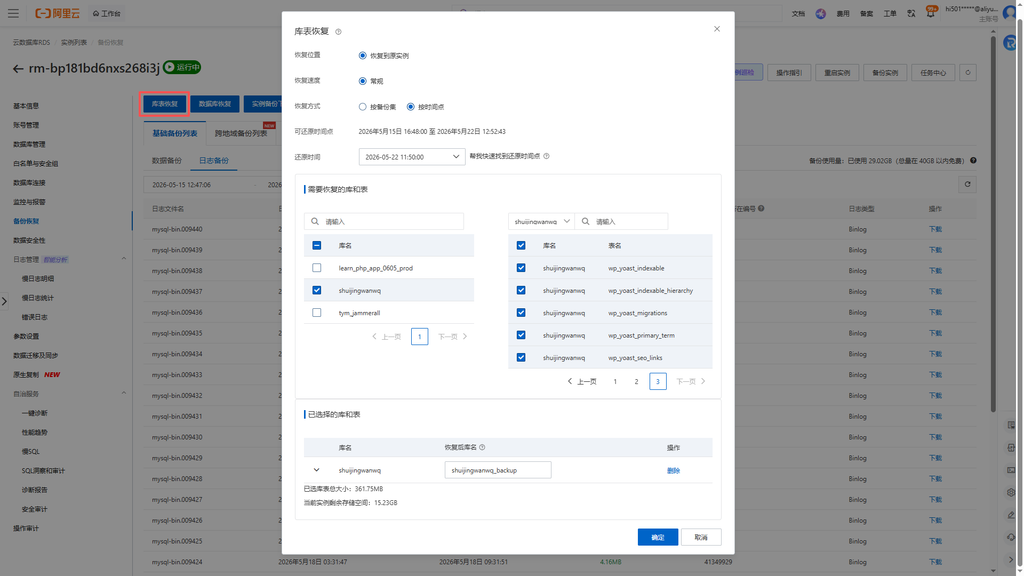
1.3. The recovery method is selected to restore at a time point, and manually select the accurate timestamp half a day before the fault is triggered (as shown in Figure 2). - Select the database and data table to be recovered
2.1. In the database list, check the damaged site databaseshuijingwanwq;
2.2. Key to avoid pits: Only check the database to complete the data restoration, after selecting the database, click the list of data tables on the right, and include all data tables in the library (as shown in Figure 3);
2.3. Confirm the recovery target, the system generates the suffix as default_backupThe new backup library will not directly cover the original database on the line, which is safe and has no risk. - Submit the recovery task and check the execution progress
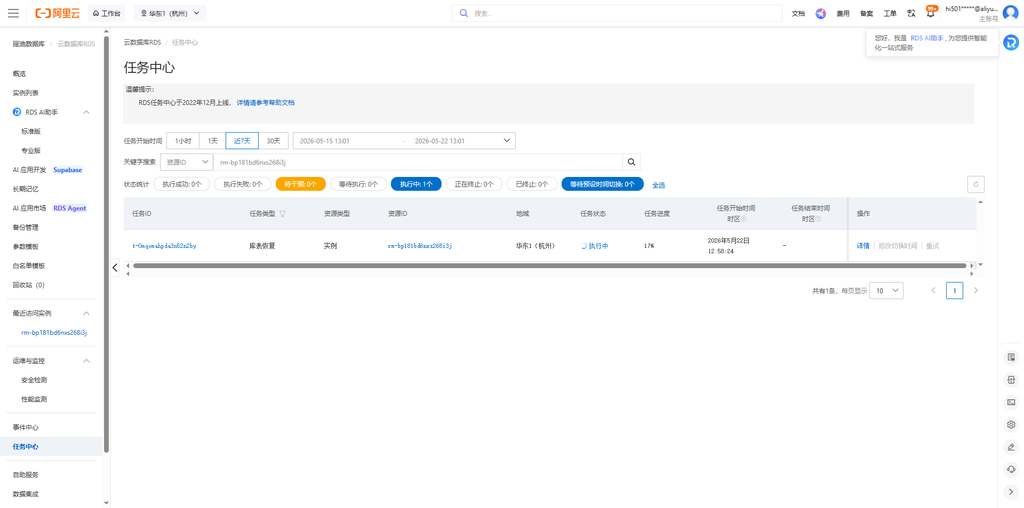
3.1. After checking the restore time and the scope of the library table are correct, submit the restoration task of the library table;
3.2. The page jumps to the task center, checks the task status in real time, and waits for the system background to automatically complete the data backtracking and restore (as shown in Figure 4);
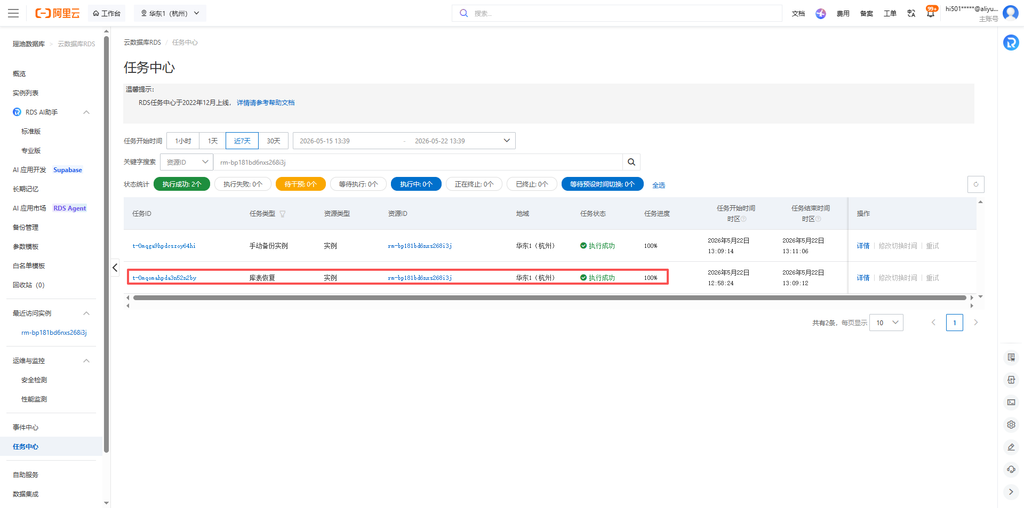
3.3. The task shows that the execution is successful, and the complete data representing the corresponding time node has been generated in the backup library (as shown in Figure 5). - Assign database access rights
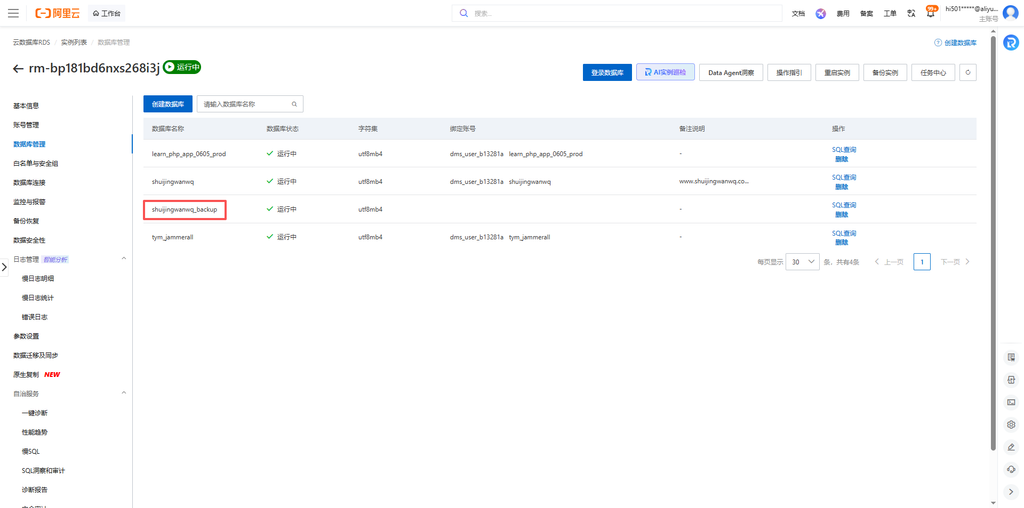
4.1. Go back to the database management page and find the new library generated by the recoveryshuijingwanwq_backup(as shown in Figure 6);
4.2. Access the original database of the website program and add the full read and write permissions to the backup library (as shown in Figure 7);
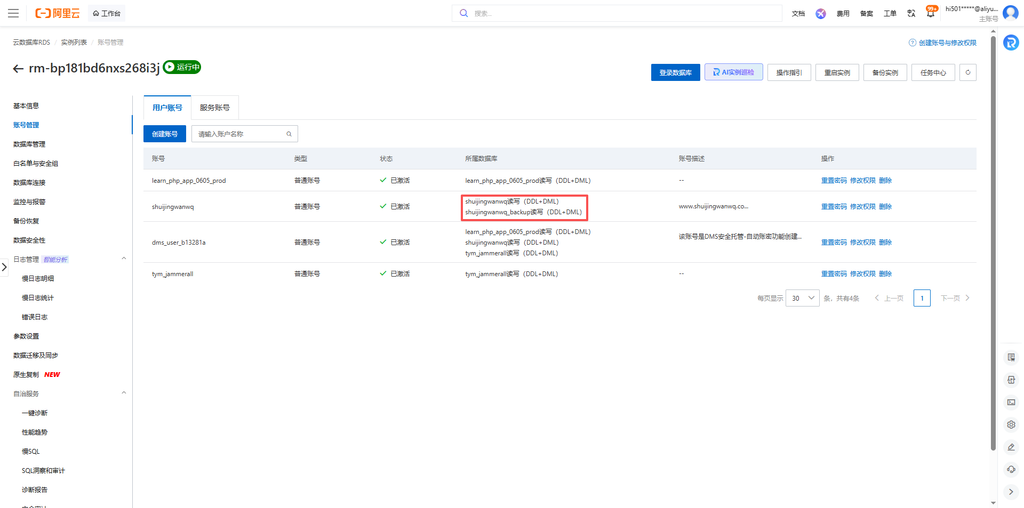
4.3. Verify account connectivity to ensure that the program can read and operate the new library data normally (as shown in Figure 8). - Modify Site Configuration Switch Database
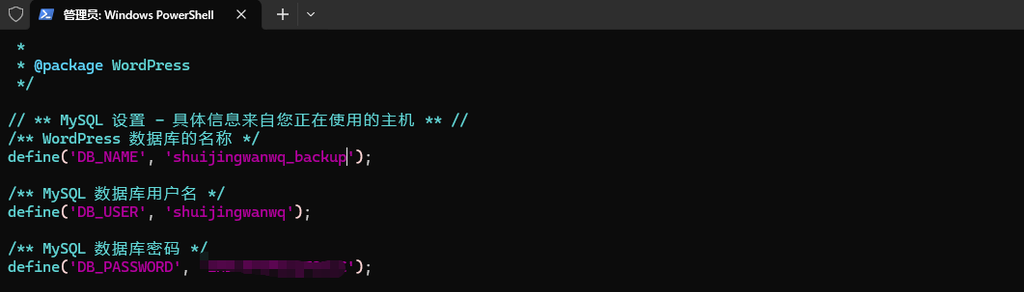
5.1. Log in to the website server and open the root directory of the websitewp-config.phpprofile;
5.2. Change the original database name parameter to the restored library nameshuijingwanwq_backup(as shown in Figure 9);
5.3. Save the configuration file without changing the remaining parameters such as the database account number, password, and address.
shuijingwanwq_backup(as shown in Figure 6)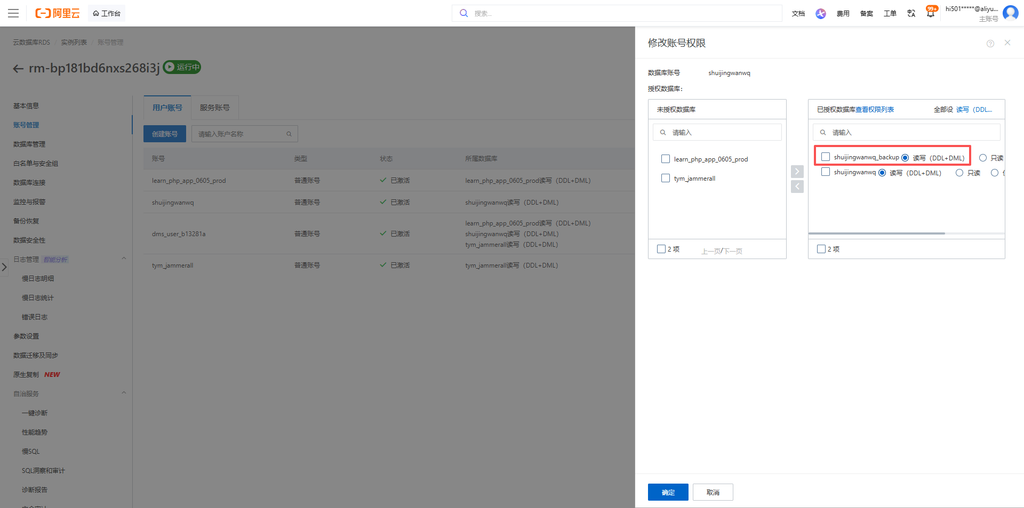
shuijingwanwq_backup(as shown in Figure 9)4. Data verification and finishing after recovery
- Refresh the database table structure, check the number of data tables, and the field structure is consistent with the normal state;
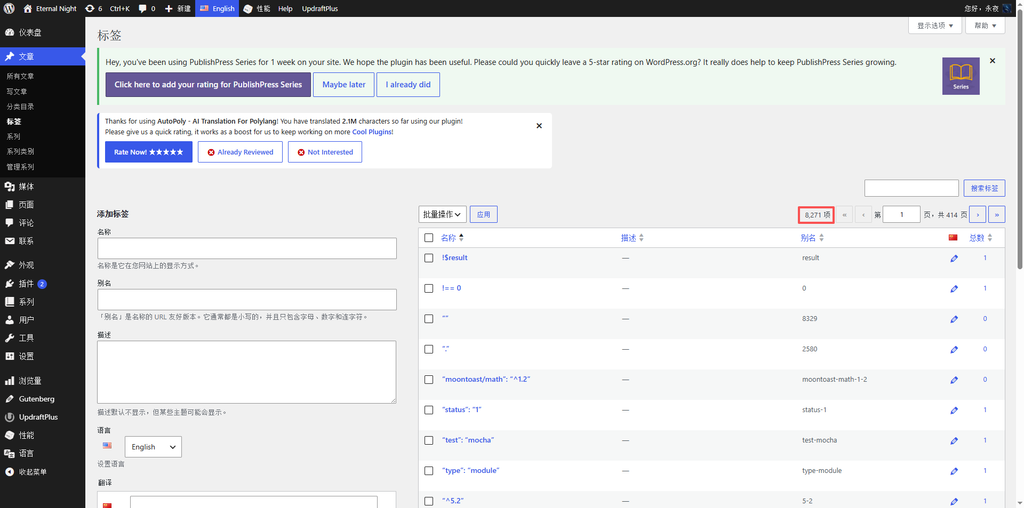
- Enter the WordPress background, check the number of Chinese and English labels, and restore the standard value of 8271 before the fault (as shown in Figure 10);
- Spot check label translation association, article content, site basic configuration, confirm that there is no missing, confusion, and duplicate data;
- Enter the W3 Total Cache plug-in dashboard, clear the cache of the whole site with one click, refresh the front desk page of the website, and all return to normal.
5. Summary of the RDS recovery practice and the key points of avoiding pits
- Offline SQL backup and instance complete machine backup have time lag, and the near-term data damage is given priority to use the time point library table recovery, no new instances are required, and the data is accurately restored at low cost;
- Be sure to check the entire library + all data tables, and check the database separately without checking the table, and no data recovery can be effective;
- The system automatically generates a new backup library, which will not cover the original data on the line, and the operation tolerance rate is high, so there is no need to worry about the secondary damage to the original data;
- After the recovery is completed, the database account permissions must be configured synchronously, and then the website database parameters must be modified to avoid insufficient permissions and the website cannot connect to the database;
- High-risk database scripts for batch deletion and circular query, give priority to locking the time node before running, keep the traceable node, and reduce the loss of data damage;
- Empty the whole site cache at the end of the recovery, eliminate the data displayed by the cache remaining, and ensure that the background and the foreground data are unified.